
Rounding Up the Best PDF Converters
PDF converters are tools designed to transform files from various formats into PDFs or vice versa. They play a vital role in document management, allowing users to create, edit, and share files while preserving formatting and layout. PDF converters are widely used in professional and personal settings for tasks like sending contracts, sharing reports, or archiving documents.
The best PDF converters offer features such as batch conversion, support for multiple file types, and options for editing or merging documents. Many programs also integrate with cloud services and provide security features like password protection. Choosing a converter that balances ease of use with functionality can make handling PDFs more efficient and less error-prone.
When selecting a PDF converter, it is important to consider compatibility with your operating system, the range of formats supported, speed of conversion, accuracy, and any additional editing tools included. User interface and customer support can also impact overall satisfaction. Understanding these factors helps in finding software that meets specific needs reliably and quickly. This sets the stage for a closer look at the best options on the market.
10 Best PDF Converters
This list covers the best PDF converters available, selected for their reliability and ease of use. Each option offers strong features to handle various file conversion needs efficiently. Readers can find solutions suitable for both personal and professional use.
#1: Adobe

Adobe’s online PDF Converter makes it easy to handle any file conversion in just a few clicks. You can quickly convert JPGs to PDFs, or turn PDFs back into editable Word, Excel, or PowerPoint files—all while maintaining the original formatting and quality.
Highlights
- Convert JPGs, Word, Excel, and PowerPoint files to and from PDF easily
- Preserves layout and formatting with high-quality output
- Works entirely online—no installation needed
- Free for quick conversions, with advanced tools available via Acrobat plans
The tool works directly in your browser, meaning there’s no need to download software. It’s free to use for simple conversions and accessible across devices, making it a reliable choice for everyday document management. Premium plans also unlock extra tools for editing, compressing, and e-signing.
Backed by Adobe’s trusted reputation and seamless performance, this converter remains one of the best tools for fast, accurate, and secure file conversions.
#2: ABBYY FineReader PDF
ABBYY FineReader PDF is a professional PDF and OCR tool designed for accurate document conversion and editing. It allows users to transform scanned PDFs, contracts, and reports into editable files while preserving formatting, layout, and quality.
Highlights
- Converts PDFs to Word, Excel, PowerPoint, and more with high accuracy
- Advanced OCR for scanned documents and images
- Edit text, images, and tables directly within PDFs
- Compare documents and automate repetitive tasks
With advanced OCR capabilities, FineReader makes scanned documents searchable and ready for professional use.
It also offers features like document comparison, workflow automation, and cloud integration, making it ideal for businesses, legal teams, and educators who manage large volumes of PDFs. FineReader ensures that sensitive information is protected with password security and customizable permissions.
#3: Nitro PDF Pro

Nitro PDF Pro is a powerful, all-in-one PDF solution designed for professionals and businesses that need advanced document control. It allows users to easily create, edit, convert, and combine PDFs while maintaining formatting and quality.
Highlights
- Converts, edits, and combines PDFs with accurate formatting and OCR technology
- Includes strong security tools like redaction, encryption, and digital signatures
- Offers cloud integration and collaboration features for efficient teamwork
With built-in OCR technology, it can also convert scanned documents into searchable, editable text, making it perfect for digitizing paper files. The interface is intuitive and clean, giving users quick access to editing tools, page organization, and formatting options.
Beyond conversion and editing, Nitro PDF Pro offers robust security and collaboration tools. Users can add digital signatures, password-protect files, redact sensitive information, and annotate PDFs with notes or highlights for team review.
It also integrates with cloud storage platforms, enabling seamless sharing and access across devices. Nitro PDF Pro stands out as a reliable alternative to Adobe Acrobat for those who want professional-grade performance without a steep learning curve.
#4: Foxit Editor

Foxit PDF Editor is a comprehensive PDF editing tool tailored for both individual professionals and businesses. It offers strong editing capabilities that let you modify text, images, and layout nearly as flexibly as in a word processor. For example, you can reflow text across paragraphs and columns, edit font styles, and reorganize document elements like multimedia, hyperlinks, or form fields.
Highlights
- Strong document editing: reflowable text, layout modifications, form field creation, multimedia support.
- Advanced security & collaboration: redaction tools, password protection, digital signatures, shared reviews.
- Modern AI features and cloud integration: AI-Assistant, Smart Redact, syncing with cloud storage, cross-device support.
It also has built-in OCR (Optical Character Recognition), so scanned documents or image PDFs can be converted into searchable and editable text. On top of that, Foxit supports converting PDFs to/from popular formats like Word, Excel, PowerPoint, HTML, etc., which is useful when you need to repurpose or share content.
Beyond editing and conversion, Foxit emphasizes collaboration, security, and modern conveniences. Users can annotate, comment, or conduct shared reviews; there are tools for electronic signatures and secure redaction of sensitive content. The software integrates with cloud services (OneDrive, Google Drive, Dropbox, SharePoint, etc.), which helps with accessing and sharing documents across devices.
There’s also a newer AI-Assistant component that helps with tasks like summarizing long documents, translating text, or improving writing, plus “Smart Redact” features to automatically detect and mask sensitive info. Licensing options are flexible: subscription plans and perpetual (one-time purchase) licenses are available, making it adaptable to different budgets and use cases.
#5: Wondershare PDFelement
Wondershare PDFelement is a versatile PDF editor that makes working with documents simple and efficient. It allows users to edit text, images, links, and watermarks with ease, offering a familiar interface similar to Microsoft Office. The software supports the creation of fillable forms, automatic form recognition, and extraction of form data into Excel.
Highlights
- Advanced OCR and form recognition for editable and searchable PDFs
- Batch processing for converting, compressing, or watermarking multiple files
- Secure and collaborative: digital signatures, password protection, annotations, and cloud access
With built-in OCR (Optical Character Recognition), scanned PDFs can be transformed into searchable and editable documents. Batch processing features also let users convert, compress, or apply changes to multiple PDFs at once.
Beyond editing and conversion, PDFelement includes robust security and collaboration tools. Users can password-protect files, add digital signatures, redact sensitive content, and control permissions for editing or printing. It also offers annotation tools such as highlighting, commenting, and marking up documents for review.
Available on desktop, mobile, and cloud platforms, PDFelement ensures seamless access, sharing, and editing across devices, making it a comprehensive solution for both individual and professional workflows.
#6: TalkHelper PDF Converter

TalkHelper PDF Converter is a versatile PDF conversion tool designed to facilitate seamless document management. It allows users to convert PDFs to and from various formats, including Word, Excel, PowerPoint, images, and more. The software supports batch processing, enabling users to convert multiple files simultaneously, which enhances efficiency.
Highlights
- Wide Format Support: Convert PDFs to and from multiple formats, including Word, Excel, PowerPoint, images, and more.
- Built-in OCR Technology: Convert scanned PDFs or image-based documents into editable formats, supporting over 40 languages.
- Batch Processing and Basic Editing: Efficiently handle multiple files simultaneously and perform basic PDF editing tasks such as splitting, merging, and compressing.
Additionally, TalkHelper PDF Converter offers basic PDF editing features such as splitting, merging, compressing, and extracting pages, providing a comprehensive solution for handling PDF documents.
One of the standout features of TalkHelper PDF Converter is its built-in Optical Character Recognition (OCR) capability. This function enables the conversion of scanned PDFs or image-based documents into editable formats like Word or Excel, supporting over 40 languages.
The software also allows users to rotate, crop, and rearrange pages within PDFs, offering flexibility in document customization. With its user-friendly interface and robust features, TalkHelper PDF Converter caters to both individual and professional needs, streamlining the process of managing and converting PDF files.
#7: Icecream PDF Converter
Icecream PDF Converter is a user-friendly desktop application designed to simplify the process of converting various file formats to and from PDF. It supports a wide range of input formats, including images (JPG, PNG, BMP, TIFF, GIF), documents (DOC, DOCX, ODT, TXT), spreadsheets (XLS, XLSX, ODS), and eBooks (EPUB, MOBI, FB2). Users can convert these files into PDF format with ease.
Highlights
- Wide Format Support: Convert various file formats to and from PDF, including images, documents, spreadsheets, and eBooks.
- Batch Processing: Efficiently convert multiple files at once, streamlining workflows.
- Local Processing: All conversions are performed locally on the user’s device, ensuring privacy and data security.
Additionally, the software allows for the conversion of PDFs into formats such as images, text documents, and HTML. This versatility makes it a valuable tool for individuals and businesses needing to manage and convert documents efficiently.
Beyond basic conversion, Icecream PDF Converter offers features like batch processing, enabling users to convert multiple files simultaneously, saving time and effort. The software also provides options for setting custom passwords when generating new PDFs, enhancing security for sensitive documents.
Notably, all processing occurs locally on the user’s device, ensuring privacy and data protection. With its intuitive interface and robust functionality, Icecream PDF Converter caters to both casual users and professionals seeking a reliable PDF conversion solution.
#8: Able2Extract Professional

Able2Extract Professional is a comprehensive PDF solution designed for professionals who require advanced PDF conversion and editing capabilities. It allows users to convert PDFs to and from various formats, including Excel, Word, PowerPoint, AutoCAD, HTML, and more.
Highlights
- Advanced OCR Technology: Convert scanned PDFs into editable and searchable documents, supporting multiple languages.
- Batch Processing: Efficiently convert multiple files simultaneously, saving time and enhancing productivity.
- Comprehensive PDF Editing and Security Tools: Modify text and images, merge or split files, and apply digital signatures and password protection to ensure document security.
The software’s advanced OCR (Optical Character Recognition) technology enables the conversion of scanned PDFs into editable and searchable documents, supporting multiple languages. Additionally, Able2Extract Professional offers batch processing, allowing users to convert multiple files simultaneously, thereby enhancing productivity.
Beyond conversion, Able2Extract Professional provides a suite of tools for editing and securing PDF documents. Users can modify text, images, and pages within PDFs, as well as merge, split, or compress files as needed. The software also supports digital signatures, password protection, and redaction of sensitive information, ensuring document security.
With its user-friendly interface and robust feature set, Able2Extract Professional caters to a wide range of industries, including legal, financial, and engineering sectors, making it a versatile choice for handling PDF documents.
#9: UPDF Pro

UPDF Pro is an advanced, AI-powered PDF editor designed to streamline document workflows across multiple platforms, including Windows, macOS, iOS, and Android. It allows users to edit text, images, and links directly within PDFs, similar to working in a word processor.
Highlights
- AI-Powered Features: Utilize GPT-5 and DeepSeek AI models for document summarization, translation, and interactive Q&A functionalities.
- Comprehensive Editing Tools: Edit text, images, and links within PDFs; annotate, organize, and secure documents with ease.
- Cross-Platform Synchronization: Access and edit documents seamlessly across Windows, macOS, iOS, and Android devices.
The software supports a wide range of features, including annotation, form recognition, batch processing, and advanced OCR capabilities. +With the integration of GPT-5 and DeepSeek AI models, UPDF Pro offers intelligent document summarization, translation, and interactive Q&A functionalities, enhancing the user’s ability to extract and comprehend information efficiently.
Beyond editing and annotation, UPDF Pro provides robust tools for organizing and securing PDF documents. Users can reorder, delete, insert, extract, split, and rotate pages with ease. The software also supports digital signatures, password protection, and redaction of sensitive information, ensuring document security.
With its user-friendly interface and synchronization across devices, UPDF Pro caters to both individual and professional needs, making it a comprehensive solution for managing PDF documents.
#10: Solid PDF Tools
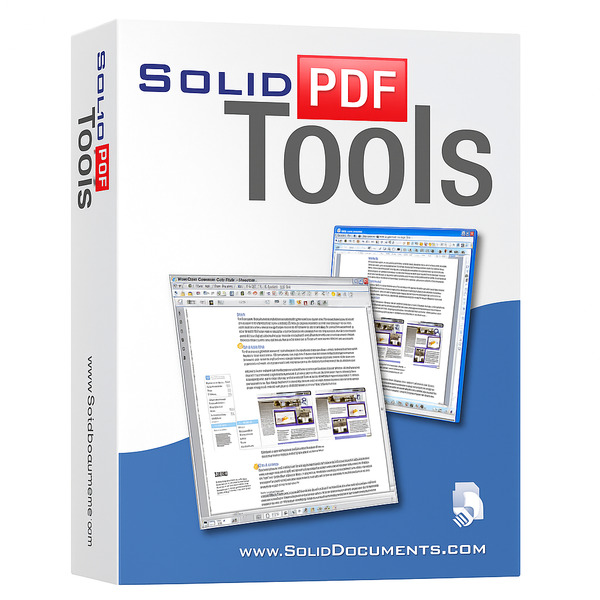
Solid PDF Tools is a powerful PDF management software designed to make creating, converting, and editing PDFs seamless and efficient. It allows users to convert PDFs into various formats such as Word, Excel, PowerPoint, HTML, and plain text while preserving the original layout and formatting.
Highlights
- Versatile Conversion: Convert PDFs to and from formats like Word, Excel, PowerPoint, HTML, and text while maintaining formatting.
- Advanced Editing and Security: Add watermarks, headers, footers, annotations, and protect documents with passwords and digital signatures.
- User-Friendly Interface: Simplifies complex PDF tasks with an intuitive and easy-to-navigate interface.
Users can also create PDFs from multiple sources, including documents, spreadsheets, and images, providing flexibility for both personal and professional workflows.
In addition to conversion and creation, Solid PDF Tools offers robust editing and security features. Users can add watermarks, headers, footers, and annotations, as well as merge, split, and compress PDF files. The software also supports password protection and digital signatures, ensuring sensitive documents remain secure.
Its intuitive interface makes navigating and performing complex tasks straightforward, making it suitable for professionals and businesses seeking an efficient PDF solution.
Buying Guide
Choosing the best PDF converter depends on the user’s specific needs. It is important to identify the types of files they plan to convert and the frequency of use. This helps narrow down options to software that offers the right balance of features and usability.
Key features to consider include conversion accuracy, file format support, and speed. Accuracy ensures the output file maintains the original document’s layout and text quality. Wide format support means the software can handle various input and output file types, increasing flexibility.
Security is another important factor. Users should look for converters that offer encryption or password protection if dealing with sensitive documents. Some converters provide cloud storage options, which can be convenient but may raise privacy considerations.
User interface and ease of use matter. A clean, intuitive layout will reduce frustration and speed up the conversion process. Some users might prefer online converters for occasional use, while frequent converters may benefit from desktop software for offline access and additional features.
| Feature | What to Look For | Why It Matters |
|---|---|---|
| Conversion Accuracy | Maintains layout and text quality | Professional and clean output |
| Format Support | Supports common file types (JPEG, DOCX, etc.) | Versatility in conversion options |
| Speed | Quick conversion process | Saves time and increases productivity |
| Security | Encryption and password protection options | Protects sensitive data |
| Usability | Intuitive and simple interface | Enhances user experience |
Evaluating these factors helps in selecting a PDF converter that fits both the technical and practical needs of the user.
Check out other best articles you might like:



Ask the community or leave a comment
WRITE A REVIEWCustomer Reviews
Leave a review