
The best printing setups for productivity at home
Building an efficient home office printing setup in 2026 means balancing performance, predictability, convenience, and long-term cost. Modern all-in-one printers now offer seamless wireless integration, allowing you to print, scan, and copy directly from your laptop, phone, or tablet. A strong setup typically includes a compact multifunction printer, reliable Wi-Fi, and access to cloud services so you can manage documents quickly and stay organized without extra steps.
Another key factor is minimizing maintenance while maximizing productivity. Home office setups today focus on printers with features like automatic duplex printing, document feeders, and high-capacity ink or toner systems to reduce interruptions. Pairing your printer with a clean, well-organized workspace—where supplies are easy to access—can make a noticeable difference in your daily workflow, helping you stay focused and efficient.
10 Best Home Office Printing Setups
Here are the 10 best home office printing setups to streamline your workflow, boost productivity, and fit a range of needs—from compact everyday use to high-performance printing.
#1: HP All-In Plan Smart Tank
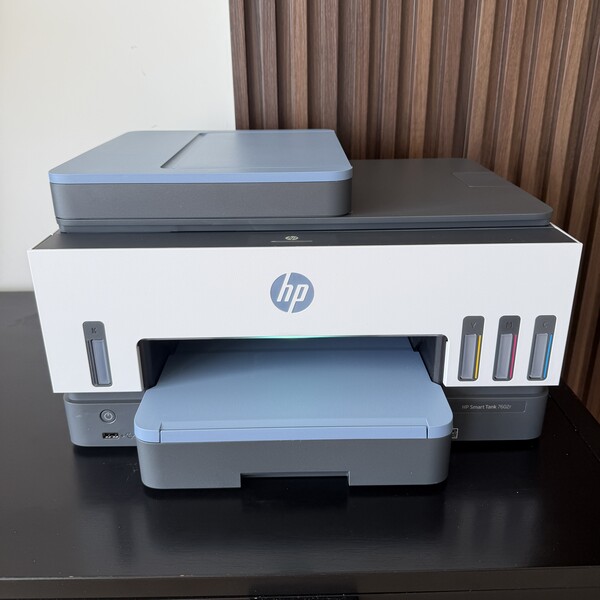
The HP All-In Plan Smart Tank is an excellent choice for home office printing setups, combining a reliable all-in-one printer with a subscription plan that simplifies everyday tasks. Designed for productivity, the HP Smart Tank system offers print, scan, and copy functionality along with a high-capacity ink setup that supports frequent use without constant refills. Its wireless connectivity and easy setup make it ideal for remote work environments where efficiency and convenience are essential.
The HP All-In Plan is built around a fully managed experience, bundling the printer, automatic ink delivery, and ongoing support into one solution. This approach helps eliminate common frustrations like running out of ink or dealing with maintenance, allowing users to stay focused on work without interruptions. Think of the HP All-In Plan as your very own printer IT department. Combined with the efficiency of Smart Tank technology, it delivers a consistent and hassle-free printing experience. This setup is especially well-suited for remote workers, freelancers, small business owners, students, and families who regularly print documents, invoices, school assignments, presentations, or shipping labels and want predictable monthly costs.
Highlights
- Complete home office solution with printer subscription starting at $12.99/month
- Automatic ink delivery for uninterrupted printing
- High-capacity Smart Tank system for frequent use
- 24/7 live support and next-business day printer replacements if issue can’t be fixed
- Wireless and all-in-one functionality for maximum convenience
- Predictable monthly cost
#2: Epson EcoTank ET-4850
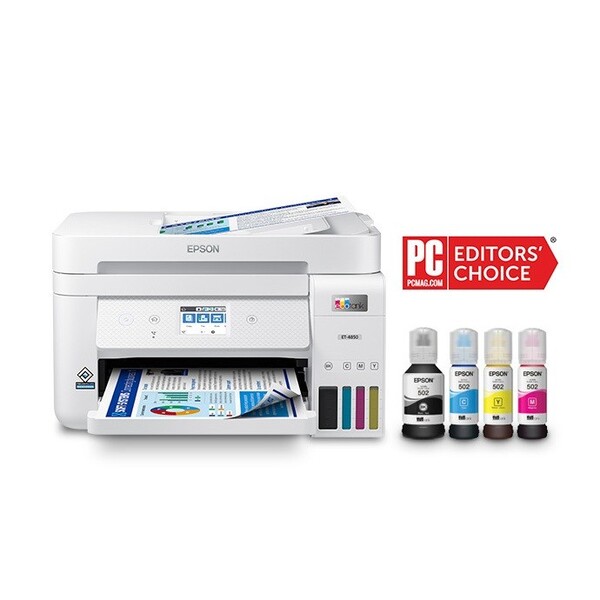
The Epson EcoTank ET-4850 is built for productivity, offering print, scan, copy, and fax functionality in a single streamlined device. What makes it especially suited for home offices is its refillable ink tank system, which replaces traditional cartridges and allows for significantly higher page yields. This means fewer interruptions and a more efficient workflow, especially for users who print frequently. Its wireless connectivity and mobile printing capabilities also make it easy to manage documents from multiple devices.
Designed for long-term cost savings, this model is ideal for high-volume users who want to minimize ink expenses over time. Features like automatic duplex printing, a 30-sheet automatic document feeder, and a large paper tray help simplify everyday tasks and save time. While the upfront investment may be higher than standard printers, the long-term savings on ink and reduced maintenance make it a smart choice for those looking to build a reliable and hassle-free home office setup.
Highlights
- Cartridge-free ink tank system for ultra-low printing costs
- All-in-one functionality: print, scan, copy, and fax
- Automatic duplex printing and document feeder for efficiency
#3: Canon PIXMA TR8620a
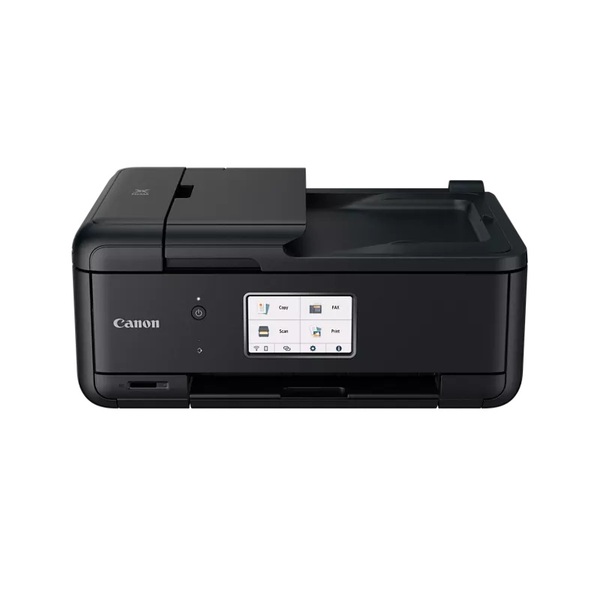
The Canon PIXMA TR8620a combines printing, scanning, copying, and faxing into one compact device, making it a practical choice for handling a wide range of tasks in a home office. It’s especially well-suited for users who need both document and photo printing, delivering sharp text and vibrant colors. With its dual paper trays and automatic document feeder, it supports efficient multi-page jobs while keeping everyday workflows smooth and organized.
In addition to its versatility, the TR8620a is designed with convenience in mind. It features wireless connectivity, mobile printing compatibility, and an intuitive touchscreen interface that simplifies operation. Automatic duplex printing helps save paper, while its compact design makes it easy to fit into smaller workspaces. Overall, it’s a reliable and well-rounded option for users looking for a flexible and hassle-free home office printing solution.
Highlights
- All-in-one functionality: print, scan, copy, and fax
- High-quality color and photo printing with sharp detail
- Wireless connectivity with mobile printing and touchscreen control
#4: Brother MFC-L3770CDW
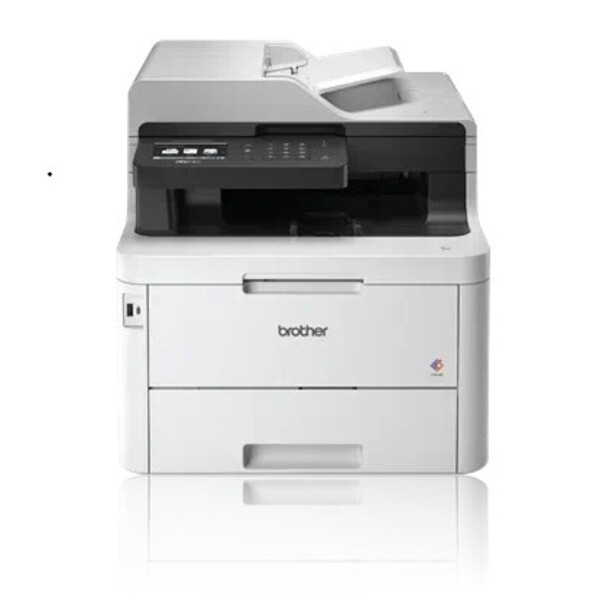
The Brother MFC-L3770CDW combines printing, scanning, copying, and faxing into one compact device, making it a complete solution for handling a wide range of office tasks. It delivers fast print speeds of around 24–25 pages per minute for both color and black-and-white documents, making it ideal for users who need consistent performance without delays. With features like a 50-sheet automatic document feeder and single-pass duplex scanning, it helps streamline multi-page jobs and boost productivity.
Designed with convenience in mind, this printer offers wireless connectivity, mobile printing support, and even NFC for quick device pairing. Automatic duplex printing across all functions helps save time and reduce paper usage, while its sturdy build ensures durability for regular use. Overall, it’s a strong choice for home offices that need a reliable, high-performance printer for both everyday documents and color materials.
Highlights
- All-in-one functionality: print, scan, copy, and fax
- Fast color and monochrome printing (~24–25 ppm)
- Duplex printing and single-pass duplex scanning for efficiency
#5: Xerox B235
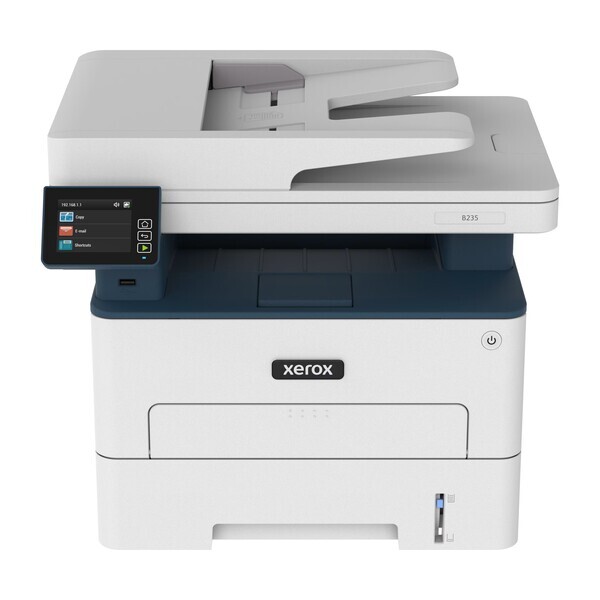
The Xerox B235 combines printing, scanning, copying, and faxing into a single streamlined device, making it a practical solution for handling daily document tasks. Its compact size makes it ideal for smaller workspaces, while still delivering strong performance for users who need consistent output. With fast monochrome print speeds of up to around 34–36 pages per minute, it helps keep productivity high and workflows running smoothly.
In addition to performance, the B235 is built for convenience and flexibility. It supports wireless connectivity, mobile printing, and automatic duplex printing, allowing you to work efficiently from multiple devices. Designed for moderate workloads, it handles regular use with ease, making it a dependable and hassle-free option for any home office setup.
Highlights
- All-in-one functionality: print, scan, copy, and fax
- Fast monochrome printing with speeds up to ~36 ppm
- Wireless connectivity and duplex printing for efficient workflows
#6: Lexmark MB3442adw
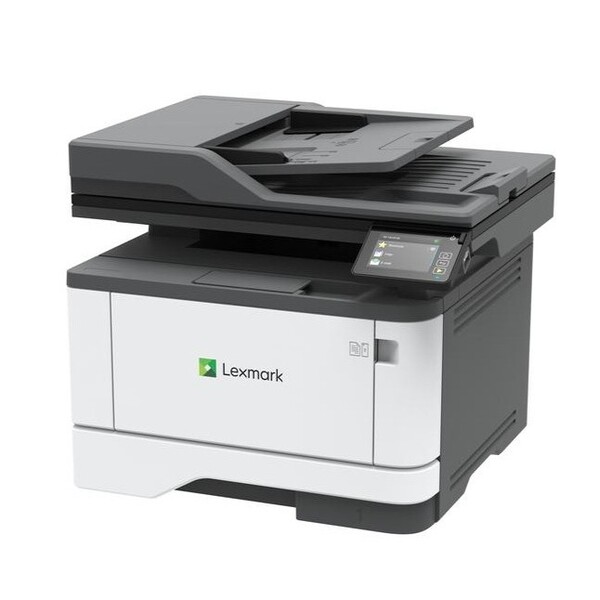
The Lexmark MB3442adw combines printing, scanning, copying, and faxing into a compact device, making it a complete solution for everyday office tasks. Despite its small footprint, it delivers strong performance with fast print speeds of up to around 40–42 pages per minute, making it ideal for users who handle frequent or high-volume printing. Its intuitive controls and automatic document feeder help streamline multi-page jobs and keep workflows running smoothly.
Built for productivity, this printer also features automatic duplex printing, wireless connectivity, and mobile printing support, allowing you to work seamlessly across multiple devices. Designed to handle moderate to heavy workloads, it provides consistent output and dependable performance, making it a solid choice for a hassle-free home office setup.
Highlights
- All-in-one functionality: print, scan, copy, and fax
- Fast monochrome printing with speeds up to ~40–42 ppm
- Duplex printing and wireless connectivity for efficient workflows
#7: Kyocera ECOSYS M2640idw
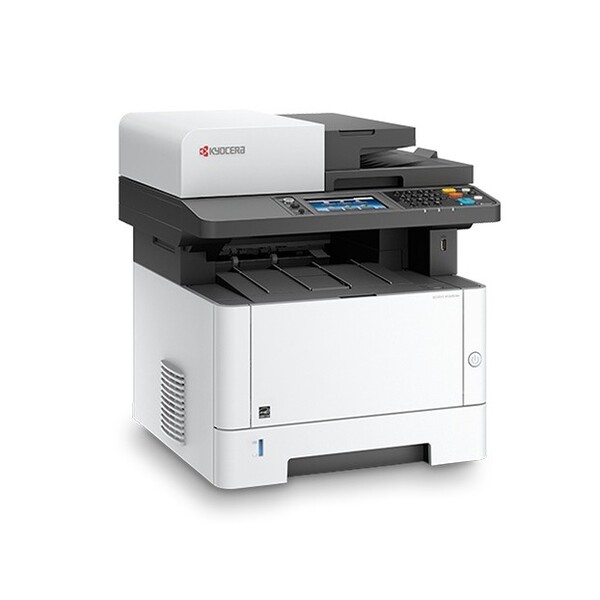
The Kyocera ECOSYS M2640idw combines printing, scanning, copying, and faxing into one efficient device, making it a complete solution for handling daily office tasks. It’s especially suited for users who print frequently, delivering fast speeds of up to around 40–42 pages per minute while maintaining consistent, high-quality output. Its compact desktop design allows it to fit comfortably into home office spaces without sacrificing performance.
What sets this printer apart is its focus on durability and long-term efficiency. Built with long-life components, it helps reduce maintenance and lower overall operating costs. Features like automatic duplex printing, wireless connectivity, and a user-friendly touchscreen interface make it easy to manage workflows and stay productive. Overall, it’s a dependable choice for users who want a powerful, hassle-free printing setup at home.
Highlights
- All-in-one functionality: print, scan, copy, and fax
- Fast monochrome printing with speeds up to ~40–42 ppm
- Durable design with low running and maintenance costs
#8: Ricoh M C250FW

The Ricoh M C250FW combines printing, scanning, copying, and faxing into one efficient device, making it a complete solution for handling a variety of daily tasks. It delivers consistent color output and solid performance, with print speeds of around 25–26 pages per minute, making it suitable for both document-heavy work and occasional color printing needs. Its compact design allows it to fit easily into home office environments without sacrificing functionality.
Built for convenience, this printer includes features like wireless connectivity, mobile printing support, and automatic duplex printing to help streamline workflows. A single-pass document feeder makes scanning and copying multi-page documents faster and more efficient. Overall, it’s a dependable choice for users who want a balanced mix of performance, quality, and ease of use in a hassle-free home office setup.
Highlights
- All-in-one functionality: print, scan, copy, and fax
- Consistent color printing with speeds up to ~26 ppm
- Wireless connectivity and duplex printing for efficient workflows
#9: Pantum M7102DW
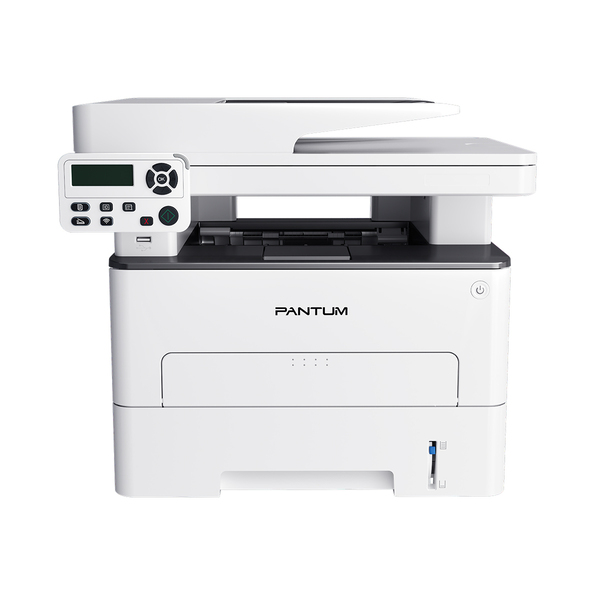
The Pantum M7102DW is a practical and efficient all-in-one monochrome printer designed for home office setups that need fast performance without high costs. It delivers printing, scanning, and copying in one compact device, making it ideal for users who want a straightforward and reliable solution for everyday document tasks. Its space-saving design allows it to fit easily into smaller work areas while still offering solid functionality.
Built for productivity, this printer offers speeds of up to around 33 pages per minute along with automatic duplex printing to keep workflows efficient. It also includes a 50-sheet automatic document feeder, wireless connectivity, and mobile printing support, making it easy to handle multi-page jobs and print from different devices. Overall, it provides a strong balance of performance, convenience, and value for a hassle-free home office setup.
Highlights
- Fast printing performance with speeds up to ~33 ppm
- Automatic document feeder for efficient multi-page tasks
- Wireless connectivity and duplex printing for smoother workflows
#10: Konica Minolta bizhub C3350i
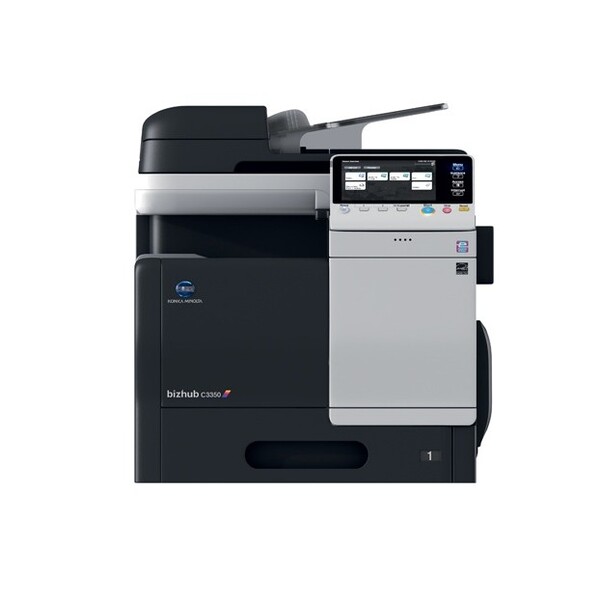
The Konica Minolta bizhub C3350i offers a complete all-in-one solution with printing, scanning, copying, and faxing capabilities, making it ideal for users who need more than just basic functionality. It delivers fast print speeds of around 33 pages per minute in both color and black and white, ensuring smooth performance for daily workloads. Its standout feature is the large 10.1-inch touchscreen, which operates like a tablet and makes navigation intuitive and user-friendly.
Built for efficiency and modern workflows, this printer supports mobile printing, wireless connectivity, and automatic duplex printing to streamline everyday tasks. It also includes advanced security features and high-performance hardware, making it a great choice for professionals who handle sensitive documents or need reliable, consistent output. Overall, it’s a powerful and future-ready option for a hassle-free home office setup.
Highlights
- Smart touchscreen interface for easy, app-like navigation
- Fast color and monochrome printing (~33 ppm)
- Advanced security features with reliable performance
Buying Guide
Choosing the right home office printing setup comes down to a few key factors that directly impact your daily productivity. Focus on printing volume, running costs, speed, and features—these will determine whether your setup stays efficient or becomes a hassle over time.
1. Printer Type (Inkjet vs. Laser)
Inkjet printers are great for color documents and occasional use, while laser printers are better for fast, high-volume black-and-white printing. If you print daily, laser is usually the smarter choice.
2. Running Costs
This is one of the most important factors. Ink cartridges can get expensive, while tank printers and laser toners offer much lower cost per page, making them ideal for frequent printing.
3. All-in-One Features
A good home office setup should include printing, scanning, and copying in one device. This saves space and makes your workflow much more efficient.
4. Print Speed
If you handle a lot of documents, look for higher pages-per-minute (PPM). Faster printers help you stay productive and avoid bottlenecks during busy workdays.
5. Connectivity
Wireless printing is essential. Look for Wi-Fi, mobile printing, and app support so you can print directly from your phone or laptop without cables.
Looking for other top brands? Check out these curated lists below:




Ask the community or leave a comment
WRITE A REVIEWCustomer Reviews
Leave a review