
Simple upgrades for a more efficient home office
Upgrading your home office doesn’t have to mean a complete overhaul or a big investment. With a few smart changes, you can create a workspace that boosts efficiency, reduces daily friction, and helps you get more done in less time. The right setup can streamline your workflow, minimize distractions, and even cut down on long-term costs by improving durability and organization.
Whether you’re working full-time from home or just need a more productive space, small, intentional upgrades can make a noticeable difference. From optimizing your layout to choosing tools that support your routine, these improvements are all about working smarter—saving both time and money while making your day-to-day tasks feel easier and more enjoyable.
5 Home Office Upgrades
Here are 5 home office upgrades that can quickly improve your workspace and boost productivity. These simple changes are designed to help you work more efficiently while saving both time and money.
Each upgrade focuses on comfort, organization, and smarter workflows—making your daily routine easier and more effective.
#1: HP All-In Plan Smart Tank
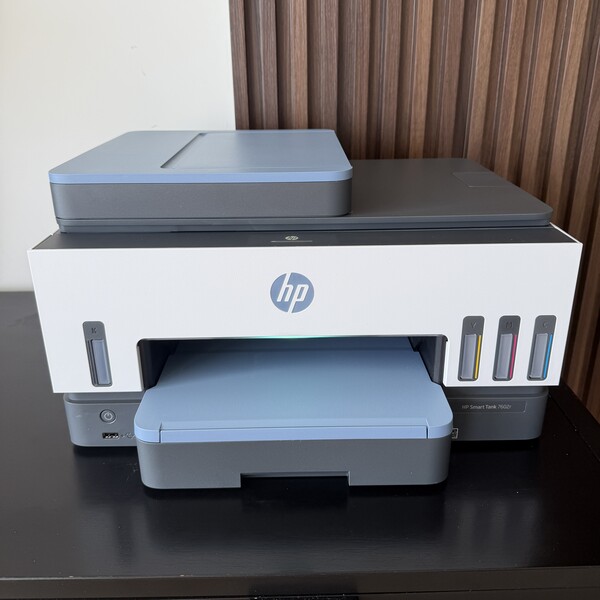
The HP All-In Plan Smart Tank is a practical upgrade for anyone looking to simplify their home office while keeping costs under control. Instead of managing frequent ink purchases or unexpected expenses, this setup combines Smart Tank technology—known for its high-capacity, low-cost ink system—with a subscription-based service that provides a predictable monthly cost and a hassle-free experience. It’s designed to reduce downtime and streamline your workflow, making it easier to stay focused on your tasks without interruptions.
Highlights
- Subscription model keeps costs predictable
- Convenient ink delivery so you never run out of ink
- 24/7 live support + next business day printer replacements reduces printer down time
- Ideal for reliable, stress-free home office printing
Pricing varies depending on the selected plan and printer model, but all options are structured to maintain a predictable monthly cost. The HP All-In Plan includes a new printer, automatic ink delivery, and 24/7 live support. This combination eliminates manual ink reordering and helps ensure consistent performance, making it especially suitable for users who print frequently and want a more efficient, worry-free setup.
#2: Dell 32 Plus 4K HDR QD-OLED Monitor
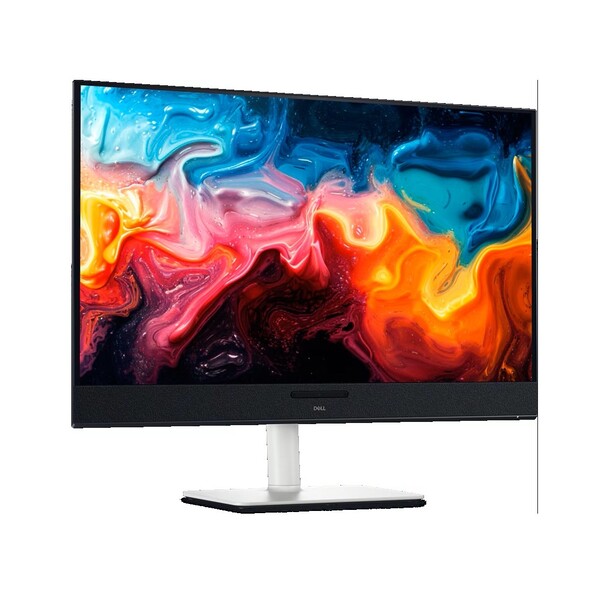
The Dell 32 Plus 4K HDR QD-OLED Monitor is a high-impact upgrade for any home office focused on productivity and visual clarity. Its 32-inch 4K resolution combined with QD-OLED technology delivers sharp detail, deep contrast, and vibrant colors, making everyday tasks like editing, multitasking, and document work faster and more precise. The large screen real estate also reduces the need for multiple monitors, helping streamline your setup and save both space and money.
Highlights
- 4K QD-OLED display delivers sharp visuals and better workflow efficiency
- Large 32-inch screen reduces need for dual monitors
- Built-in audio and USB-C connectivity simplify your setup
What makes it especially valuable for saving time is its all-in-one functionality. With built-in speakers, USB-C connectivity with power delivery, and smooth 120Hz performance, it reduces the need for extra accessories and simplifies your workspace. Features like adjustable ergonomics and eye-comfort technology also support longer, more comfortable work sessions—helping you stay focused and efficient without constant breaks or adjustments.
#3: Plugable USB-C Dual HDMI Docking Station
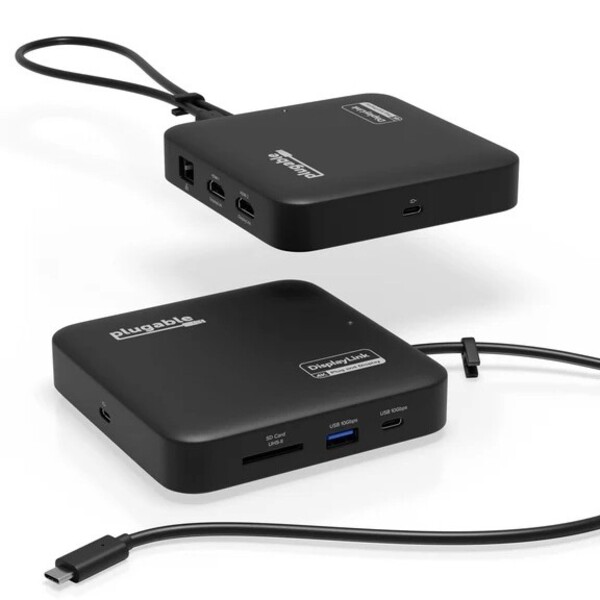
The Plugable USB-C Dual HDMI Docking Station is a highly practical upgrade for any home office looking to save time and simplify daily workflows. By turning a single USB-C connection into a full workstation, it allows you to connect multiple displays, peripherals, and internet in seconds—eliminating the need to plug and unplug devices constantly. This streamlined setup reduces friction in your routine, helping you start working faster and stay focused.
Highlights
- Single-cable setup simplifies workflow and saves time
- Dual monitor support boosts multitasking efficiency
- Reduces need for extra adapters and accessories
It’s also a smart way to cut costs while boosting efficiency. With support for dual 4K monitors, it enhances multitasking without requiring additional hardware, making it easier to manage multiple windows, documents, or tasks at once. Its all-in-one design reduces cable clutter and the need for extra adapters, while pass-through charging keeps your laptop powered—saving both time and money in the long run.
#4: Secretlab TITAN Evo
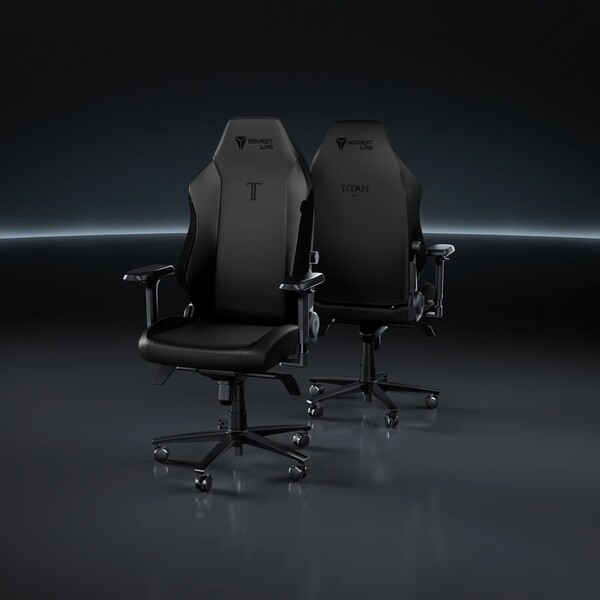
The Secretlab TITAN Evo is a powerful upgrade for any home office, especially if you spend long hours at your desk. Built with advanced ergonomic features, it supports proper posture and reduces strain on your back, neck, and shoulders—helping you stay comfortable and focused throughout the day. This directly translates into better productivity and fewer breaks caused by discomfort, making it a smart investment for improving daily workflow.
Highlights
- Advanced ergonomic support for long work sessions
- Highly adjustable for personalized comfort
- Durable build reduces need for frequent replacements
What makes it especially valuable for saving time and money is its durability and adjustability. Instead of replacing cheaper chairs frequently, this model is designed to last, offering long-term value. Its customizable lumbar support, adjustable armrests, and reclining features allow you to tailor your setup to your needs, reducing fatigue and boosting efficiency—key factors for a more effective and cost-conscious home office.
#5: Branch Four Leg Standing Desk
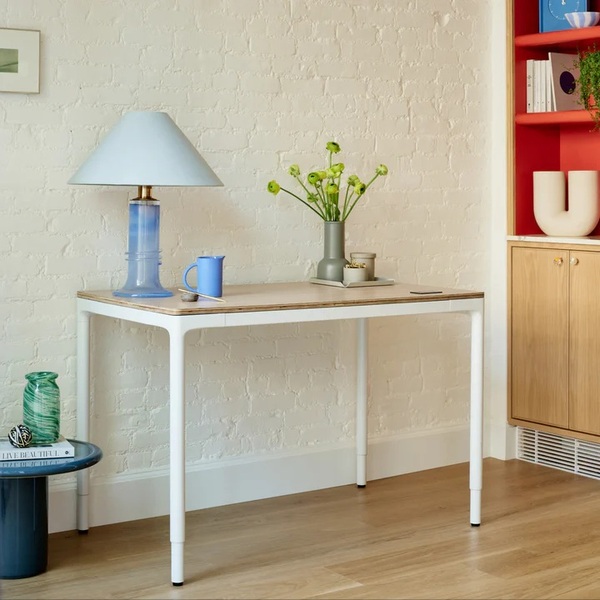
The Branch Four Leg Standing Desk is a powerful upgrade for creating a more efficient and flexible home office. Its four-leg design provides exceptional stability, allowing you to switch between sitting and standing without disrupting your workflow. This helps reduce fatigue, improve posture, and maintain focus throughout the day—key factors in saving time and working more efficiently.
Highlights
- Ultra-stable design supports consistent productivity
- Sit-stand flexibility reduces fatigue and boosts focus
- Durable build delivers long-term value and savings
It’s also a smart long-term investment for reducing costs. Built with durable materials and designed for daily use, it minimizes the need for replacements over time. Smooth height adjustments, quiet operation, and integrated cable management help keep your workspace organized and distraction-free, so you spend less time adjusting your setup and more time getting work done.
Buiyng Guide
A well-planned home office upgrade can make a noticeable difference in how you work every day. Instead of overspending on unnecessary items, the key is to focus on improvements that enhance efficiency, comfort, and long-term value. The right choices can help you save time, reduce distractions, and avoid frequent replacements.
When choosing home office upgrades, consider these key factors:
Functionality First
Prioritize items that directly improve your workflow, such as tools that reduce repetitive tasks or make everyday work smoother and faster.
Ergonomics Matter
Comfortable seating, proper desk height, and supportive accessories help prevent strain and keep you productive throughout the day.
Space Optimization
Choose upgrades that maximize your space. Vertical storage, compact designs, and multi-use items can make even small areas feel organized and efficient.
Durability Over Price
Investing in quality materials often means fewer replacements and better performance over time, saving money in the long run.
Cable & Clutter Management
A clean, organized setup reduces distractions and helps you stay focused, making your workflow more efficient.
Energy Efficiency
Opt for energy-saving equipment to lower electricity costs while maintaining performance.
Ease of Setup
Look for upgrades that are simple to install and use, so you don’t waste time on complicated setups or adjustments.
Scalability
Choose items that can adapt as your needs grow, allowing you to expand your setup without starting from scratch.
Maintenance & Longevity
Low-maintenance products save time and effort, helping you focus more on work instead of upkeep.
Looking for other top brands? Check out these curated lists below:





Ask the community or leave a comment
WRITE A REVIEWCustomer Reviews
Leave a review