
In partnership with Adobe
Table of Contents
About Adobe Express
Posting on five platforms shouldn’t feel like a part-time job. Yet somehow, one short video turns into five different aspect ratios, trimmed captions, resized graphics, and a lot of back-and-forth between tabs. Half the time, you spend more energy formatting than actually creating.
Adobe saw that gap. The same company behind Photoshop and Premiere now has a lighter tool built for quick social content. Adobe Express sits inside the Creative Cloud lineup, but it doesn’t expect you to know timelines, color grading, or pro editing shortcuts. Open it in a browser, drop in your clips, resize for TikTok or Instagram, add captions, and export. Done.
What makes it interesting isn’t just the drag-and-drop setup. It connects to Adobe Stock. It taps into Adobe’s AI tools. There’s even an AI Assistant in beta. That matters if you already use other Adobe apps, assets, and branding; that don’t live in separate silos.
Still, convenience only goes so far. The real question is whether Adobe Express is actually worth using over something like Canva, and whether the free version gives you enough to work with. Let’s get into it.
Highlights
- Adobe is a long-standing creative software company known for tools like Photoshop, Illustrator, and Premiere.
- Adobe Express is its browser-based design and video tool built for fast social content creation.
- The platform supports quick resizing for Instagram, TikTok, YouTube, and other major social channels.
- Users can edit video with drag-and-drop controls, trimming, cropping, text overlays, and simple transitions.
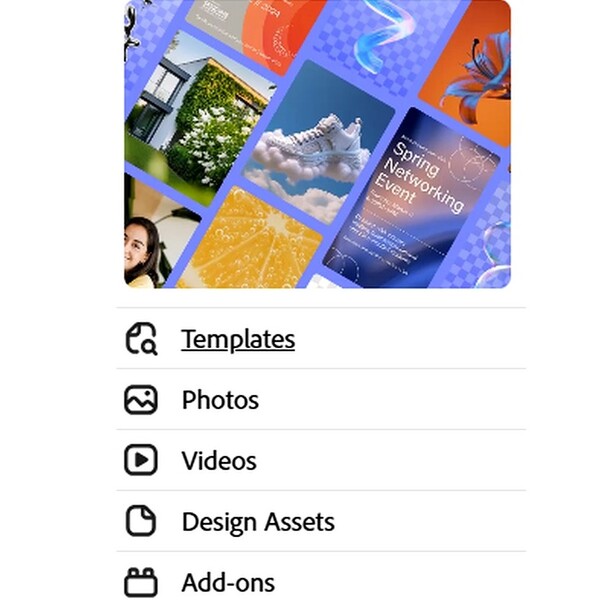
- Adobe Express includes ready-made templates that can be customized with your own branding and media.
- The app connects with Adobe Stock for access to music tracks and creative assets.
- An AI Assistant (currently in beta) is built into Adobe Express to speed up content editing and generation.
- Adobe Firefly powers generative AI features across Adobe’s ecosystem, including tools connected to Express.
- A free version of Adobe Express is available, with a premium paid plan available which includes additional Adobe Stock assets, More Generative AI credits and Fonts. Express is also included in Creative Cloud subscriptions.
- Teams can plan and publish content directly using the built-in content scheduler.
Why You Should Trust Us
Our mission is to help you make better, more informed purchase decisions.
Our team spends hours researching, consulting with medical experts, gathering insight from expert professionals, reviewing customer feedback, and analyzing products to provide you with the information you need.
Adobe Express Review

Social content moves fast. Trends flip overnight. Most small teams don’t have time to sit inside professional editing software just to resize a 20-second clip.
Adobe Express sits in that middle ground. It isn’t Premiere. It isn’t Photoshop. It’s the lighter tool Adobe built for quick graphics, short videos, captions, and branded posts, all in one place. You open it in a browser, drop in your media, tweak it, and push it out.
Let’s break down what it offers.
Unique Features
Adobe Express keeps the interface minimal, but under the surface it pulls in a surprising amount of Adobe’s broader tech stack.
AI Assistant (beta)
Inside the editor, Adobe includes an AI Assistant that responds to prompts in real time. It can generate captions, rewrite text, draft short copy, and help refine content without leaving the workspace. Since it’s still in beta, Adobe continues expanding what it can handle, and its behavior may change over time.
Firefly-powered generative tools
Express connects to Adobe Firefly for generative image creation and stylized text effects. Users can type a prompt to generate original visuals or apply AI-driven treatments to typography. These tools operate directly inside the design canvas rather than redirecting to a separate AI product.
Multi-format social resizing
Each project can be converted into multiple preset dimensions built for major social platforms. Instagram square posts, vertical TikTok videos, YouTube thumbnails, Facebook banners — the layout adapts automatically, while individual elements remain editable after resizing.
Automatic video captions with editing controls
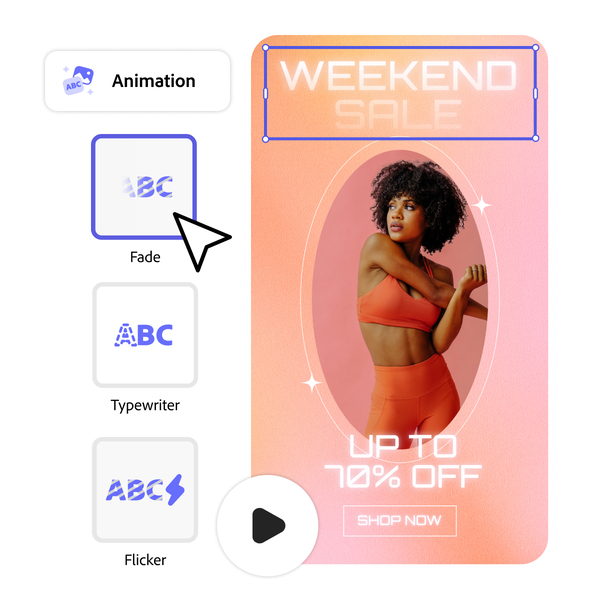
When a video is uploaded, Express can generate captions from spoken audio. The generated text can be edited manually, styled with different fonts, repositioned on screen, and timed within the video timeline.
Integrated Content Scheduler
Adobe Express includes a native scheduling tool that connects to supported social accounts. Posts can be queued, assigned publishing dates, and managed inside the same interface used to create them.
Adobe Stock media access
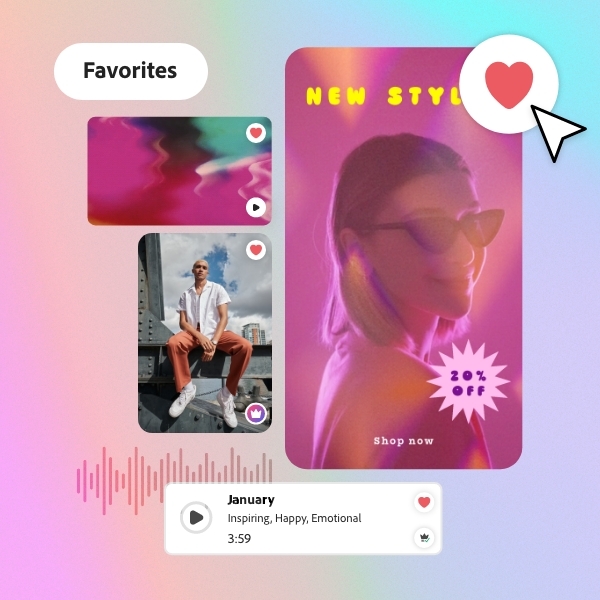
The editor includes direct access to Adobe Stock assets, including music tracks and visual elements. Selected assets can be inserted into projects without manual downloading and re-uploading.
Brand kit storage
Users can upload logos, set brand colors, and save preferred fonts within a centralized brand panel. Those assets remain accessible across future projects created inside the account.
In-app voiceover recording
The video editor supports direct audio recording through a connected microphone. Recorded narration is placed on the project timeline and can be adjusted alongside other media elements.
Creative Cloud connectivity
Adobe Express integrates with the broader Creative Cloud ecosystem. It allows assets to move between apps such as Photoshop and Illustrator, depending on the user’s subscription level.
Benefits
Features are one thing. Daily use is another. Here’s how Adobe Express actually shows up once you start building content with it.
- Faster content turnaround. Editing, resizing, captioning, and scheduling are all in one dashboard, so projects don’t bounce between multiple tools.
- Easier for non-editors. The interface avoids layered timelines and technical panels. Clips, text, and graphics can be adjusted without prior editing experience.
- Consistent branding without extra setup. Saved logos, fonts, and color palettes stay accessible inside the account, keeping posts visually aligned.
- Fewer tools to manage. Caption generation, stock media access, resizing, and scheduling live in one place instead of separate subscriptions.
- Practical for solo creators and small teams. One person can build, adjust, and queue content without having to hand files across departments.
- AI support inside the editor. Caption drafting and image generation tools operate directly inside the workspace rather than requiring outside platforms.
- Stronger fit for Creative Cloud users. Assets can be moved between Adobe apps without starting projects from scratch.
Price
Adobe Express keeps pricing simple. There’s a free plan you can use indefinitely, a paid Premium tier for individuals, and a Teams plan for organizations that need shared access and admin controls.
Free Plan — US$0.00 per month
The free plan doesn’t require a credit card and has no time limit.
It includes:
- 25 generative AI credits per month
- Drag-and-drop video editing
- Photo editing tools, including background removal
- 155,000+ templates (static and video)
- Animation presets
- A limited Adobe Stock collection
- Import and edit .psd and .ai files
- Export to formats like GIF and JPG
Premium assets used on the free plan are watermarked. Stock use is limited to 200 premium images per day.
Premium Plan — US$9.99 per month
The individual Premium plan costs US$9.99 per month, billed monthly, and you can cancel anytime. An annual prepaid option is available at a 16% discount. A 30-day free trial is offered.
It includes everything in the Free plan, plus:
- 250 generative AI credits per month
- Resize tool
- Erase tool
- Video background removal
- 220,000+ premium templates
- 200+ million Adobe Stock photos, videos, and audio
- Brand kits (logos, fonts, colors)
- Social media content scheduling
- 25,000+ licensed Adobe Fonts
- No watermark on premium content
Teams Plan — Starting at US$12.99 per person/month
The Teams plan requires a minimum of two seats and a one-year commitment. A first-year promotional rate of US$6.49 per person/month is listed in the document.
It includes everything in Premium, plus:
- Admin Console for license management
- Consolidated billing
- 1TB of storage per user (pooled across the organization)
- 180-day version history
- 24/7 technical support
- One-on-one sessions with product experts
Adobe Express Review: What Do Customers Think?

The conversation around Adobe Express stretches from casual design threads to full lab-tested reviews. The tone shifts depending on who’s talking, but the positives tend to land in the same areas: ease, speed, and useful AI tools.
In Reddit discussions, designers often compare it to Canva. That comparison isn’t always negative. One user wrote:
“Overall it basically just looks like a Canva clone but I was messing around with the AI and it’s very cool.”
That curiosity about AI shows up more than once. Another person kept it short:
“Very intuitive.”
And when it comes to small tasks or quick marketing pieces, the praise is practical:
“Great for quick fixes.”
So on community forums, the approval usually centers on how quickly you can produce something decent without opening heavier software.
Professional review sites take a more measured approach but echo similar strengths.
TechRadar describes the platform as a “powerful template-based service” and highlights its ability to connect social accounts and schedule posts directly from the interface. Their overall verdict leans positive, especially around template quality and posting workflow.
PCMag focuses on usability and accessibility. In their review, they call it:
“A convenient and easy-to-use solution for producing a visual message quickly and effectively.”
They also describe it as:
“An appealing choice for non-designers.”
Across both user discussions and major review outlets, the strongest praise consistently points to:
- A large, ready-to-use template library
- Built-in social media scheduling
- Firefly-powered AI image and text tools
- Solid stock asset access
- A low barrier to entry
The broader takeaway feels consistent. Adobe Express earns approval when it’s judged as a fast, template-driven content tool rather than a replacement for full Creative Cloud apps.
Is Adobe Legit?

Yes, Adobe is legit. It’s a publicly traded company that has been building creative software for decades, and its products like Photoshop, Illustrator, and Premiere are industry standards used by professionals worldwide. Adobe Express sits inside that same ecosystem, backed by the same infrastructure, security policies, subscription management system, and customer support network.
Is Adobe Express Worth It?
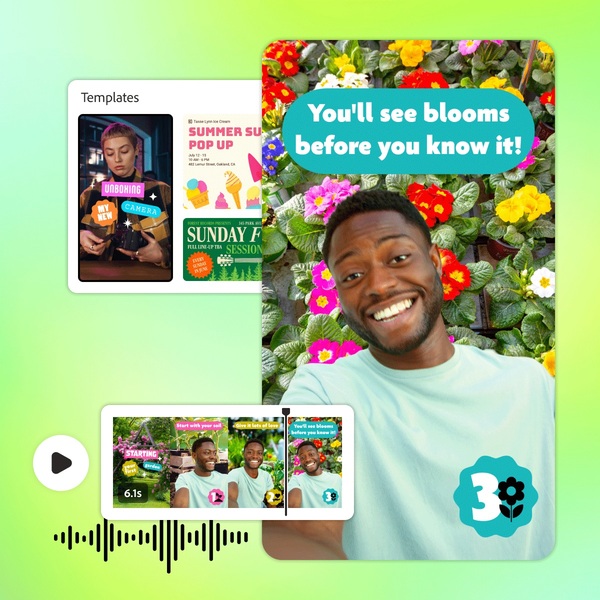
Yes. Adobe Express is worth it, especially for creators, marketers, and small teams who produce content regularly.
The value becomes clear once you look at what it replaces. One platform handles templates, resizing, captions, stock media, AI generation, and scheduling. Instead of juggling a design tool, a caption generator, a stock site, and a separate social scheduler, everything lives under one login. That consolidation alone justifies the cost for anyone posting consistently.
The free plan is generous enough to test the waters properly. It includes templates, drag-and-drop editing, limited stock access, and monthly generative AI credits. The Premium plan, priced at $9.99 per month or $99.99 per year, removes watermarks, expands stock access dramatically, increases AI credits to 250 per month, unlocks brand kits, and adds full scheduling controls. For someone publishing weekly or daily, that price is modest compared to stacking multiple separate tools.
Where Adobe Express really earns its place is consistency. Brand kits keep fonts, logos, and colors locked in. Templates prevent design drift. Resizing tools remove repetitive formatting work. AI tools accelerate draft creation. The system favors momentum, and content marketing rewards momentum.
Adobe Discounts and Promotions
Adobe runs promotions throughout the year, and they’re not minor coupon codes. Most of the time, the discounts are tied to subscriptions and first-year offers, especially for students, teams, and new customers. If someone is considering Adobe Express or a broader Creative Cloud plan, checking current promos can make a noticeable difference in cost.
Student and Teacher Discounts
Adobe regularly offers steep discounts for students and educators on Creative Cloud plans. These plans often bundle Adobe Express Premium with the full Creative Cloud suite at a reduced first-year rate. The pricing typically requires verification of academic status and a 12-month commitment.
Creative Cloud Promotional Pricing
New subscribers sometimes receive limited-time discounts on Creative Cloud Pro or All Apps plans. These offers usually apply to the first year, after which standard pricing resumes. Since Adobe Express Premium is included in many Creative Cloud plans, these promotions indirectly discount Express access as well.
Team Plan Promotions
Adobe occasionally runs promotional pricing for Teams plans, especially for the first year. These require a minimum number of seats and an annual commitment. The benefit is consolidated billing, shared storage, and admin tools at a lower introductory rate.
Free Trials
Adobe Express Premium includes a 30-day free trial. Creative Cloud plans also offer trial periods. Trials allow full access to premium features before billing begins, giving users time to evaluate whether the subscription fits their workflow.
Nonprofit and Enterprise Programs
Adobe offers special pricing structures for nonprofits, educational institutions, and large organizations. These are not always publicly advertised in detail and often require direct contact with Adobe sales.
Where Can I Buy Adobe Express?
Adobe Express is sold directly through Adobe’s official website. There are no third-party resellers required, no boxed software, and no separate marketplace. You choose your plan, either Free, Premium, or Teams. Then, create or sign in to an Adobe account, and the subscription activates immediately.
FAQs
Is Adobe Express free to use?
Yes. Adobe Express has a free plan that includes templates, basic editing tools, limited Adobe Stock assets, and monthly generative AI credits. You can use it without entering a credit card.
What does Adobe Express Premium include?
The Premium plan unlocks more templates, over 200 million Adobe Stock assets, 250 generative AI credits per month, brand kits, social media scheduling, premium fonts, and removes watermarks from premium content.
Is Adobe Express included with Creative Cloud?
Yes. Adobe Express Premium is included in many Creative Cloud subscriptions, including the All Apps plan.
Can I use Adobe Express for commercial projects?
Yes. Content created using Adobe Express, including Firefly-generated assets, is designed to be commercially usable, provided you follow Adobe’s licensing terms.
Next, check out other related reviews that you might also like:





Ask the community or leave a comment
WRITE A REVIEWCustomer Reviews
Leave a review