Nanit vs Owlet: Which Baby Monitor Fits Real Parenting Needs?

When I first started looking at smart baby monitors, Nanit and Owlet were the two names that kept coming up. Both promise more than just a basic camera feed, but they go about it in very different ways. One leans into sleep, patterns, and sensor-free monitoring. The other leans into vitals, medical-style data, and a wearable sock. Before getting into which one fit my family better, it helped to understand who they are and what they’re actually trying to do.
Table of Contents
About Nanit
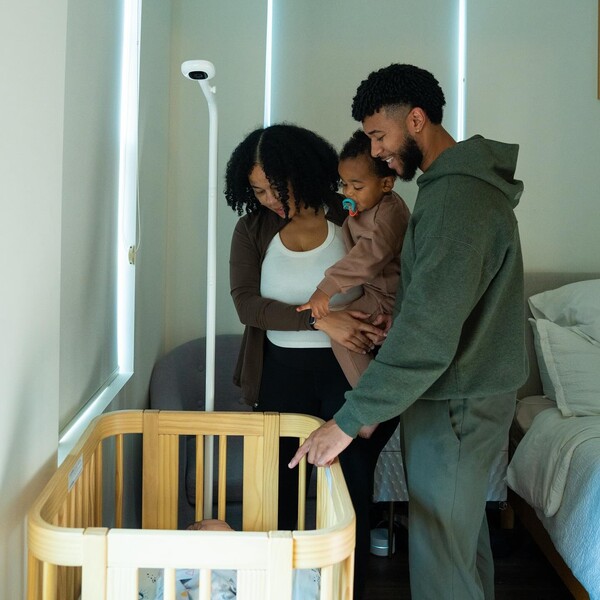
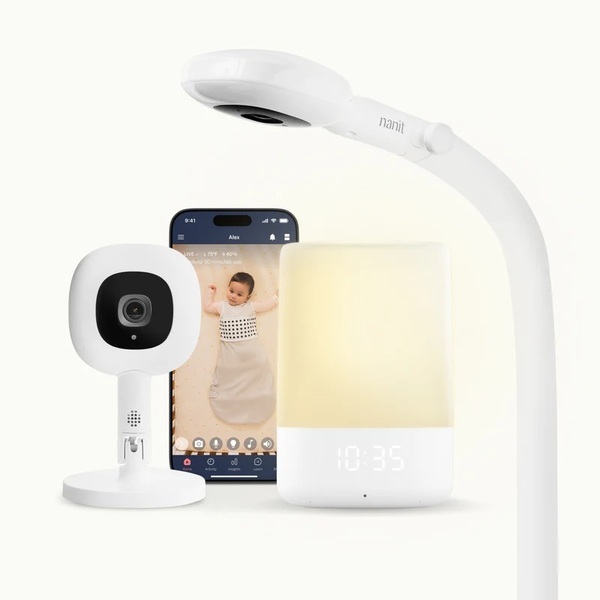
I’d describe Nanit as a sleep and parenting tools company that builds around the crib first, then stretches out into the rest of family life. The Nanit Smart Baby Monitor sits at the center, featuring a camera that provides a clear overhead view of the crib, paired with an app that tracks sleep, breathing patterns, and motion with special fabric, as well as developmental milestones. You can set it up with a floor stand if you want something movable or a wall mount if your nursery is tight on space.
Nanit supports many of its features with research through its Nanit Lab. That side of the brand collaborates with pediatric specialists and researchers to transform real sleep data into actionable tips, age-based guidance, and tools within the app. The idea is not just to show you live video, but to help you understand bedtimes, naps, and how your kid’s sleep changes over time. On top of the main monitor, they’ve added things like the Sound and Light machine and Nanit Home, a dedicated touchscreen monitor for times when you want to unplug from your phone or hand the setup over to grandparents or a sitter. Nanit exists for parents who want clear sleep support, breathing monitoring without electronics on the baby, and long-term use from the newborn stage into toddler years.
About Owlet
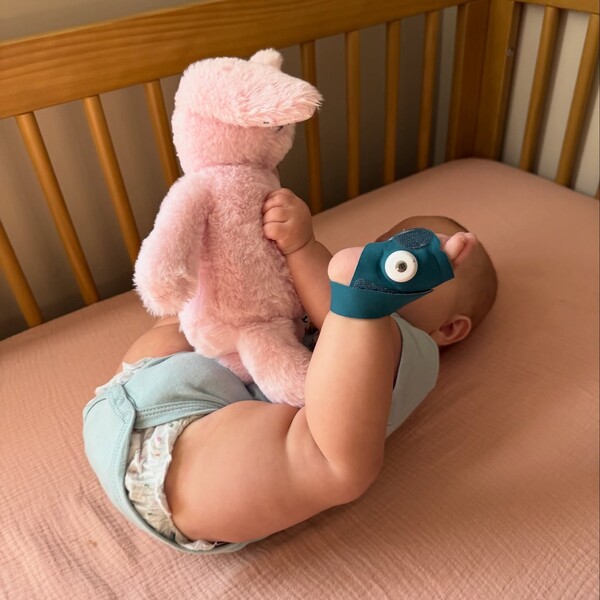
Owlet sits closer to the health side of baby monitoring. Their main products are built around the Dream Sock, a wearable that wraps around the baby’s foot and tracks pulse rate, oxygen levels, and sleep. That sock can be paired with their Dream Sight camera and the Dream app to create what they call a connected nursery setup. The Dream Duo bundle combines the sock and camera into one package, allowing parents to view both vitals and video in the same location.
On the software side, Owlet360 is their analytics and insights layer. It turns the data from the sock into charts, trends, and comparisons so parents can see how their baby’s numbers change over time. Owlet also operates a significant advocacy and support arm through Owlet Cares, where they invest money and products in infant health, SIDS-related research, and support for families who have experienced loss or crisis. The brand exists for parents who feel more comfortable having continuous vitals on their baby at home, along with a standard smart monitor experience through the camera and app.
What to Consider?
When I tried to compare Nanit and Owlet, I realized I had to stop thinking like a shopper and start thinking like a tired parent who just wants fewer things to worry about. Both brands solve different problems, so the only way this makes sense is to look at the parts that actually affect your nights, your routines, and how your baby sleeps. These are the areas that stood out once both systems were in front of me.
Comfort for the baby
This mattered more than I expected. You can have the smartest monitor available, but if it feels awkward on your child, you will notice it every night.
Nanit Smart Baby Monitor
Nanit keeps all the tech out of the baby’s reach. The camera reads the rise and fall of the pattern on the Breathing Band, which is basically a soft fabric wrap with a gentle, but secure velcro closure. It felt like dressing my kid in normal pajamas. No charging cycles. No straps. No blinking lights on their foot. It blended into bedtime without slowing us down.
Owlet
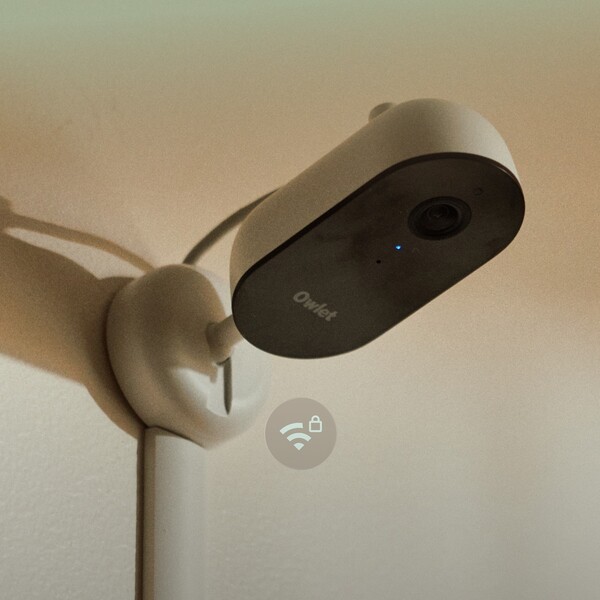
Owlet depends on the Dream Sock. It’s soft, but it’s still a device with a sensor inside, and I had to ensure it was fitted correctly, charged, and paired with the base station. Plenty of parents rely on it, but personally, I always knew it was there.
Verdict
Nanit wins here. I preferred a setup where nothing was attached to my baby. It felt easier and more natural for nightly use.
View of the crib and room
Seeing your baby clearly is the whole point of having a monitor. If you can’t instantly tell what’s going on, the rest of the features don’t matter. This became obvious during those half-awake checks where all you want is a quick answer without zooming or tilting.
Nanit Smart Baby Monitor
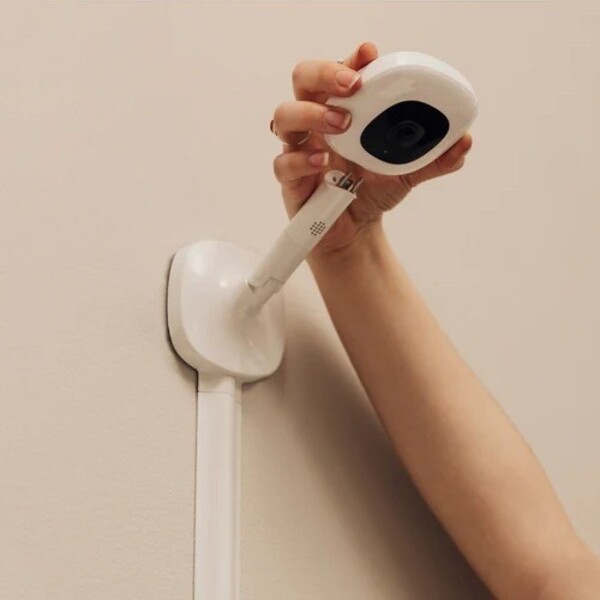
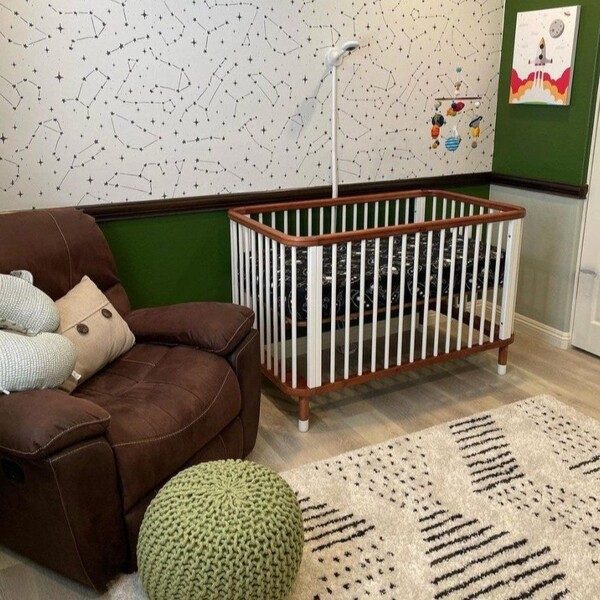
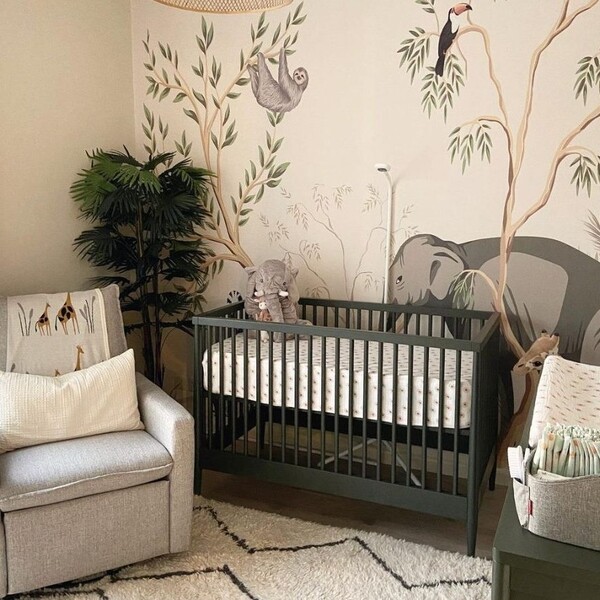
Nanit’s overhead view changed things for me. With the floor stand or wall mount, the angle sits right above the crib, allowing you to see the whole space without any guesswork. I could tell exactly where my kid was, which direction they rolled, and whether they were actually asleep or just pretending. That top down angle made the monitor feel more like a complete view rather than a partial glimpse.
Owlet

Owlet’s camera is crisp and definitely wide, but it’s still a side shot. It picks up a lot, but it doesn’t give the same all-at-once visual. I found myself staring longer to figure out the depth and where my kid shifted in the crib. Nothing was wrong with the video… the angle just made things slightly harder to interpret in fast moments.
Verdict
Nanit wins here. The overhead view is clearer and faster to process, especially during late-night checks.
Sleep and routine insights
Sleep information should actually help you make better days, not overwhelm you with numbers. Once our routines got messier, I learned quickly that the type of data you get matters as much as the monitor itself.
Nanit Smart Baby Monitor

Nanit showed sleep insights in a way that made sense. I received summaries of naps, the actual duration of bedtime, overnight wake-ups, and patterns that gradually formed over time. The nap time predictor was surprisingly helpful; it kept me from throwing off the whole day with a mistimed nap. Instead of staring at graphs, I got info that told me how to plan my day around my baby’s energy levels.
Owlet

Owlet focuses heavily on vitals. Pulse and oxygen readings lead the way, which some parents love. The sleep section exists, but it’s not the main event. For me, when I needed to build a routine that didn’t collapse halfway through the afternoon, the vitals-first layout didn’t help as much. It felt more like a medical dashboard than a parenting tool.
Verdict
Nanit takes this category. It provided me with the kind of guidance that made our days smoother without overwhelming me with clinical details.
Breathing monitoring setup
Nighttime gets easier when you’re not juggling gear, charging schedules, and setup steps. This is where both brands take very different approaches.
Nanit Smart Baby Monitor
Nanit keeps things simple. The camera reads the printed pattern on the Breathing Band or sleepwear. You put the fabric on your baby like normal clothing, and that’s it. No sensor pairing, no battery checks, no tightness adjustments. It blended into bedtime instead of becoming another task.
Owlet
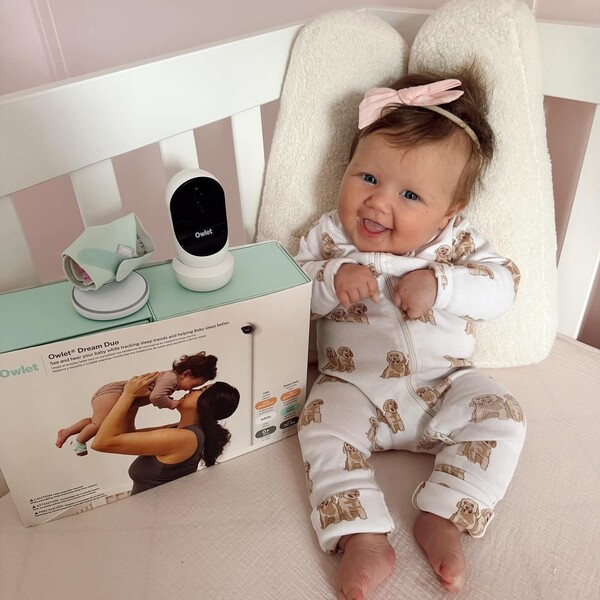
Owlet uses the Dream Sock, which holds a pulse oximeter. It’s soft, but still a device with a battery and a required fit. I had to charge it, make sure it was snug, and check the range with the base station. It works as intended, but it introduces more moving parts into your routine, which you definitely feel when you’re tired.
Verdict
Nanit wins for simplicity. No extra devices for the baby meant fewer steps and fewer things to remember.
Long-term use as your baby grows
A good monitor shouldn’t feel temporary. Babies grow fast, and once they start sitting, pulling up, cruising, or flat-out sprinting through the house, you need a setup that keeps up without becoming outdated. That’s where the differences between these two brands became clearly evident in my house.
Nanit Smart Baby Monitor
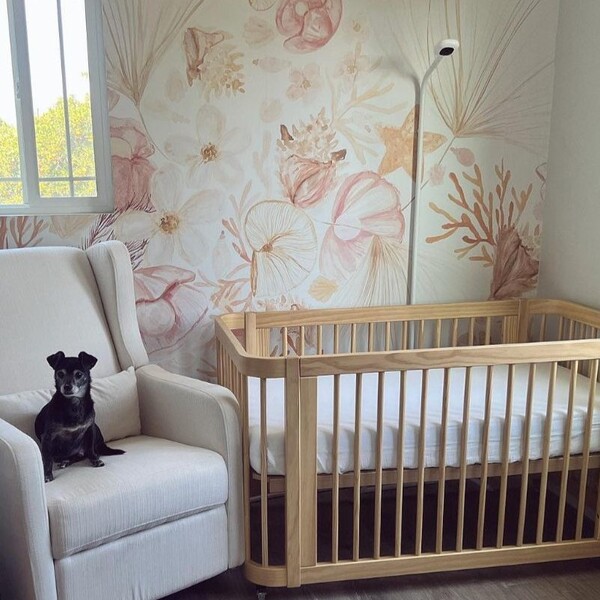
Nanit kept up with every stage without me having to rethink the setup. When my baby was tiny, the top-down view worked perfectly over the bassinet. When we moved to the crib, the angle didn’t need to change, and the app started picking up things like how long it took them to fall asleep and how often they stirred.
Once we hit the toddler stage, features like standing alerts and room motion started to matter more than the newborn-style tracking. The split screen also made sense later on when we added another camera for a second room. I didn’t feel forced to buy new accessories or upgrade just to keep things functional. The camera grew with us, rather than aging out.
Owlet

Owlet’s system is strongest in the early months, when vitals are most crucial. The Sock is the core of the experience, and it does its job within the limits for which it’s designed. But that weight and age window matters; once your kid passes it, the “full system” feeling fades because the Sock can’t stay in rotation forever. You’re left with just the camera, which still works, but it doesn’t feel like the same setup you started with. It’s more of a newborn-heavy system that shifts once the Sock comes off for good.
Verdict
Nanit wins for long-term use. It didn’t lose its usefulness as my child got older. If anything, it became more relevant once we entered the more active, more unpredictable phases.
Ease of use for other caregivers
You don’t realize how important this part is until the first time you need someone else to handle bedtime. Grandparents, your sister, the sitter down the street… they all end up using your monitor at some point.
When a system requires too many steps or a lengthy walkthrough, it becomes one more thing to manage on nights when you’re already stretched thin. I paid close attention to which setup made handoffs simple.
Nanit Smart Baby Monitor

Nanit was easy for every caregiver we looped in. The app felt familiar to people who don’t spend their day in tech: clear buttons, an obvious live view, and nothing buried behind layers of menus. But the part that made the biggest difference for us was the Nanit Home 8” Display. A separate screen meant nobody had to deal with account invites or app installs. I could just hand over the display, and they were set. They tapped once, saw the crib, and that was the end of the instructions. No one handled my phone. No one asked which icon to press. It kept the whole process low-stress.
Owlet

Owlet worked fine once someone had installed and logged into the app. But that setup step always slowed people down, especially grandparents who don’t want another app on their phone, or sitters who just need a quick way to check on the baby while they’re in the next room. They needed access first, then the app had to load, then they had to remember what screen to go to. It’s doable, but not instant. On busy nights, it felt like one task too many.
Verdict
Nanit comes out ahead here. The dedicated screen and simpler handoff made it easier for other caregivers to help without turning my night into a tech support shift.
After reading through a huge chunk of reviews for both brands, it’s clear that parents lean on these monitors during some of the most stressful stages that involves rolling, naps that don’t line up, sickness, long nights, and the general “is my baby okay?” spiral every parent goes through.
The tone differs between the two communities, but both groups emphasize reassurance, improved sleep, and easier check-ins. Here’s what stands out.
What people appreciate about Nanit
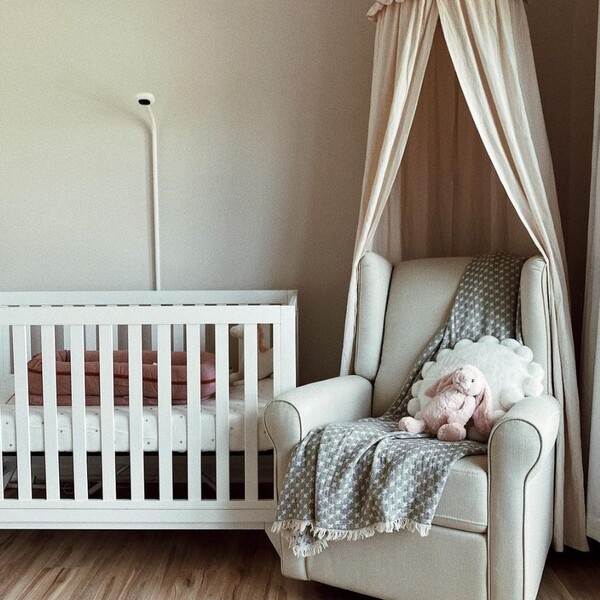
Many parents discuss how Nanit helps them relax at night, especially once their baby starts rolling or moving more. The overhead view provides a clear picture, and the app’s features appear to make routines easier to understand. Many parents ended up buying a second camera for another child, which speaks volumes about long-term trust.
One mom put it plainly:
“When my four month old started rolling onto her tummy during the night, I literally woke up every 15-20 minutes to check if she was still breathing… Nanit made it a lot easier for me to sleep at night knowing that she was okay.”
Another parent shared how dependable it’s been over time:
“We have been using the Nanit for 2 years now and we just bought a second one for our second child… I plan to use this all the way up until our children are fully bed trained.”
And the split-screen ability is a big hit in homes with multiple kids:
“We just purchased a second one for our second baby. Love that it can be viewed split screen on your phone from wherever you are.”
Parents also call out the clarity and alerts:
“This is my second baby monitor and you can tell the difference in quality… I chose Nanit because of its ability to get smart alerts, specifically when my kid is crying or needs me.”
The pattern repeats: Nanit feels reliable, easy to use long term, and strong across multiple stages.
What people appreciate about Owlet
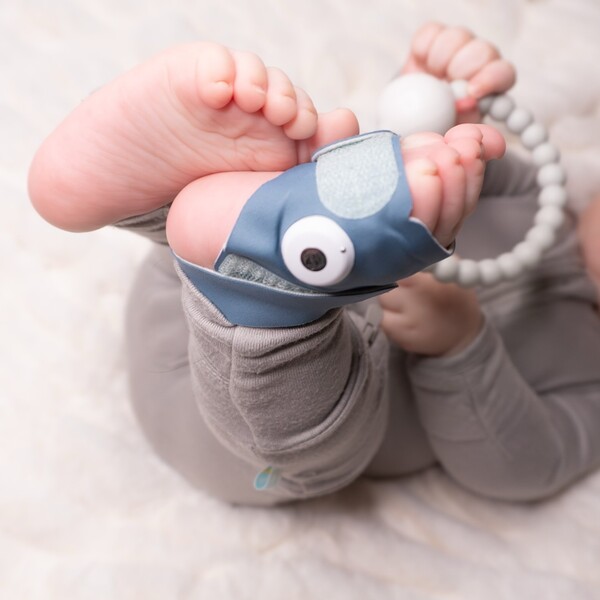
Owlet reviews tend to focus heavily on reassurance through vitals. Parents who like the Dream Sock talk a lot about how it helps them rest when anxiety runs high. The combo of the sock and camera seems to hit the mark for families who want more medical-style data.
For example:
“Having our Dream Sock and Owlet Cam have definitely helped us watch him when he’s sick.”
A lot of first-time moms mention how the Sock helps them rest between checks:
“As a first-time mom with postpartum anxiety, I was constantly checking on my baby. The Dream Sock helped me rest between feeds and stay calm during the night.”
And some parents just love having everything in one system:
“I’ve been using the Owlet Dream Sight Duo with my baby and absolutely love it… this has truly been one of my favorite baby must-haves.”
Others point out how clear the camera is and how easy it is to check the app from anywhere:
“The camera quality is amazing, super clear picture, even in the dark, and I love that I can check in from my phone anywhere.”
Nanit vs Owlet: Promotions and Discounts
Pricing played a bigger role than I expected. Baby monitors aren’t cheap, and when you add extra gear, stands, or accessories, the total climbs fast. I paid attention to how each brand handles discounts, what kinds of deals appear, and how easy it is to catch them without feeling pressured into a countdown sale.
Nanit Discounts and Promotions
20 percent off bundles on Nanit.com
This is the biggest drop you will usually find. Their bundles include the Pro camera, a stand, breathing wear, and sometimes extra gear. If you plan to outfit more than one room or want the full setup from the start, this deal cuts the total down in a noticeable way.
Free shipping on orders over $35
Most smaller add ons, like breathing bands or travel accessories, hit that amount. It makes topping up gear easier without running into extra fees.
Seasonal sales and holiday promotions
Black Friday, Cyber Monday, and other holiday periods usually bring price cuts on the Smart Monitor, bundles, and accessories. These events repeat every year, so you can plan around them if you are building a registry or buying ahead of due date.
Registry perks across major retailers
Nanit products sync well with Babylist, Amazon, Target, and similar stores. If you use their registry programs, you can stack store-wide sales or completion discounts with Nanit pricing.
HSA and FSA eligibility
The Nanit Smart Baby Monitor qualifies for HSA and FSA use. Families who use these accounts can ease the out-of-pocket hit.
Owlet Discounts and Promotions

Owlet takes a more promotional approach, especially during big sale windows. Their deeper cuts tend to appear during major shopping seasons or limited events.
Dream Duo promotions
The Dream Duo (camera plus Sock) often drops from $379.99 to around $269.99 during sales. This is one of their largest discounts and shows up during seasonal events or site-wide promos.
Dream Sock reductions
The Dream Sock sometimes drops from $299.99 to $199.99 when promotions are active. These cuts appear during holiday sales or special events.
Dream Sight discounts
The Dream Sight camera moves from $99.99 to roughly $69.99 during sales. Good for parents who want video monitoring without the Sock.
Free gift promotions
Some deals include a bonus item valued around $40. These usually appear during big shopping pushes like Black Friday.
HSA and FSA eligibility
Owlet’s Sock and Dream Duo qualify for HSA and FSA purchases, which helps families lower the out-of-pocket cost.
Verdict
Nanit comes out ahead for families who want clear, predictable savings without chasing flash events. Their bundle pricing, registry integrations, and HSA and FSA eligibility made it easier for me to plan my purchase without waiting for the “perfect” moment.
Nanit vs Owlet: Shipping and Returns
Shipping and return policies matter more than you think when you are buying gear you may need quickly or might return if it does not fit your setup. I paid close attention to what each brand offers. Delivery times, return windows, fees, and fine print can affect the whole experience.
Shipping
Nanit Shipping

Nanit provides free ground shipping on orders over $35 in the United States. Delivery typically takes three to seven business days once the product ships. They use several regional carriers, and the system assigns one automatically for faster delivery. Express shipping is available for an added fee, and it ships via two day air after one to two business days of processing. Nanit does not ship to PO boxes, and they warn that hotel deliveries are risky because they cannot guarantee timing.
Owlet Shipping

Owlet offers free shipping for orders over $50. Delivery usually takes five to seven business days, depending on the location. Orders are shipped within two business days unless the product lists an extended shipping window. Owlet ships only within the United States, including Alaska and Hawaii. Purchasers choose their preferred shipping method, and the cost varies based on the selection.
Returns
Nanit Returns

Nanit has a 30 day satisfaction guarantee for items purchased directly from their website. Customers receive a full refund and a prepaid return label. A restocking fee applies: $15 for camera and stand orders or $10 for smaller orders. Items must be returned in good condition with all parts included. Once received, Nanit processes the refund within five to seven business days after verification.
Owlet Returns

Owlet also provides a 30 day satisfaction guarantee for products purchased from their website. Customers are responsible for return shipping and a $10 restocking fee. Some items, including BabySat and Owlet360 plans, are excluded. Refunds require proof of purchase and a return authorization number. Once the product is returned, Owlet processes the refund after a three day inspection window. Warranty coverage varies by product type.
Verdict
Nanit offers a smoother process overall. Free return labels, simple conditions, and clear timelines made returns feel more manageable. The restocking fee applies, but prepaid shipping cuts the hassle. Owlet delivers a solid policy, although the return shipping cost and more exclusions make their process feel more involved.
Who Will You Shop With?

When I lined up both brands and examined what they offered in real-life situations, I kept coming back to the same question: which one actually makes my day easier as a parent? For me, Nanit stood out because its strengths apply every single day, not just during the early months. The overhead view alone significantly improved my ability to understand what was happening in the crib. The sleep insights helped me build better routines without feeling like I needed to study charts. As my child grew, the system remained useful, rather than losing features along the way.
Well, to be fair, Owlet has strong vitals tracking, and I can see why that appeals to some parents. However, once I considered the full experience, from setup to long-term use, it seemed more focused on the newborn phase. I also had to think about how many people would use the monitor. Nanit was easier for grandparents and sitters, especially with Nanit Home providing them with a dedicated screen to check on the baby without needing to use my phone.
In my case, Nanit matched the way we live. It provided me with clear video, reliable monitoring, and tools that supported our routines as they evolved.
If you want a monitor that remains helpful across stages, works smoothly with other caregivers, and provides a clear picture of your child’s space at any moment, Nanit is the option that best fits your needs.
Check out these related articles for more insights:



Ask the community or leave a comment
WRITE A REVIEWCustomer Reviews
Leave a review