HTVRONT Auto Heat Press 2 vs Cricut Autopress: Which Automatic Press Fits a Small Shop?

Automatic heat presses solve a problem that manual ones can’t. A person leaning on a handle applies whatever force they have that minute, and by the fortieth shirt of a run, that’s a different number than it was at the second. Machines that close themselves, hold a set pressure, and open on a timer take the operator out of that equation.
HTVRONT and Cricut both sell one. They’re priced close together, both auto-close and auto-release, and both are aimed at the person running an apparel side business rather than a production floor. The similarities end at the spec sheet.
Here’s how the two compare on seven factors that determine how a press actually behaves on a workday.
Table of Contents
Auto Heat Press 2 vs Autopress at a Glance
| Aspect | HTVRONT Auto Heat Press 2 | Cricut Autopress |
|---|---|---|
| Platen size | 15 × 15 in (225 sq in) | 15 × 12 in (180 sq in), ceramic-coated |
| Pressure control | Adjustable on the control panel, 40 to 170 lbs | Automatic, adjusts to material thickness, no user setting |
| Temperature range | Up to 410°F | Up to 400°F |
| Heat-up time | About 3 to 4 min to 305°F (reported by New Atlas); about 5.5 min to 410°F (HTVRONT rating) | About 8 min to 400°F (Cricut help center) |
| Weight | 43.2 lbs | 53.2 lbs |
| Setup | Plugs into a standard 120 V outlet, no activation step | One-time activation on a PC or Mac with a USB port and internet |
| Warranty | 12 months through HTVRONT’s official store | 1-year limited (may vary by country) |
| Price | $297.99 for the HTVRONT Standard Kit after the $52 discount with code HBRAUTO2 | $299.00 |
About HTVRONT
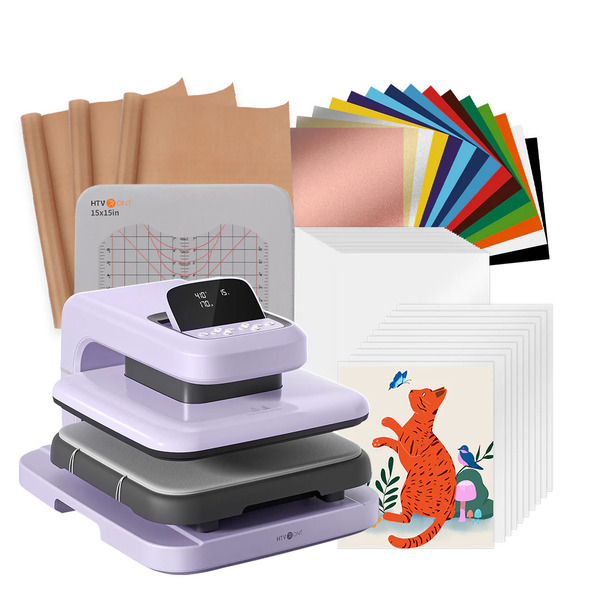
HTVRONT makes heat presses, heat transfer vinyl, transfer film, and the consumables that go with them. The catalog runs from small manual presses and hat presses up through automatic machines, with pricing aimed at a home workshop or a small apparel operation rather than a commercial shop.
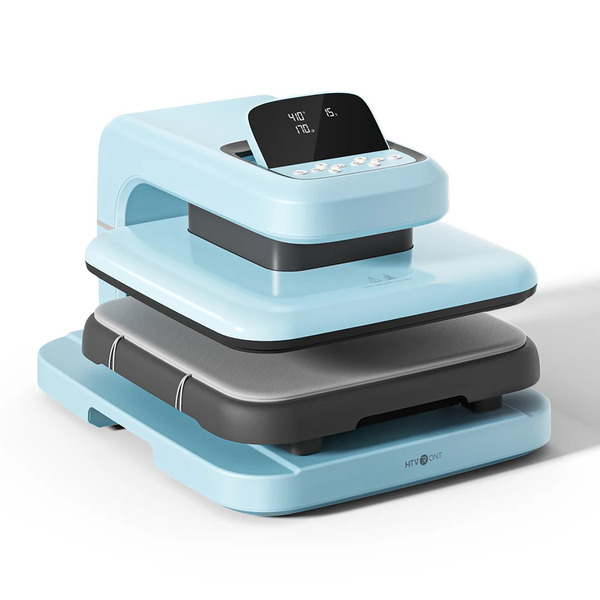
The Auto Heat Press 2 is the company’s automatic clamshell. It sells in three kit configurations and three colorways, and HTVRONT publishes a full specification set on the product page covering temperature, pressure, wattage, dimensions, and weight.
About Cricut
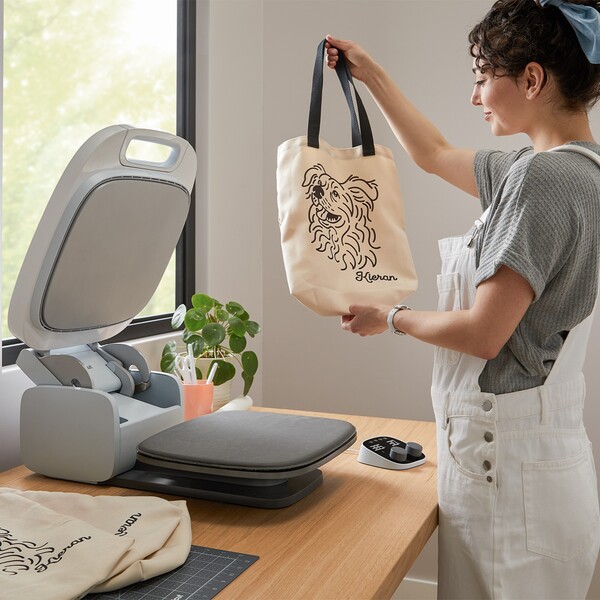
Cricut builds cutting machines, heat presses, and the Design Space software that runs alongside them. The brand is best known for its cutting machines and for the EasyPress line of handheld presses, and its products sell widely through its own site and major retailers.
The Autopress is Cricut’s automatic clamshell press. It closes under motor power, applies pressure without operator input, and lifts when the timer expires.
What to Consider
The two presses pull the same headline trick. The lid comes down by itself, holds the count, and lifts at zero without anyone standing over it. Good. That part’s settled.
Where it gets interesting is everything wrapped around that cycle. How many plates do you get for the money? Whether you or the machine decides how hard it squeezes. How long do you stand around waiting for heat? And who picks up the bill the day something breaks?
The two part ways on seven questions, and each one lands in your wallet, your calendar, or your reject pile.
1. Pressure Control
Heat softens the adhesive, and pressure pushes it into the weave of the fabric. Different materials call for different amounts, with sublimation blanks needing a lighter touch and thick DTF transfers needing more, so how a press handles pressure shapes the range of work it suits.
HTVRONT
Pressure here is a number you set on the control panel, anywhere from 40 to 170 pounds. Light sublimation sits at the bottom of the range, heavy DTF at the top, and HTV and other materials fall in between.
Cricut
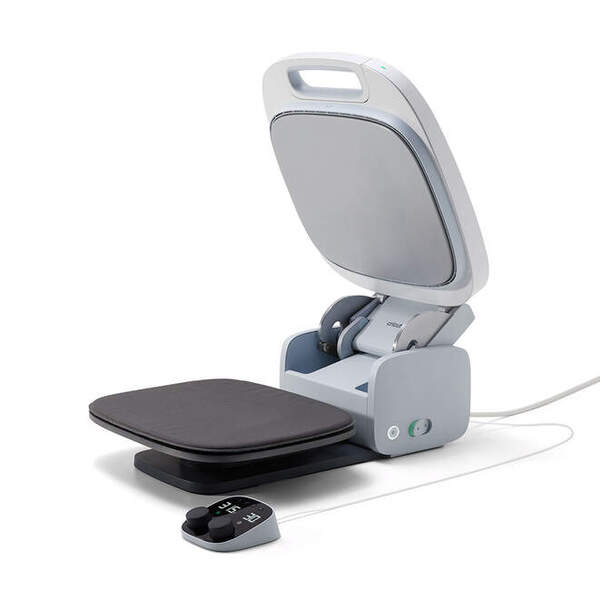
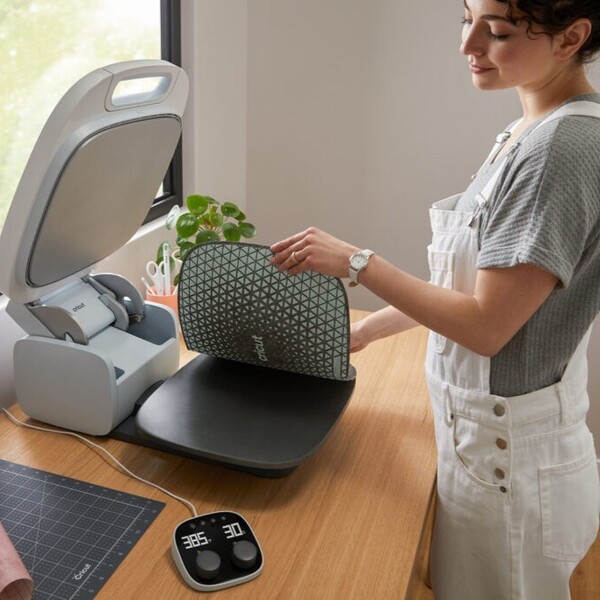
The Autopress applies pressure on its own, with no adjustment offered to the operator. Cricut describes the mechanism as auto-adjusting to material thickness, and its help documentation lists no user-facing pressure setting.
Verdict
The two presses take different approaches. The Cricut Autopress adjusts pressure automatically based on material thickness, which suits buyers who’d rather not manage pressure settings at all. The HTVRONT Auto Heat Press 2 lets the operator set pressure anywhere from 40 to 170 pounds, which suits shops that switch between HTV, sublimation, and DTF and want to match pressure to each material.
2. Heat Plate Size
Your design either fits the plate or it doesn’t. When it doesn’t, the shirt goes under twice, and the second pass means eyeballing the alignment all over again. That’s how a print ends up a quarter-inch off-center, and a perfectly good blank goes in the bin.
HTVRONT
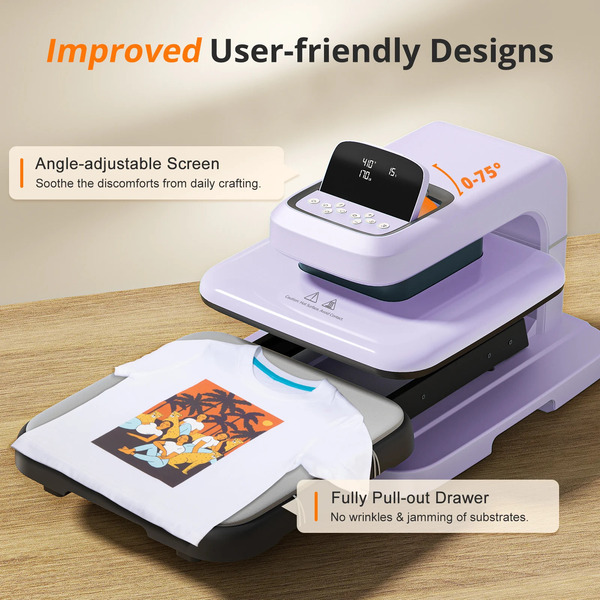
You get the full 15 by 15 inches here, which is 225 square inches of working heat. A standard 11 by 14 transfer lands inside that with a margin all the way around. Big front prints, full back prints, oversized artwork: one press, done, next shirt.
Cricut
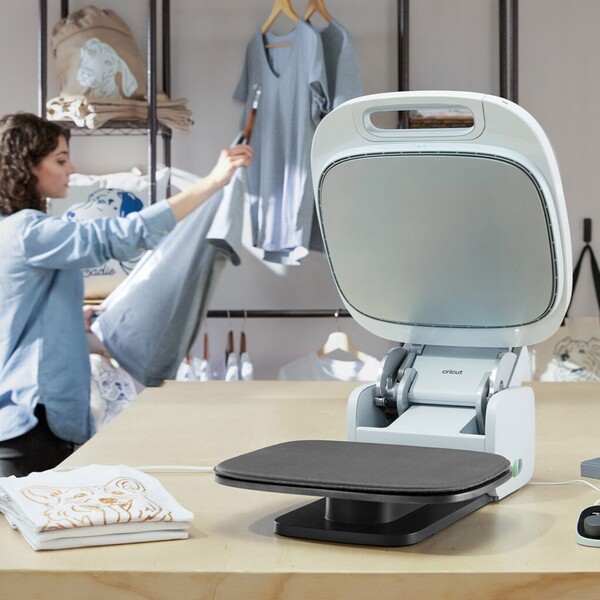
The Autopress plate measures 15 by 12 inches (180 square inches) and has a ceramic coating.
Verdict
The HTVRONT plate measures 15 by 15 inches, or 225 square inches, and the Autopress plate measures 15 by 12 inches, or 180 square inches. Either plate handles standard adult designs, and the extra 3 inches of depth on the HTVRONT gives more room for large back prints and oversized artwork in a single press.
3. Setup Before the First Press
Setup is the last thing standing between delivery and your first shirt, and what it involves varies from machine to machine. The answer determines whether a Friday delivery results in shirts that evening or in a sealed box sitting there until Monday.
HTVRONT
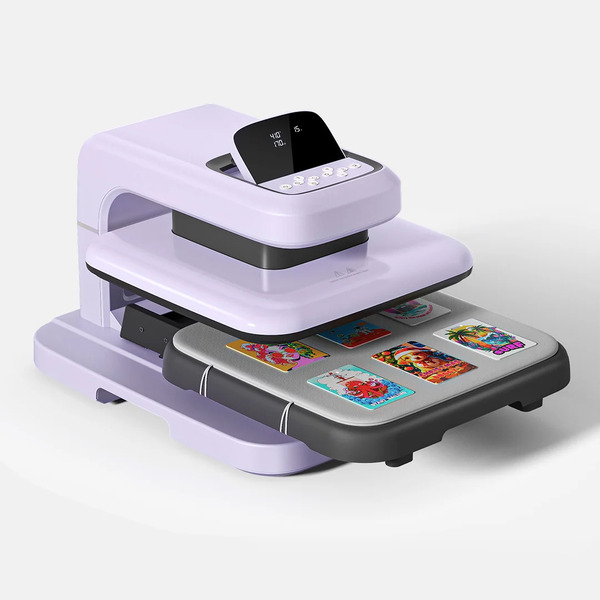
Find a wall socket, and you’re in business. Standard 120 V, 1500 W, nothing unusual. Plug in, set your temperature, time, and pressure on the panel, and put on a shirt. No account to make, no software to install, nothing to connect it to.
Cricut
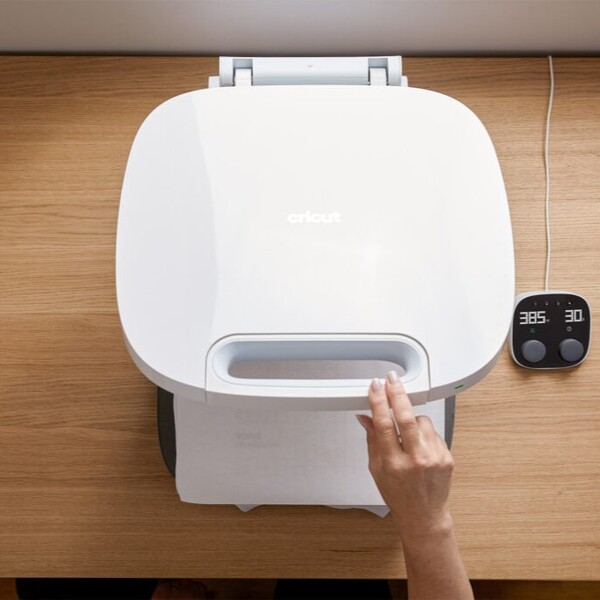
The Autopress requires activation before it will operate. Cricut’s product page states the product “will not function until activated using a PC/Mac computer with a USB port and internet connection,” and its help pages direct owners to cricut.com/setup. The press isn’t Bluetooth-enabled and doesn’t work with the Cricut Heat app.
Verdict
The HTVRONT Auto Heat Press 2 is ready once it’s plugged into a standard outlet, with no account or computer needed. The Cricut Autopress needs a one-time activation through a PC or Mac with a USB port and an internet connection, which adds a step before the first press, especially for buyers without a computer close to their workspace.
4. Heat-Up Time
Heat-up is unpaid time. It happens before every single session, and it’s the stretch between wanting to work and being able to.
HTVRONT
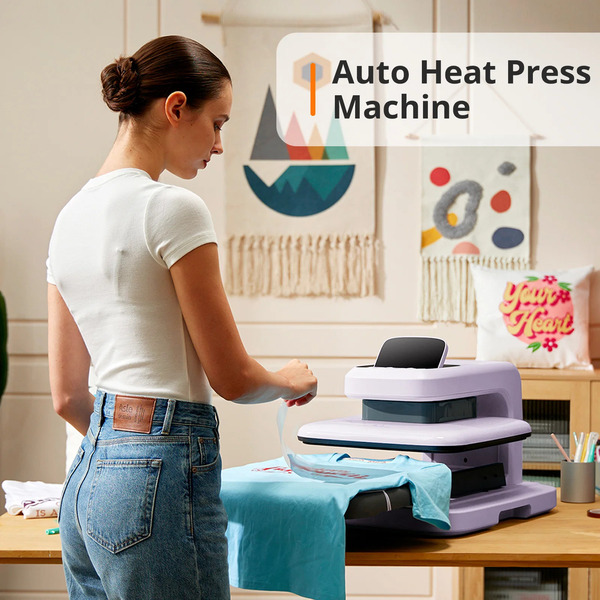
In its January 2026 review, New Atlas reported that the Auto Heat Press 2 usually reached 305°F in about three to four minutes. HTVRONT rates the press to reach its 410°F maximum in about five and a half minutes.
Cricut
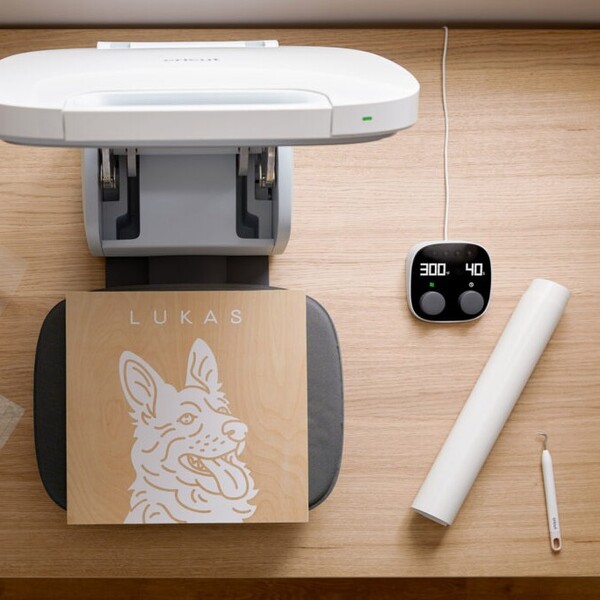
Cricut’s help documentation lists 8 minutes as the heating time for the Autopress, with a 400°F ceiling.
Verdict
HTVRONT rates its press at about five and a half minutes to reach 410°F, and Cricut lists about eight minutes for the Autopress to reach 400°F. For shops that run several short sessions a week, a shorter warm-up means less waiting before each one, and the HTVRONT’s maximum sits 10 degrees higher.
5. Weight and Bench Space
Presses get moved around. Off the shelf, onto the bench, and back up again when you need the table for something else. Weight stops being a number on a page the first time you’re lifting one on your own.
HTVRONT
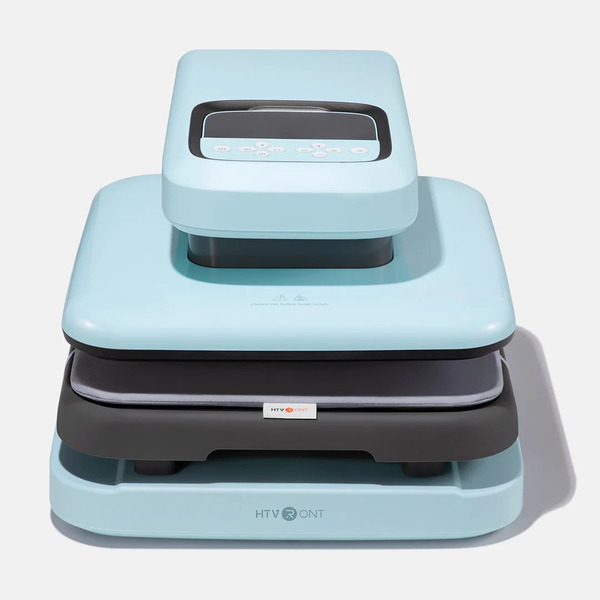
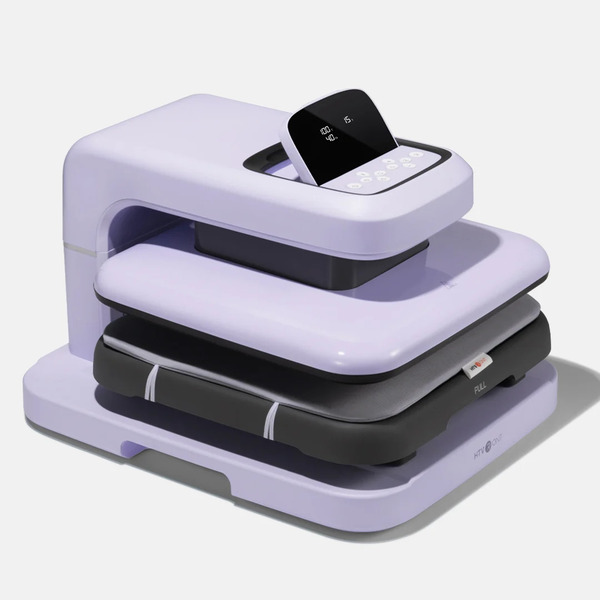
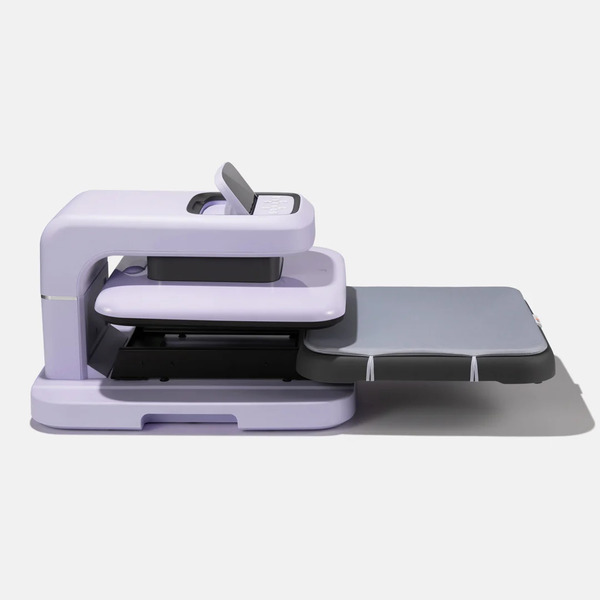
The Auto Heat Press 2 comes in at 43.2 pounds, taking up 20.9 inches in depth, 17.1 inches in width, and 13 inches in height. The lower deck pulls forward on a drawer, so you lay the shirt out flat in the open rather than reaching in under a plate sitting at 400°F. The display tilts too, so the numbers stay readable whether the press lives on a tall counter or a low table.
Cricut
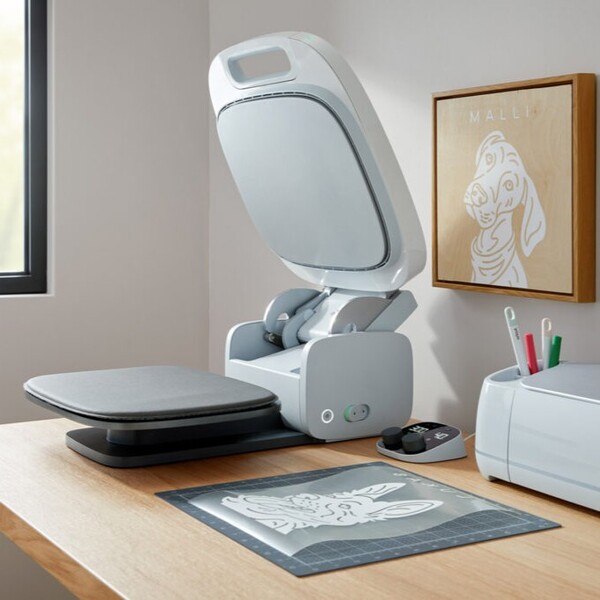
The Autopress weighs 53.2 pounds. Closed, it measures 16.63 inches wide, 6.62 inches tall, and 26.07 inches deep, opening to 25.14 inches tall.
Verdict
At 43.2 pounds, the HTVRONT is 10 pounds lighter than the 53.2-pound Autopress, which helps anyone who moves the press on and off a shelf alone. Its slide-out lower drawer also lets the operator lay out a garment away from the heated upper plate.
6. Warranty and Returns
Warranty terms are the fine print nobody reads until the day they need to, which is the worst possible time to find out what’s in them. On a machine this heavy, the wording around returns matters just as much.
HTVRONT
HTVRONT backs the press for 12 months from the date of purchase when bought through its official store. On an approved defect claim, the company sends out a new or functionally equivalent machine and covers shipping in both directions. Delivery is free on orders over $49, with processing within 48 hours and arrival in 4 to 7 business days.
Cricut
The Cricut Autopress generally comes with a one-year limited warranty from the date of purchase, although Cricut notes that the warranty period can vary by country. If something goes wrong, Cricut directs owners to its Member Care team for assistance with the machine.
Verdict
Warranty coverage runs about a year on either press. HTVRONT also publishes a 30-day return and exchange window and covers shipping both ways on approved defect claims, so buyers know the process before anything goes wrong.
7. Price and What’s Included
Presses in this class sit close enough on price that the sticker tells you almost nothing. The question worth asking is what each number actually gets you: how much heated plate, which controls, and whether you’ll need a follow-up order just to start working.
HTVRONT
The Standard Kit is priced at $349.99 before discounts. HBR readers can use code HBRAUTO2 at checkout to receive $52 off, bringing the price to $297.99. The kit includes the press with its 15 by 15-inch plate, adjustable pressure from 40 to 170 pounds, and a maximum temperature of 410°F, plus a 15 by 15-inch heat press mat and a 16 by 20-inch Teflon sheet.
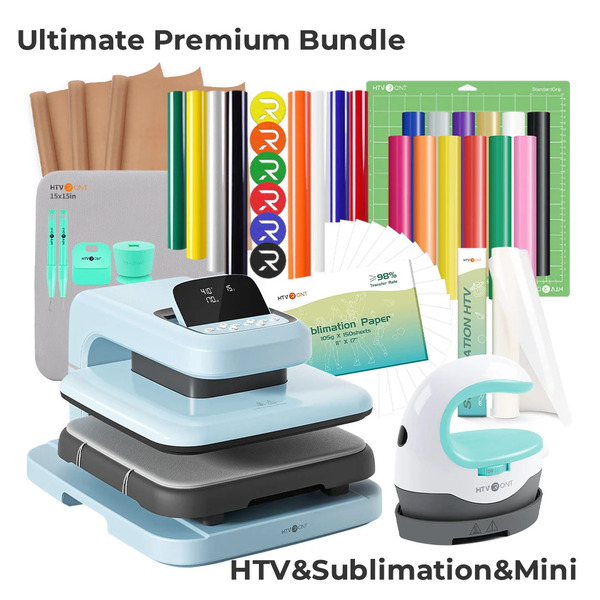
The Starter Kit and Ultimate Premium Kit are also eligible for the $52 discount, bringing their prices to $307.99 and $377.99, respectively. The press is available in Daisy White, Bubble Blue, and Lavender Purple.
Cricut
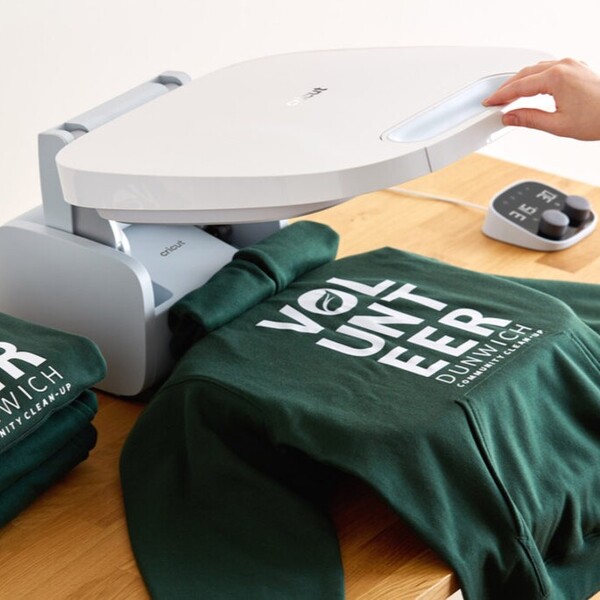
Cricut lists the Autopress at $299.00. That covers a 15 by 12-inch ceramic-coated plate, a 400°F maximum, and automatic pressure adjustment, in a single configuration.
Verdict
The HTVRONT Standard Kit costs $297.99 after the $52 discount with code HBRAUTO2, compared with $299.00 for the Cricut Autopress. At nearly the same price, the HTVRONT offers 45 more square inches of plate space, adjustable pressure, a 410°F maximum temperature, and a heat press mat and Teflon sheet in the box. For buyers who want more control over different transfer materials, those extras make it a compelling alternative.
What Customers Are Saying About HTVRONT
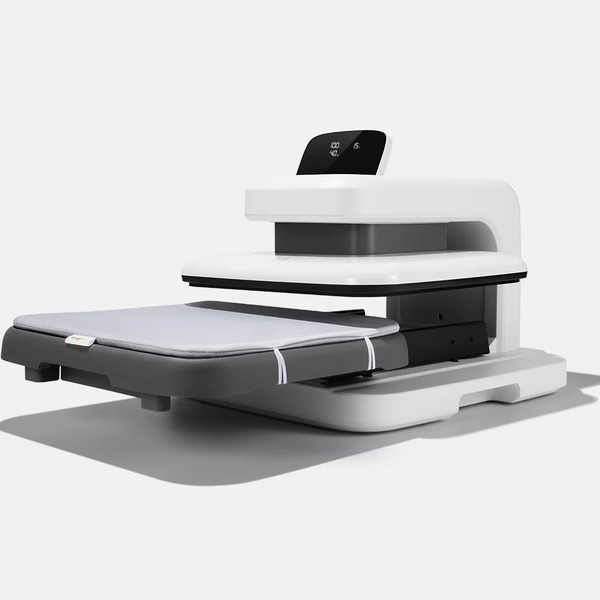
The Auto Heat Press 2 earns 4.9 out of 5 from 390 reviews on htvront.com and 4.6 out of 5 from 1,351 ratings on Amazon, with 84% of raters giving it five stars.
The theme that recurs most often is the shift away from physical effort, and owners express it with genuine feeling. An owner wrote:
“I have owned so many heat presses in my life and this by far is the best. I can no longer lift a manual press due to my wrist so this is a game changer and yes it does have enough pressure for DTF.”
Ease of use is the second recurring note, usually in short sentences from people who expected a harder setup:
“Works as described. Easy-to-use. Good so far. Far better than the old clamshell.”
Value comes up almost as often, and usually as a surprise:
“Best $300 I’ve ever spent. Just buy it. Works better than expensive heat presses. Very easy to use. Can’t say enough good things about this purchase”
And a good share of it is simply about the output:
“I absolutely love this heat press ! Doing beautiful work quickly. Highly recommended”
What Customers Are Saying About Cricut
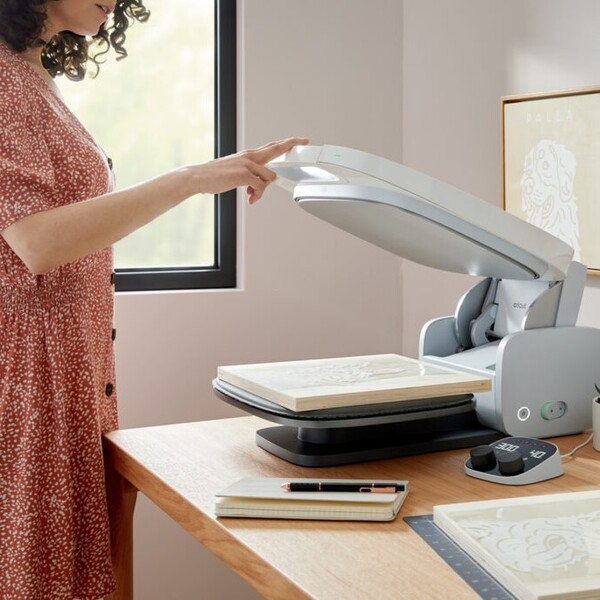
Autopress reviews on cricut.com and Amazon return to a few recurring points.
Pressure dominates the critical feedback, and it shows up in detail rather than in passing. A verified Amazon buyer titled their review “Regret purchasing due to the lack of pressure adjustment” and wrote:
“To my understanding, there is no way to adjust the pressure for this machine other than adding thickness to the platform. I’ve added two .25″ heat pressing mats to the platform and it still doesn’t make any difference. I 100% regret buying this press because it does not achieve the necessary pressure for regular iron-on as well as DTF images.”
“1 year and 3 months and the machine no longer works correctly. Error code and shuts off if heating past 320 degrees F. After over an hour working with cricut tech support they were unable to fix it and will not honor the 1 year warranty since I am 3 months past.”
Weight appears even inside positive reviews. A five-star buyer added:
“BUT it’s HEAVY!!! I cannot lift it onto the shelf it stays on. My husband has to get it down for me.”
Discounts and Promotions
HTVRONT offers HBR readers an exclusive discount on the Auto Heat Press 2, while Cricut’s savings options include free shipping on qualifying orders.
HTVRONT
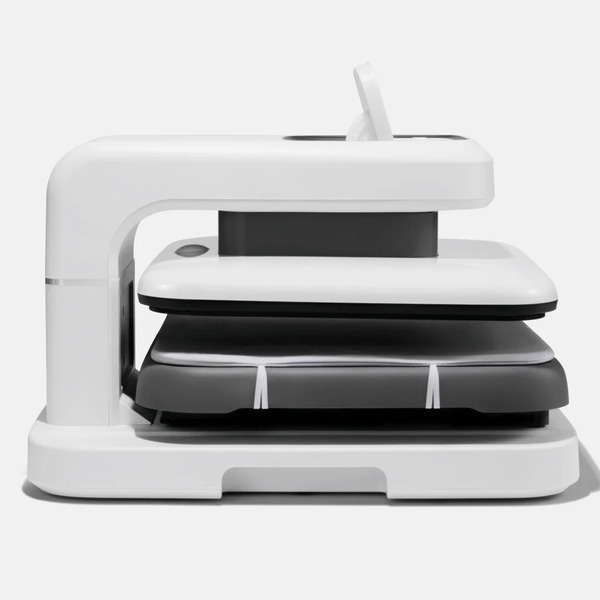
Use code HBRAUTO2 at checkout to save $52 on the HTVRONT Auto Heat Press 2. With the discount applied, the bundle prices are:
- Standard Kit: $297.99
- Starter Kit: $307.99
- Ultimate Premium Kit: $377.99
The Standard Kit includes a heat press mat and a Teflon sheet, and standard shipping is free on orders over $49.
Cricut
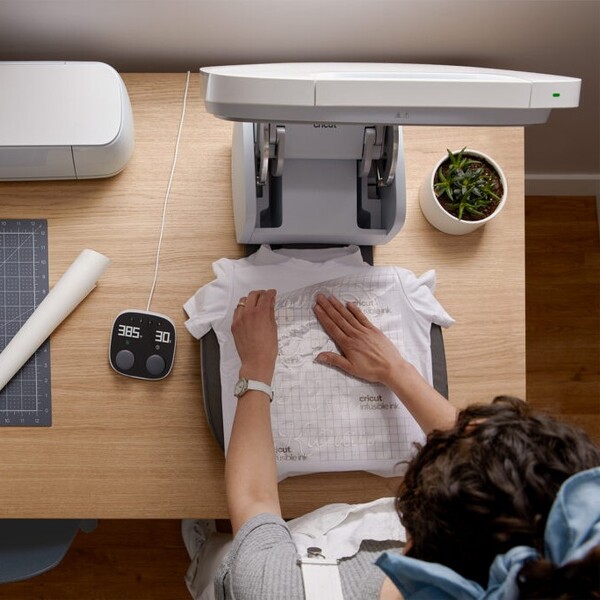
Cricut lists the Autopress at $299.00, with free shipping on orders over $50. The listing was out of stock at the time of writing.
Verdict
The HTVRONT Auto Heat Press 2 offers HBR readers $52 off with code HBRAUTO2. At $297.99 for the Standard Kit, it costs about the same as the Cricut Autopress while providing a larger plate, adjustable pressure, and essential pressing accessories in the box.
Shipping and Returns
What happens between checkout and a working press is where two direct sellers can differ more than their product pages let on.
HTVRONT
Free standard shipping applies to every order over $49. Orders are processed within 48 hours and arrive four to seven business days later, resulting in a typical door-to-door delivery of six to nine business days. Priority service is available on orders over $49 for a $25 express fee, cutting processing time to 24 hours and transit time to 3 to 5 business days. Delivery covers the contiguous 48 states.
Cricut
Free shipping applies to orders over $50. Cricut’s shop policies state that the company “makes no guarantees with respect to shipping times” and asks customers to “allow 7-12 days for delivery.” Returns require contact within five days, an RMA, return inside fourteen days of that RMA, unopened original packaging, and customer-paid return freight.
Verdict
Cricut asks buyers to allow 7 to 12 days for delivery, and returns need an RMA, unopened packaging, and customer-paid freight. HTVRONT publishes a typical six-to-nine business day delivery window with a paid priority option, and it pays freight both ways on approved defect claims.
Who Will You Shop With?

The two presses suit different buyers. The Cricut Autopress fits crafters already working in the Cricut ecosystem who want a press that handles pressure on its own and comes from a brand they know.
The HTVRONT Auto Heat Press 2 fits shops that want to set pressure for each material, anywhere from 40 to 170 pounds, along with a larger 15 by 15-inch plate, a lighter 43.2-pound frame, and plug-in setup with no activation step.
The HTVRONT Standard Kit costs $297.99 after applying code HBRAUTO2 for $52 off. With a heat press mat and Teflon sheet included, a larger 15 by 15-inch plate, and adjustable pressure, it offers a practical combination of control and value for small apparel businesses working with HTV, sublimation, and DTF.
Next, check out other articles that you might also like:
HTVRONT Hat Heat Press Machine Review
HTVRONT Auto Tumbler Heat Press Review


Ask the community or leave a comment
WRITE A REVIEWCustomer Reviews
Leave a review