
In partnership with Adobe
Table of Contents
About Adobe Photoshop
People who edit photos know the drill. You line up your shot, fix the lighting, erase a few random details, and somewhere in the middle of all that, the fun drains out. The small details slow you down, such as cleaning up edges, matching colors, and getting textures right. You start with a spark and end up doing digital housekeeping.
That’s the gap Adobe’s been trying to close for years. The company behind Photoshop has built its reputation on providing creators with sharper tools and more intelligent workflows. What began in 1982 as a printing experiment has evolved into a creative empire that powers everything from photography to film editing. Its tools appear everywhere from classrooms to large studios, and the company has been incorporating AI into the mix to make the process faster and a little less mechanical.
Photoshop still leads the pack for serious photo editing, but the newest version claims to make the job easier than ever. The improved Remove Tool, the new Harmonize beta, and Firefly-powered Generative Upscale all promise cleaner edits and faster results across desktop, web, and mobile.
That sounds impressive, sure. But how much of it actually changes the way people work? Does it really cut the time between an idea and a finished photo? Let’s dig into the details and see what Adobe’s latest Photoshop update really brings to the table.
Highlights
- Adobe’s latest Photoshop update introduces AI-powered tools that enhance editing speed and reduce technical complexity.
- A new blending tool automatically adjusts color and lighting when combining different elements in a scene, making compositions look more natural and consistent.
- The improved Remove Tool erases unwanted objects with cleaner fills and fewer visual artifacts.
- Generative Upscale (beta) boosts image resolution up to 8 megapixels without losing clarity.
- Photoshop now includes a Gen AI Model Picker, letting users choose different Firefly models for varied styles.
- Projects (beta) introduces a shared space for easier file organization and collaboration.
- Photoshop runs smoothly across desktop, web, and mobile, keeping edits consistent everywhere.
- Adobe includes the Adobe Express Premium plan with Photoshop subscriptions for quick social content creation.
- Firefly Pro plan users get 4,000 monthly generative credits for AI image and video creation.
- Adobe continues to integrate responsibly trained AI, focusing on the creation of commercially safe and transparent content.
Why You Should Trust Us
Our mission is to help you make more informed and better purchase decisions.
Our team spends hours researching, consulting with medical experts, gathering insight from expert professionals, reviewing customer feedback, and analyzing products to provide you with the information you need.
Adobe Photoshop Review

Let’s get into what Photoshop actually does better this time around. Adobe has been updating the app for decades, and every new version promises to take things a little further. The question is, what actually changed this time, and is it enough to make a difference?
Unique Features
Photoshop’s newest version leans hard into more innovative tools and smoother workflows, built around how people actually edit.
1. Newly improved Remove Tool
The improved Remove Tool cleans up photos with greater precision. It handles unwanted people, clutter, or random background noise in seconds, automatically filling what’s left behind with natural-looking detail. The new Distraction Removal even spots smaller elements, such as wires or passersby, without requiring manual marking.
2. Select tricky subjects with a click
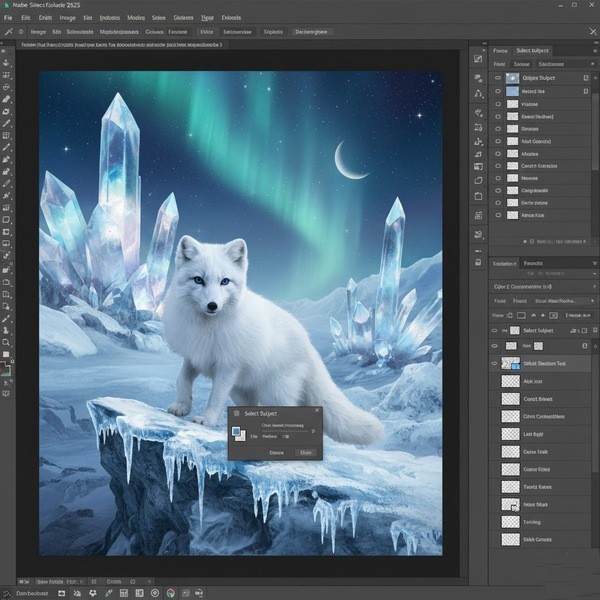
The Enhanced Selection Tool makes it easier to isolate complex subjects. Hair, glass, shadows. These are things that used to take patience and pixel zooming. It can now be selected cleanly with cloud processing doing the heavy lifting.
3. Fast photo blending. Realistic results.
The Harmonize (beta) blends added elements into a scene by matching color, lighting, and tone for you. It’s excellent for composites or product visuals that need to feel like a single shot, not a collage of mismatched layers.
4. Upscale images in an instant.
The Generative Upscale (beta), powered by Firefly, boosts image resolution up to 8 megapixels. You can sharpen older images, prepare files for print, or elevate social photos to pro quality without losing texture or clarity.
5. More ways to create with Gen AI Model Picker
The Gen AI Model Picker provides more flexibility in how generative edits appear. You can switch between Firefly Image Models 1 and 3 when using Generative Fill or Expand, each with its own style and visual tone. It’s a small control that makes a big difference when you’re fine-tuning results.
6. Organize and collaborate with Projects (beta)
Projects (beta) turns Photoshop into a cleaner workspace. It lets you keep assets together, share collections, and cut down the back-and-forth of sending individual files. Everything is centralized in one location, making teamwork smoother and less chaotic.
7. New partner AI models for more variety
Photoshop (beta) now supports partner AI models like Gemini 2.5 Flash Image and FLUX.1 Kontext [pro]. These expand the range of styles and image interpretations you can generate, giving creatives more flexibility than ever before.
8. Full power on mobile
Photoshop on Mobile brings the fundamental tools, not watered-down versions, to your phone or tablet. You can edit photos, combine graphics, and access Adobe Stock directly from your device, keeping your workflow moving wherever you are.
- Gen AI Model Picker gives you more creative control. You can switch between Firefly Image Models 1 and 3 when using Generative Fill or Expand, each producing different visual styles and textures.
- Projects (beta) keeps everything in one place. Instead of juggling folders or email attachments, you can store and share assets inside a single, organized workspace.
- Partner AI Models like Gemini 2.5 Flash Image and FLUX.1 Kontext [pro] now works inside Photoshop (beta), bringing more variety to generative edits.
- Photoshop on Mobile brings real editing power to smaller screens. You can mix photos, graphics, and Adobe Stock assets with the same tools found on desktop. So, it makes it ideal for quick work while traveling or creating social content on the spot.
Together, these features demonstrate Adobe’s commitment to making Photoshop faster, smarter, and easier to use across every device.
Benefits
Anyone who edits photos knows how quickly a simple project can turn into a tedious task. One minor fix leads to another, and before you know it, you’ve spent an hour cleaning up details no one else will even notice. The newest Photoshop update aims to make that process feel lighter. It’s built for people who want to take an idea from conception to a finished image without losing steam halfway through. Here’s how you can benefit from Adobe Photoshop:
- Faster workflow
Your everyday edits will feel smoother. Tools like the new Remove and Selection features cut down the time you’d typically spend fixing edges, retouching, or cleaning up clutter. You can move through projects more efficiently without compromising your standards. - Cleaner, more natural results
Harmonize and Generative Upscale handle the technical aspects of blending and sharpening, ensuring images retain their depth and texture. Photos look finished straight out of Photoshop instead of needing another round of edits. - More control over creative output
With the Gen AI Model Picker, you can guide how your edits look instead of relying on one default AI style. Each Firefly model produces a slightly different mood, which helps when you’re experimenting with tone or concept. - Easier teamwork and file management
Projects (beta) simplifies collaboration. You can keep everything in one shared location, view updates in real-time, and avoid digging through old folders or email threads for the latest version. - Editing anywhere
Photoshop’s web and mobile versions finally feel capable. You can make quick changes, test layouts, or prep content for social posts while you’re away from your desk, then pick up the same file on your desktop later without missing a beat. - Consistent creative experience
Whether you’re a hobbyist or a full-time designer, the new updates remove friction without changing what makes Photoshop familiar. It still feels like the same tool, just quicker and more reliable when you need it to be.
Price
Photoshop Plan
For most individuals, the standard plan costs US$22.99 per month (billed annually or monthly). It includes Photoshop for desktop, web, and mobile, as well as access to Adobe Express Premium, fonts, templates, tutorials, and 100GB of cloud storage. You also receive 25 monthly generative credits for AI-powered tools, such as Generative Fill and Upscale.
Creative Cloud Pro Plan
For creators who use multiple Adobe apps, the Creative Cloud Pro plan costs US$69.99 per month (annual plan, billed monthly). It unlocks over 20 apps, including Photoshop, Illustrator, Premiere Pro, and After Effects, along with 4,000 monthly generative credits for AI tools across image, video, and audio projects.
Additionally, a free trial is available for anyone who wants to test Photoshop before committing.
Adobe Photoshop Review: What Do Customers Think?
People tend to agree on one thing about Adobe Photoshop… It’s still the heavyweight of photo editing. Across reviews from PCMag, Digital Camera World, and Macworld, as well as user feedback on Trustpilot, most say Photoshop delivers what professionals expect: reliability, precision, and an unmatched set of creative tools.
Many users and reviewers note that Photoshop remains “stable, reliable, feature-rich, and actively developed” (Macworld). Even those who’ve been using it for decades appreciate that Adobe manages to keep it relevant without changing its core identity. It’s still the go-to for detailed retouching, layering, and visual effects that demand total control.
Photographers praise how far Adobe’s AI has come. The latest Firefly-powered tools have made tedious editing work faster, smarter, and cleaner. As one reviewer put it, “The Remove Tool and AI effects are mind-blowing—it’s like the app knows what you’re trying to do before you do it.” (PCMag) Others say Photoshop’s Generative Fill and Expand features feel like a new kind of creative shortcut, cutting out busywork without taking away the fun.
Designers also call out the balance between creative freedom and precision. The layering system, blending tools, and brush controls are still considered industry benchmarks. “It simply provides designers and photographers alike the most advanced tools for their craft,” one expert review said (PCMag).
The interface gets frequent praise for its polish and adaptability. Even though it’s packed with features, the layout is described as intuitive once you get the hang of it. One user on Trustpilot summed it up neatly: “I’ve got a pretty solid grasp of Adobe Photoshop… from basic photo editing to advanced compositing—it handles it all.”
A few reviews mention that the subscription model can feel pricey, but they often add that the value is hard to argue with, especially when bundled in the Photography Plan with Lightroom. Many note that “Photoshop is as powerful as it ever was” and “still the one photo editor to rule them all.”
Is Adobe Legit?

Yes! Adobe is absolutely legit. It’s one of the most established software companies in the world, publicly traded on the NASDAQ under the ticker ADBE, and has been around since 1982. The company created Photoshop, Illustrator, Acrobat, Premiere Pro, After Effects, and dozens of other professional tools used by designers, photographers, and filmmakers globally.
Is Adobe Photoshop Worth It?

Adobe Photoshop continues to hold its ground as the standard for professional photo editing. It’s built a reputation for precision and flexibility, and the latest version reinforces that. The updates feel practical, focusing on speed and cleaner results while keeping the same level of control that long-time users depend on.
The improved Remove Tool and Harmonize beta prove how far Adobe has refined its editing process. What used to take multiple steps can now be done in moments, and the results look natural without heavy tweaking. Generative Upscale and the upgraded selection tools help preserve detail and sharpness, which matters to anyone serious about image quality.
Photoshop’s reach across desktop, web, and mobile adds real convenience. You can start a project on one device and finish it on another without redoing work. The new Projects beta keeps everything organized for those handling multiple clients or campaigns, trimming down time spent managing files.
Firefly integration and the addition of AI models like Gemini and FLUX.1 bring more creative options without feeling complicated. They give users ways to test ideas quickly and adjust them until they look right.
For professionals and hobbyists alike, Photoshop still delivers what it promises: strong tools, smooth performance, and results that hold up. It’s reliable, smartly updated, and continues to be the program that creative people trust when their work really matters.
Adobe Discounts and Promotions
Adobe’s biggest sales of the year arrive between November 13 and December 7, split into two major events: Black Friday (Nov 13–28) and Cyber Monday (Nov 29–Dec 7).
During these weeks, Adobe typically drops the prices on its most popular plans, including Creative Cloud All Apps and Photoshop for Individuals. In past years, deals have gone as high as 40–50% off the first year for new subscribers. Students and teachers often get an even bigger cut, sometimes reaching up to 70% off Creative Cloud bundles.
The promotions usually include added perks like bonus Firefly generative credits, expanded cloud storage, or temporary access to premium assets in Adobe Stock and Express.
These discounts only come once a year and usually apply to the first subscription term, so it’s the best time for new users or anyone waiting to upgrade to jump in at a lower price.
Where Can I Buy Adobe Photoshop?

Adobe Photoshop can be purchased directly through the official Adobe website at adobe.com. Buying from Adobe ensures you get the latest version, official updates, and access to all Creative Cloud features, including cloud storage, Firefly AI tools, and Adobe Express.
FAQs
What kind of computer do I need for Photoshop?
Photoshop runs on both Windows and macOS. Adobe recommends at least 16GB of RAM, a dedicated GPU with 4GB VRAM, and SSD storage for best performance. It’s also available on mobile and through a web browser for lighter work.
Can I use Photoshop for video editing?
Yes, though it’s not a full video editor. Photoshop lets you create and edit short video clips or animations using its timeline feature, perfect for social media graphics or simple motion work. For heavier projects, Adobe Premiere Pro is a better fit.
Does Photoshop support AI tools for free?
Each plan includes a set number of generative credits that let you use Firefly-powered tools like Generative Fill or Upscale. You can purchase more credits if you use AI features frequently.
How do I contact Adobe?
You can contact Adobe through:
- Website: helpx.adobe.com for support and live chat
- Phone: regional numbers listed on the Contact Us page
- Community Forum: community.adobe.com
- Social Media: @AdobeCare on X and Facebook
Next, check out other related reviews that you might also like:



Ask the community or leave a comment
WRITE A REVIEWCustomer Reviews
Leave a review