
In partnership with Linkind
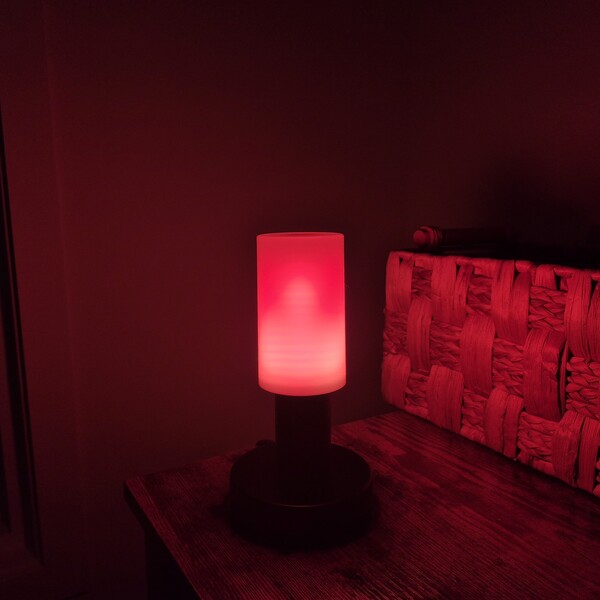
The lamp on my desk had exactly one setting for years, and that setting was on. Same flat white light at nine in the morning as at ten at night, whether I was working or winding down. If I wanted the room to feel different in the evening, my only real move was to switch it off and light a candle instead.
Then the Linkind Smart Light Stick popped up on my radar for one simple reason. It doesn’t force you to rip out your current setup since it is just a bulb. You screw it straight into whatever E26 socket is already hanging around your house, and suddenly that old fixture is capable of wild flame effects, sixteen million vibrant colors, and clean everyday lighting whenever you feel like it.
After letting one run in my desk lamp for a few weeks of ordinary evenings, I gathered some solid impressions.
Table of Contents
About Linkind
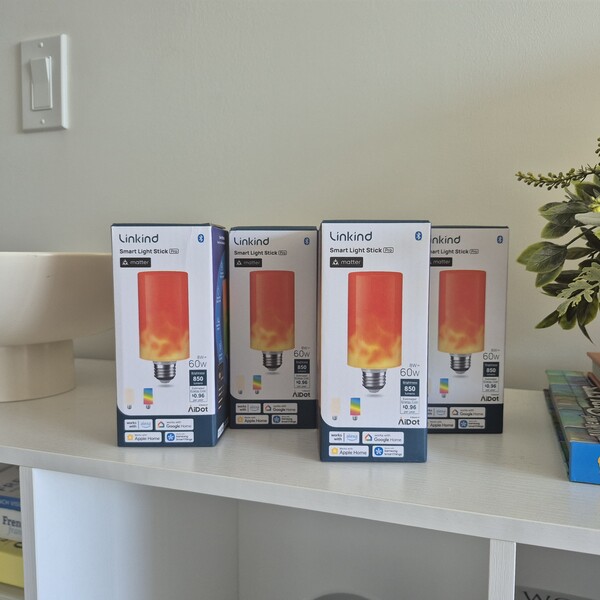
Linkind is a smart lighting brand operated by AiDot Technology Inc. The name is pronounced “Lin” plus “Kind,” run together. The company builds its products on the idea that lighting should do more than just make a room bright, and its range includes smart bulbs, ceiling fixtures, and lighting accessories that are controlled through a single app.
The Smart Light Stick is its flame-effect bulb, and the pitch is that you shouldn’t have to choose between atmosphere and usable light. It’ll throw a flame effect across your desk at night and still deliver 850 lumens of clean white light when you actually need to see what you’re doing.
Highlights
- Linkind’s Smart Light Stick is a T19 bulb with a standard E26 base, so it fits fixtures you already own with no adapters or rewiring.
- It measures 2.24 by 5.15 inches and draws up to 8 watts.
- 160 LEDs are split into 50 individually controllable light zones.
- Brightness runs to 850 lumens, with a 310-degree beam angle.
- White light spans 1000K to 6500K, from deep warm glow through to daylight.
- Color selection covers 16 million shades with a CRI of 80.
- Flame effects come in single-color and dual-color versions, with adjustable flame intensity.
- More than 120 preset lighting effects are built into the AiDot app, organized into categories such as Flame, Festival, and Night Light.
- An automatic upright sensor keeps the flame running the right way up, regardless of how the bulb is fitted.
- Polycarbonate and aluminum construction, UV-resistant and rated for outdoor fixtures.
- Wi-Fi, Bluetooth, and Matter connectivity, working with Alexa, Apple Home, Google Home, and Samsung SmartThings.
- Group control covers up to 16 lights running together.
Why You Should Trust Us
Our mission is to help you make better, more informed purchase decisions.
Our team spends hours researching, consulting with medical experts, gathering insight from expert professionals, reviewing customer feedback, and analyzing products to provide you with the information you need.
Setting Up the Linkind Smart Light Stick
Getting It Into a Fixture
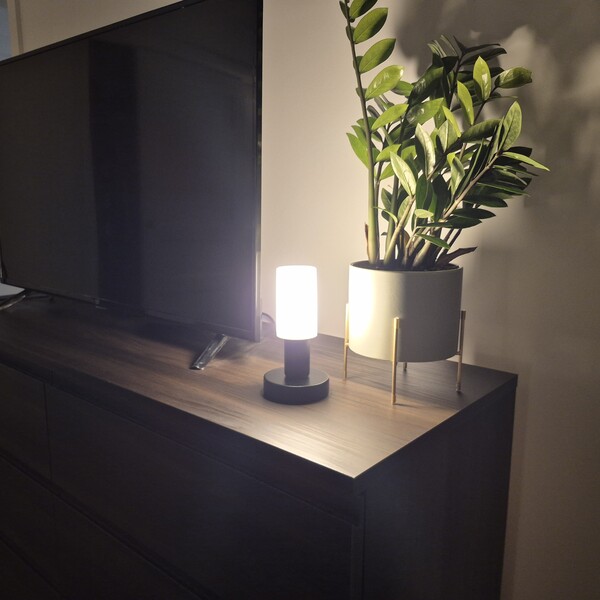
Installation took me about four seconds, which is roughly how long it takes to screw in a bulb. The Light Stick uses a standard E26 base and a T19 body, so it dropped straight into my desk lamp without any fuss. Pendant lights, wall sconces, table lamps, and floor lamps all work, and there’s no hub, no controller box, and no socket to replace.
Worth knowing before you start: the bulb is 5.15 inches tall, which is slightly longer than a standard A19 bulb. In an open desk lamp, it looks intentional, and the extra height puts the flame closer to eye level, where you can actually watch it. I’d measure first for anything with a tight enclosed shade.
Pairing With the AiDot App
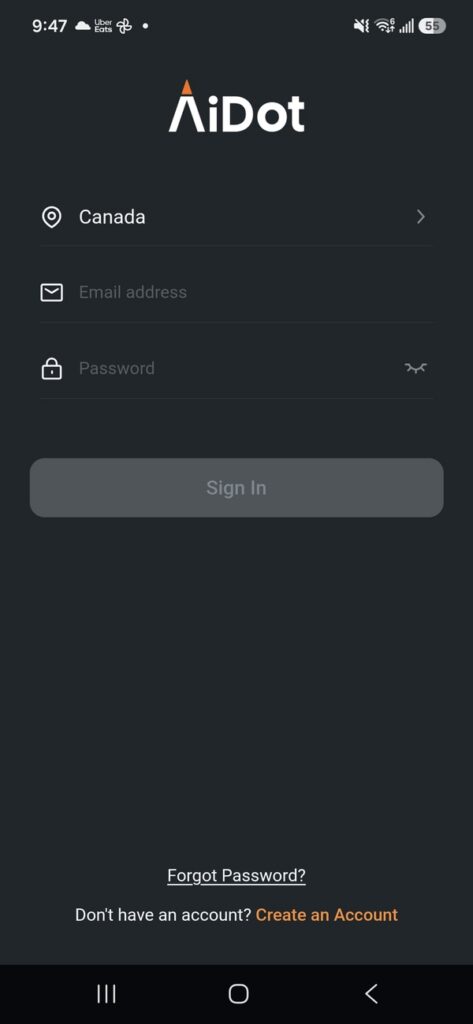
The AiDot app runs everything, and it is completely free on the Apple App Store and Google Play. The first thing to sort out is your network because the Light Stick connects exclusively to 2.4 GHz Wi-Fi. Most home routers broadcast both bands under a single name these days, and mine did, so it found the correct frequency without requiring any manual adjustments.
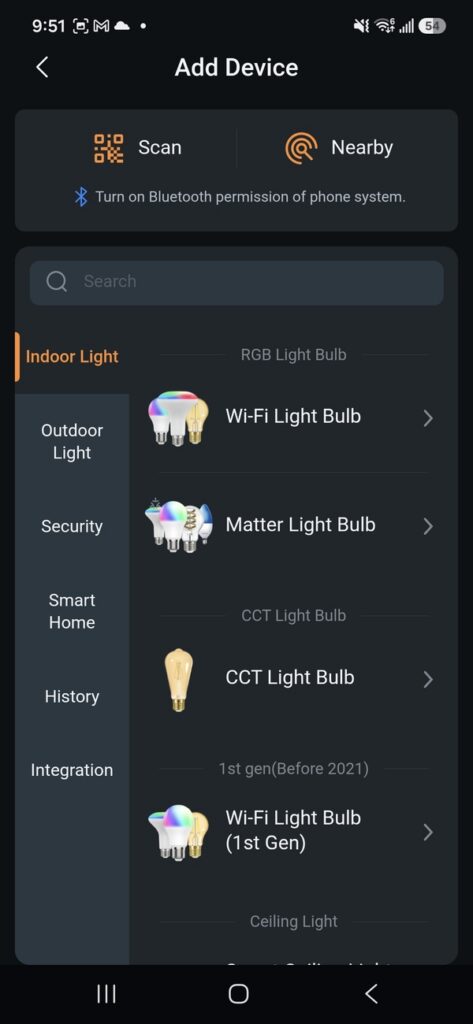
The setup flow is remarkably brief. You simply power on the bulb, open AiDot, tap the plus icon or Add Device prompt, and choose the Nearby option. My Light Stick showed up in the available list almost immediately. From there, I selected my network, entered the password, assigned a custom name to the bulb, and tapped Done. The entire process took under a minute, from opening the app to having a fully functional smart light ready to control.
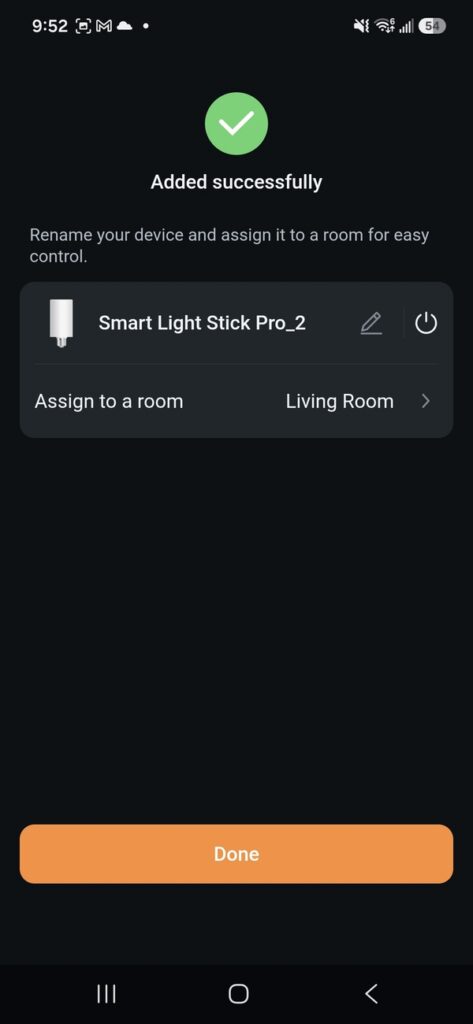
One important detail to keep in mind if you are setting this up outside the US involves your initial registration. Make sure to pick the United States as your region during account creation to keep the complete feature set available to you.
Testing the Flame Effects
Here’s the part I was actually curious about, and it’s where the 50 zones earn their keep.
Single-Color and Dual-Color Flames
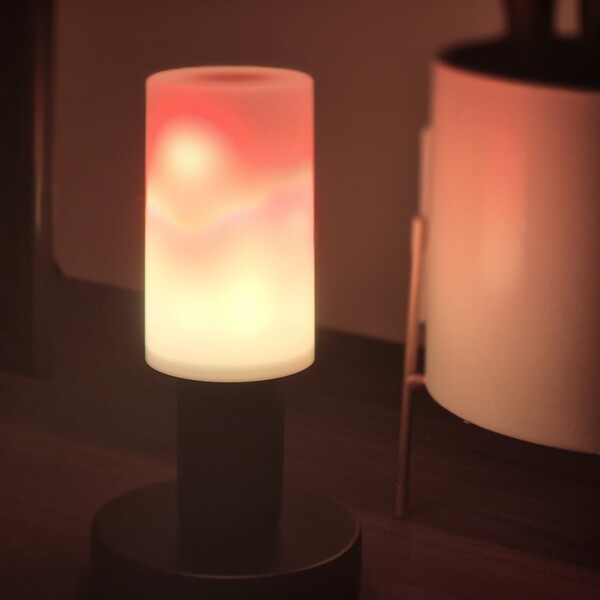
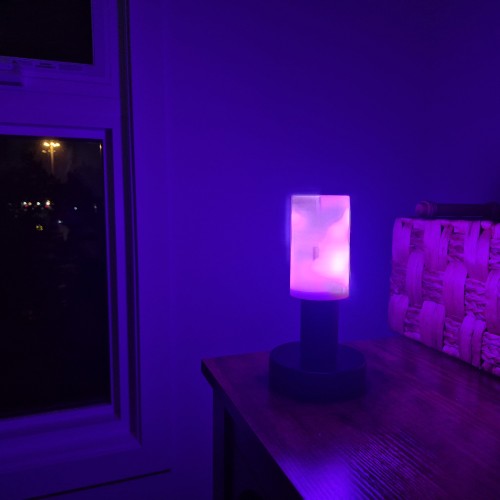
Tap Flame on the device screen to see two modes. Single-Color builds the flame from a single shade, and Dual-Color blends two shades. The default is what you’d expect: an amber-and-orange flame climbing the bulb’s body, and it’s genuinely lovely on a desk at night.
Dual color is where it stops being a novelty. I ran a deep red into a bright yellow for something close to a fire pit, then pulled the whole thing over to blue and violet for a completely different mood on the same fixture. Because the color pickers are just sliders, you’re not stuck with presets. I landed on a green-and-gold combination in October that looked properly unsettling.
The movement is what sells it. With 160 LEDs across 50 zones, the light climbs and falls in bands rather than pulsing as one block, and it reads as flowing rather than flashing.
Flame Size, Speed, and Brightness
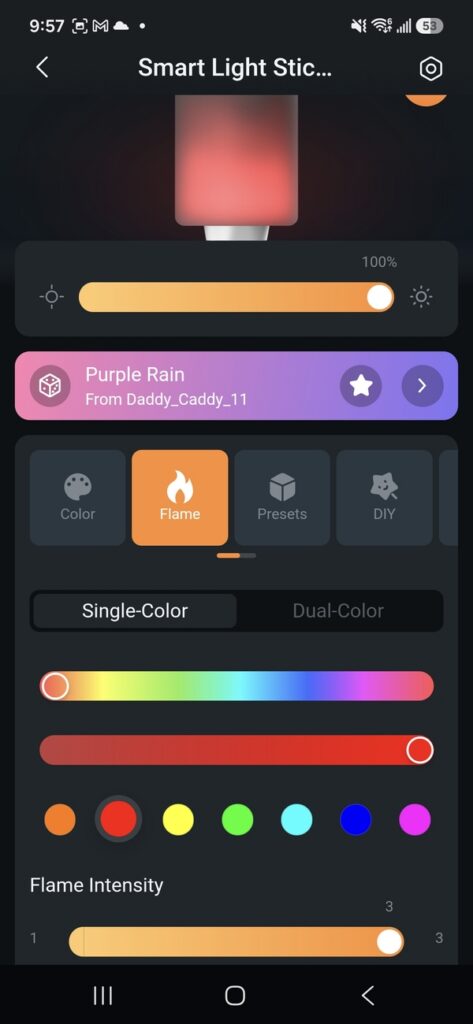
Under the color pickers is where the flame stops being a fixed effect and starts being mine.
Flame size runs small, medium, and large, and the gap between them is wider than I expected. Small sits low in the bulb, with a gentle flicker, which is what I want while I’m still working. Large fills the whole body and throws movement onto the wall behind the fixture. Medium is where my desk lamp has lived since October.
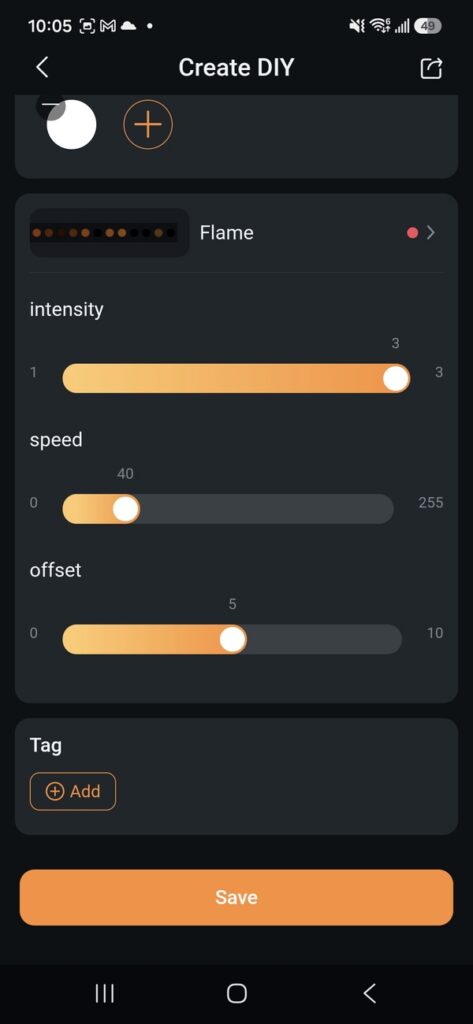
Speed is its own control, and it changes the mood more than the color does. Slowed right down, the flame moves the way a candle does in still air, which is what I want once the laptop is shut. Sped up, it’s restless and a little wild, which was exactly right for Halloween. Same color, same size, a completely different room.
Brightness sits on its own slider at the top of the screen and works independently of everything else. So I can run a big, fast flame dimmed low for the evening or a small, slow one at full output when I still need to see. Because size, speed, color, and brightness are four separate decisions rather than a single locked preset, this is far more usable than the flame bulbs I’ve owned before.
The 120+ Preset Effects
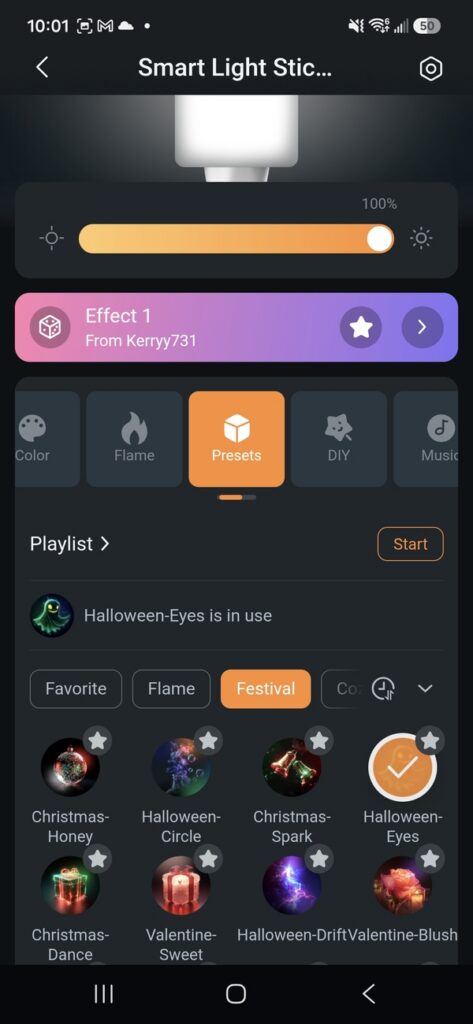
Tap Presets, and you get a library of ready-made effects, sorted into categories. The Flame group holds variations on the main event. The festival covers holiday looks, and there’s a Halloween-Eyes effect in there that I left running for most of October. Night Light collects the soft, low, warm ones.
Presets are the shortcut for when you don’t feel like building anything. I scrolled, tapped a few, starred the ones I liked into Favorites, and now I’ve got about six I rotate through. Dawn and Warmth are used most on weekday mornings. Thunderstrike is ridiculous, and I love it.
You can also chain them into a playlist and hit Start, which runs them in sequence.
50 Individually Controllable Color Zones
Here’s the feature I didn’t think I’d use and now can’t leave alone.
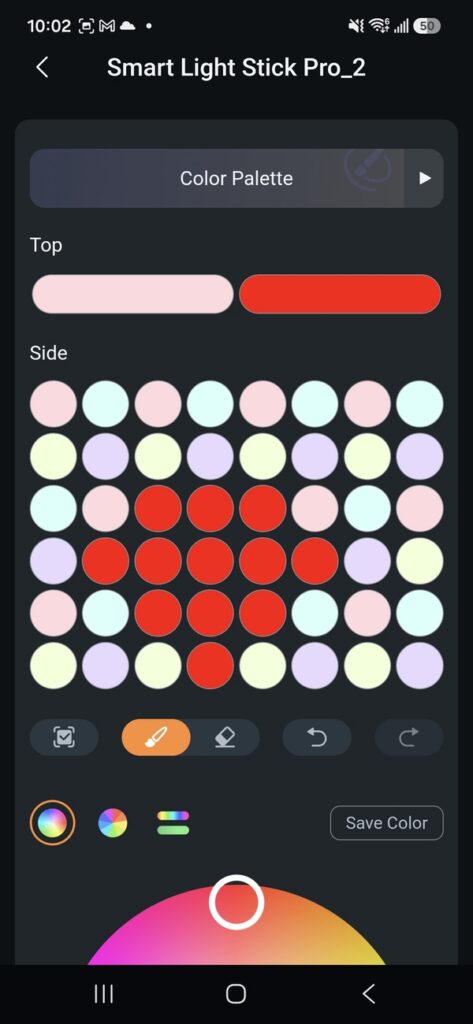
Go to Color, then Edit Canvas, and the app gives you a map of the bulb split into its zones, with a row across the top and a grid down the side. Those dots are light zones, and you can paint each one individually.
I started by copying the two examples in Linkind’s own materials, a heart and a smiley face, mostly to see whether the bulb would really hold a shape. It did. The heart came out as red through the middle of a yellow field and read clearly from across the room.
From there, I went my own way. A vertical gradient running from deep blue at the base to pale cyan at the top made the desk lamp look like a piece of glassware. For October, I built bands of orange and red that held still instead of flickering, which gave a warm glow with structure to it.
It takes a couple of minutes to paint something you like. Once it’s saved, it’s one tap away forever.
Building My Own Effects With DIY
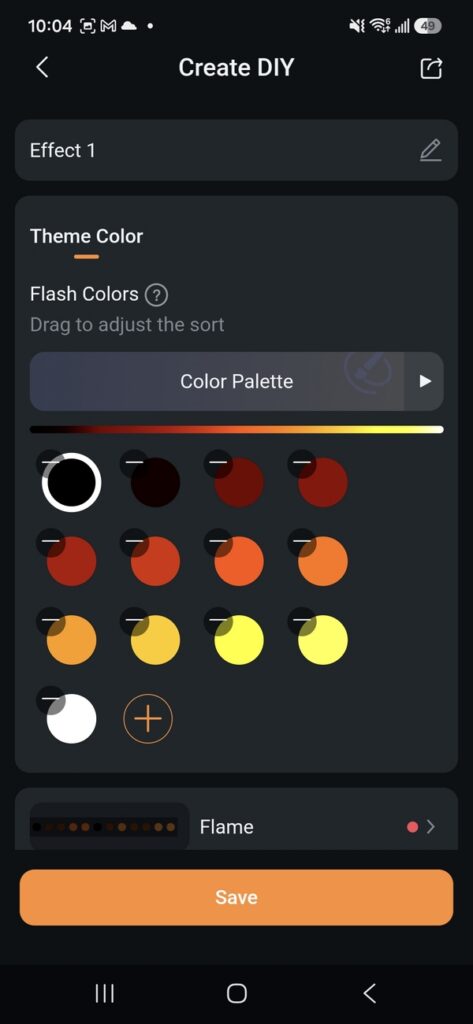
DIY is where the presets and the canvas meet. Tap DIY, tap Create, and you build an effect from scratch, choosing colors and how they move, then save it into your library.
My library has three in it now. The first is a slow warm fade I use in the evening. The second is a faster color cycle for when people are over. The third is a single-color flame in a very specific shade of amber that I fiddled with for longer than I’d like to admit. Saved effects sit alongside the built-in presets, so the bulb ends up running mostly on things I made.
Running a Light Show Across Several Sticks
Group control is the step up from a single bulb, and it’s worth understanding before you decide how many to buy.
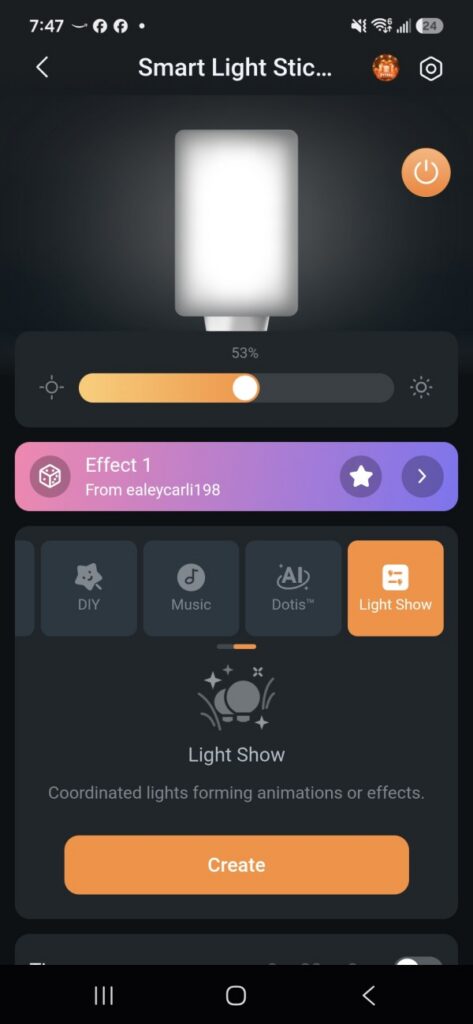
A preset runs an effect on one light. A Light Show syncs an effect across several. You set it up by tapping the plus icon, choosing Add Indoor Group, selecting the light sticks you want in it and saving. From there, the Light Show screen lets you arrange the order the lights fire in, set the direction forward or reverse, and apply either a built-in effect or one from your own DIY library.
The system handles up to 16 lights in a group. With a run of sconces down a hallway or a line of fixtures along a wall, that turns a set of separate bulbs into one continuous piece of lighting that travels across the room. For anyone doing a full Halloween setup or lighting an entertaining space, that’s the reason to buy more than one.
850 Lumens of Everyday White Light
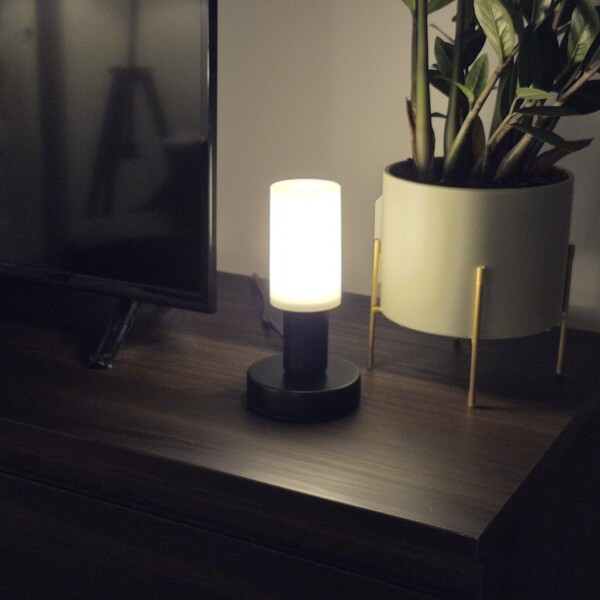
The flame effects are the headline, and the white light is the reason the bulb stays in the fixture in January.
At 850 lumens, this is a bright bulb. It’s noticeably stronger than most flame-effect bulbs, which tend to treat white light as an afterthought, and it’s enough to serve as the actual light source in a room rather than a decorative accent. Under Color, the Whites tab runs the temperature from 1000K at the warm end through to 6500K daylight, with preset stops at 2700K, 3000K, 4000K, 5000K, and 6500K.
I keep it at around 2700K in the evening, which is standard warm bulb territory and looks like nothing unusual. For actual desk work, it goes cooler, up around 5000K. A fixture goes from flame effect to plain, usable white in two taps, and that flexibility is what makes this a bulb rather than a prop.
The 310-degree beam angle helps here, too. Light comes off the whole body rather than firing straight up, so it fills a space evenly instead of spotlighting the ceiling.
More Smart Controls Worth Knowing
Dotis AI lighting. Dotis is Linkind’s AI lighting assistant, built into the app. Rather than picking colors and effects yourself, you describe the mood you’re after by typing or speaking, and Dotis generates a matching lighting effect, which you then apply to the bulb. It’s the fastest route from an idea to a look when you know the feeling you want.
Music Sync. Under Music, you pick a rhythm theme and play music near your phone, and the lighting reacts to what it hears. Different themes weight the response differently, so the same track can drive a gentle pulse or something far more energetic.
Voice control. The Light Stick works with Alexa, Google Home, Apple Home, and Samsung SmartThings and is connected through integrations in the app’s Me tab. Once it’s linked, on/off, dimming, and color changes all run by voice, which beats groping under the shade for a switch every time.
Scheduled lighting. Under Color, Schedule lets you set days and times for the light to come on and go off. For a fixture you want running every evening, that’s the difference between remembering it and never thinking about it again.
Orientation detection. An automatic upright sensor reads how the bulb is installed and keeps the flame pointing the right way. Base-down desk lamp, base-up pendant, it works out which way is up on its own. Nothing to configure, which is exactly how a feature like this should behave.
Where It Works Best
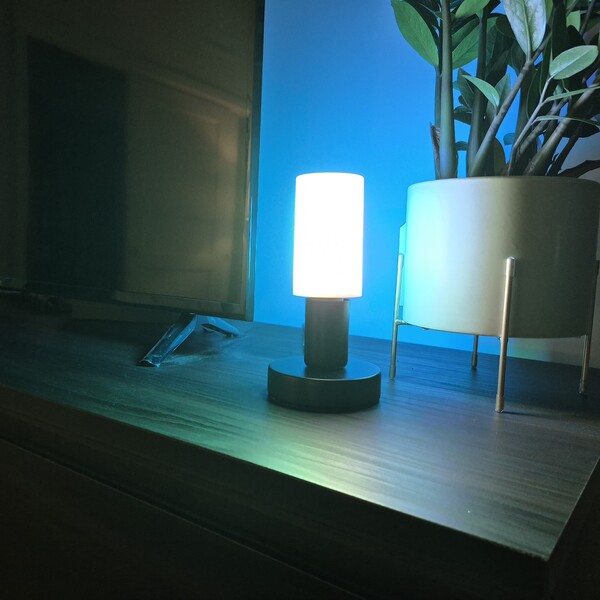
Indoors, it’s at its strongest in fixtures where the bulb itself is visible. Desk and table lamps with an open or clear shade, exposed sconces, and open pendants all let the flame effect shine through, which is really the whole point. Behind a solid shade, it fills the room with a warm, colorful glow instead, which has its own appeal.
But it’s just as well suited for outdoor use. The housing is made from polycarbonate and aluminum and is UV-resistant, making it a great fit for both indoor and outdoor fixtures. It can be used as a simple swap for a porch light, wall lantern, or covered entryway fixture, and it’s especially appealing for anyone looking to make their front door or outdoor space stand out.
We’d also love to see how it performs during the holidays. The flame effect could be a really fun addition to Halloween decorations, and it would bring a warm, festive touch to outdoor displays around Christmas. We’d definitely love to give it a shot during the holiday season and see what kind of atmosphere it can create.
How Much Does the Linkind Smart Light Stick Cost?
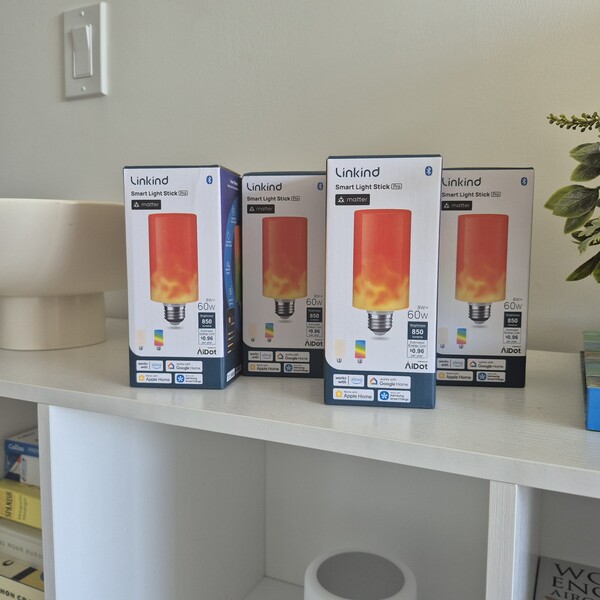
Linkind sells the Smart Light Stick Color+White 850 lm directly, with the discount applied at checkout rather than through a code.
- Single bulb, $29.99 during promotional periods, down from a $39.99 list price. The $29.99 promotional price will be available during Prime Big Deal Days (Oct. 6–7) and Best Deal (Oct. 12–25).
- Multi-packs in 2, 3, and 4, which is the route to take if you’re planning a grouped light show, since the effects sync across up to 16 bulbs.
- Free shipping on orders over $10, with US delivery quoted at two to five days.
- A one-year warranty, a 60-day money-back guarantee, and lifetime customer support.
It’s also listed on Amazon in one and two-pack sets for anyone who’d rather use a familiar checkout.
For a single bulb that handles ambient lighting, holiday decorating, and everyday room lighting, $33 buys a lot. The 60-day money-back window is the part I’d point to, since it’s long enough to get through a full season with it.
Is the Linkind Smart Light Stick Worth It?
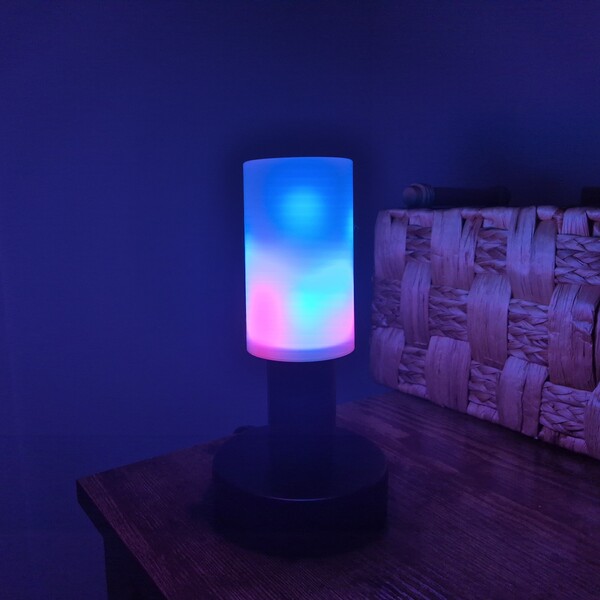
For anyone who likes the idea of their lighting doing more than simply switching on, yes, and the reason is that it does both jobs properly.
Plenty of flame bulbs produce a nice effect, but fail completely as light sources. The Light Stick delivers 850 lumens and a full white range from 1000K to 6500K, meaning the fixture remains useful on ordinary nights when you just want to see what you are doing. At the same time, plenty of smart bulbs offer color and brightness but lack any movement at all. Linkind features fifty separate lighting zones and a custom flame effect you can build yourself, down to two specific colors and the burn intensity.
The practical fit becomes clearest for a few specific types of buyers. Anyone decorating for Halloween or the holidays gets a dynamic setup that stores easily in a drawer and reappears every year. Anyone who loves entertaining gets a space where the mood can shift entirely from a smartphone screen. Anyone with a front entryway gets the single highest-impact lighting upgrade available for the money. Anyone who simply likes their home to feel a specific way in the evening gets a physical dial for that atmosphere.
What tipped the scales for me is that installing it required nothing at all. No extra hub to plug in, no rewiring, no new fixture to buy. I took out an old bulb, screwed in a different one, and watched a desk lamp I’d stopped noticing turn into the thing people ask about the moment they walk in.
FAQs
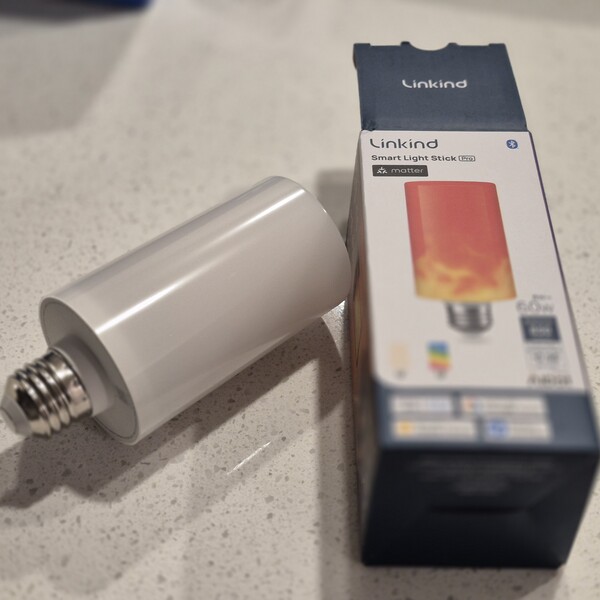
What fixtures does it fit?
Anything with a standard E26 socket, which covers most pendant lights, wall sconces, table lamps, and floor lamps in North American homes. The bulb is a T19 shape measuring 2.24 by 5.15 inches, so it’s worth checking clearance in tightly enclosed shades.
Does it need a hub?
No. It connects directly to the AiDot app over Wi-Fi and Bluetooth, with no bridge or controller to buy. It’s also Matter-compatible, so it integrates directly with Apple Home, Alexa, Google Home, and Samsung SmartThings.
What Wi-Fi does it need?
A 2.4 GHz network. Most routers broadcast 2.4GHz and 5GHz together under one name, which works fine.
Can it be used outside?
Yes, in outdoor fixtures. The polycarbonate and aluminum housing is UV-resistant, which makes it suitable for porch lights, wall lanterns, and covered entryways.
How many can be controlled together?
Group control handles up to 16 lights, and a light show syncs an effect across every bulb in the group, including the order they fire in and the direction the effect travels.
Does it work as a normal light bulb?
Yes. It puts out 850 lumens with a white range from 1000K to 6500K and a 310-degree beam angle, so it works as the main light in a room and switches to a flame effect in two taps.
Next, check out some similar reviews you might like:

Ask the community or leave a comment
WRITE A REVIEWCustomer Reviews
Leave a review