
In partnership with Square Signs
Table of Contents
About Square Signs
Most online sign printers offer little more than what they are: a catalog grid of product thumbnails, a checkout flow optimized for a single purchase, and a UX that assumes you’ve already decided what you want and just need to place the order. The whole experience is built around the transaction. If you arrive with a half-formed idea or no design ready, the typical print-shop site has nothing for you. You back out, open a separate design tool, finish the artwork, come back, and start over. The friction is the format.
Square Signs is the first sign printer I’ve used where the platform feels like the product. The brand calls itself an “online sign maker,” and the framing earns its keep once you actually start using the site. The online design tool that opens when you click into a product is not a stripped-down logo placer or a file uploader pretending to be an editor. It is a full-featured browser-based design platform with a vertical icon sidebar that runs Products, Size, Options, Stock Images, Templates, Elements, Text, Background, QR Code, and Uploads as discrete tools, plus dark mode, zoom controls, rulers, and undo/redo at the corners. The closest comparison is Canva or Figma. The fact that it lives inside what’s nominally a print-shop checkout flow is the thing.
I spent an afternoon browsing the platform as a first-time user. I configured an acrylic business sign from scratch, opened the design editor, added it to the cart, and then worked through the broader catalog. The homepage walks new visitors through a 3-Step Design & Order Process (Pick Templates or Upload Designs, Fully Customize Your Signs, Click to Order Your Product), with the granular per-product walkthrough expanding to 5 steps once you land on a specific product page. The brand pitch is that Square Signs is a tool built for the user, not a catalog built for the seller, and that the end goal is a customer who comes back rather than one who completes a single order. What follows is what that pitch actually looks like in the product, where the experience earns the framing, and where a first-time user might still hit friction.
Highlights
- Square Signs runs a full browser-based design editor (Design Online) with templates, stock images, elements, text, background, QR code, and AI tools in a vertical sidebar that more closely resembles Canva than a print-shop configurator;
- Their catalog spans 120+ products across business signage, banners, flags, decals, event displays, photo prints, business cards, stationery, real estate signage, and table covers;
- They offer 6 base materials for acrylic signs alone (clear, white, black, frosted, black transparent, and gold) with three thicknesses each;
- Square Signs publishes 2,000+ free customizable templates that load directly into the online design editor;
- They run on Stock Images, an in-editor library that the site flags as “New” with a badge in the sidebar;
- The configurator updates pricing in real time as users adjust size, material, thickness, edges, and accessories;
- They hold cart items and uploaded designs for a week without requiring an account, with registered users getting extra file uploads, quicker checkouts, order tracking, and exclusive promo codes;
- Their “Trusted by Professionals” section names Facebook, Pepsi, Amazon, Google, Pixar, and Adobe alongside the small-business buyers the platform is built for;
- Square Signs has served over 200,000 clients across the United States and Canada with more than a decade of operating experience.
Why You Should Trust Us
Our mission is to help you make better, more informed purchase decisions.
Our team spends hours researching, consulting with medical experts, gathering insight from expert professionals, reviewing customer feedback, and analyzing products to provide you with the information you need.
Square Signs Review
The way to evaluate a sign printer is not the catalog. It is what happens between the moment a user lands on the homepage and the moment they have a completed design loaded in their cart. The thirty minutes in the middle are where most print sites lose people, because the design and configuration steps are where the friction lives. Below is how Square Signs handled those thirty minutes when I went through them.
Unique Features
The platform is built around the user. The catalog supports the tool, not the other way around. Here is how that shows up in the parts of the site I actually used.
A full online design editor that runs in the browser
The online design tool is the centerpiece of the platform, and it earns that title. When I clicked “Design Online” on the Acrylic Signs product page, the editor opened in a new view with the canvas sized to my chosen 12 x 18-inch acrylic dimensions, with rulers along the top and left edges, and the print area shaded against a transparent grid.
The vertical icon sidebar runs Products, Size, Options, Stock Images (with a “New!” badge), Templates, Elements, Text, Background, QR Code, and Uploads as discrete tools. Save, Reset, and Help controls live in the header, along with the real-time price, quantity selector, cart counter, and Add To Cart button.
The undo and redo controls are in the bottom-left corner. Zoom controls and a full-screen toggle sit in the bottom-right corner. A dark mode toggle in the header changes the canvas theme on click.
The visual vocabulary is the same one users expect from Canva, Figma, or Adobe Express. None of that is standard for a print-shop site, where the design step usually means uploading a finished PDF or wrestling with a stripped-down placement tool. The online design tool feels like a real design app that’s wired directly to the production pipeline.
A 2,000+ template library that loads straight into the editor
The Templates tab in the editor sidebar opens a browsable library organized by category. The acrylic signs product page surfaces template categories like Financial Consulting, Salon and Spa, Medical Center Business, Wellness Center Business, Minimalist Wedding, and standard business signage formats.
Selecting a template loads the design into the canvas, and every element on the template is editable. Text frames swap to your copy. Colors update. Backgrounds change. The template is a starting point, not a fixed layout, which is the right design choice for a small-business buyer who wants a professional look without hiring a designer.
Stock Images, Elements, Text, Background, and QR Code as in-editor tools
The online design sidebar treats each design building block as its own dedicated tool rather than burying them inside a single “Edit” menu. Stock Images opens an image library. The Elements tab opens shapes, icons, and graphics. Text adds editable text boxes with controls for font, weight, color, and alignment.
Then, the background changes the canvas color or pattern. QR code, notably, is a dedicated sidebar item rather than an add-on. A user who wants to print a sign with a QR code linking to a menu, a website, or a Wi-Fi password can generate the code in the editor and drop it on the canvas in a few clicks. That detail says something about the platform’s read on what small businesses actually need.
Real-time pricing that updates as the user configures
Both the product page calculator and the online design editor display the current price in the header and update it instantly as the user changes size, material, thickness, edges, drilled holes, standoffs, French cleats, accessories, or quantities.
I watched the acrylic sign price jump from $41 at the default 12 x 18 clear acrylic 1/8″ config by $28.24 when I checked the 1/4″ thickness option, then back down when I reverted.
The transparency removes the second-guessing that usually happens when a user is mid-configuration and can’t tell whether their next option will double the price. The number is in front of you the entire time.
The vertical icon sidebar runs Products, Size, Options, Stock Images (with a “New!” badge), Templates, Elements, Text, Background, QR Code, and Uploads as discrete tools. Save, Reset, and Help controls live in the header, along with the real-time price, quantity selector, cart counter, and Add To Cart button.
The undo and redo controls are in the bottom-left corner. Zoom controls and a full-screen toggle sit in the bottom-right corner. A dark mode toggle in the header changes the canvas chrome on click.
The visual vocabulary is the same one users expect from Canva, Figma, or Adobe Express. None of that is standard for a print-shop site, where the design step usually means uploading a finished PDF or wrestling with a stripped-down placement tool. The Design Online tool reads as a real design app that happens to be wired directly to the production pipeline.
A 120+ Product Catalog with Easy-to-Navigate Categories
Square Signs offers over 120 products covering a wide range of business signage and print needs. The catalog includes metal signs, acrylic signs, yard signs, banners, decals, stickers, business cards, display products, marketing materials, and much more.
Despite its size, the catalog remains easy to browse thanks to a navigation system built around six primary categories: Signs & Banners, Adhesives & Clings, Business Signs, Stationery, Photo & Decor, and Event Displays. Additional sections, such as Deals, Industries & Occasions, Design Templates, and Resources, help customers quickly find relevant products.
Each category opens into a mega-menu that combines featured products with organized subcategory listings, making it easy to explore the full range without feeling overwhelmed. Best Seller and New labels further guide shoppers toward popular and recently added products.
For businesses that need different products throughout the year, from yard signs and banners to business cards and event displays, the platform provides a single, consistent place to order everything without switching between multiple vendors or tools.
Customizable sizes with no fixed standard dimensions
The configurator opens with a default standard size on every product, but the size field is a custom input. The user types in dimensions in inches or feet, and the canvas resizes immediately.
The acrylic signs product page handles sizes from 4 x 4 inches to 48 x 96 inches. That kind of flexibility doesn’t show up in marketing copy. However, it earns real loyalty from a first-time user who needs a sign in non-standard dimensions and finds that this platform actually supports custom sizes.
Cart and design hold for a week without an account
The shopping cart displays a notice up top: “We will keep your designs and cart items for only a week. To save them permanently, please Sign In or Sign Up.”
For a first-time user who isn’t ready to create an account, the platform retains the in-progress work for 7 days. Registered users get extra file uploads, quicker checkouts, order tracking, and access to exclusive promo codes. The signup is incentivized but not gated. A user can complete a full configuration, save the design, walk away, and come back the next morning to pick up where they left off without an account.
Benefits
The features describe what the platform is. The benefits cover how those choices play out for the people who design and order signs through it.
You can self-serve a professional-looking sign without a designer
For a small business owner who needs a quality storefront sign or a yard sign for an event but doesn’t have an in-house designer, the standard print-shop experience starts with hiring someone (typical cost: $50 to $200 for a basic vector file) or hacking together something in PowerPoint or Word that prints poorly.
Square Signs flips that. The 2,000+ templates are professionally designed and load directly into the editor; the Stock Images library facilitates the image hunting; the Elements library covers shapes and icons; and the Text tool covers the typography.
A user with no design background can land a result that reads as professional in 15 to 30 minutes of work. That gap is the whole point of the platform.
You can iterate without losing your work
The cart-and-design hold for a week without an account means a first-time user can configure a sign, walk away, and come back later without having to restart from a blank canvas. For decisions that aren’t snap purchases (and most signage decisions aren’t), that holding window changes how the design process unfolds.
You can sit on it for a day, get a second opinion from a partner or a colleague, and return to the same in-progress design at the same URL.
You can verify the spec before you pay
The product page calculator and the shopping cart both cover every selection in detail. The shopping cart in my test showed Material (Clear Acrylic 1/8″ Clear), Shape (Square / Rectangle Cut), Print Sides (Single-Sided Print), Edges (Standard Edges), Drilled Holes (No Drilled Holes), Standoffs (No Standoffs), and French Cleat (No French Cleat) as explicit line items.
The Edit and Duplicate buttons let me jump back into the design or copy the configuration into a second cart item without losing the original. For a buyer who has been burned by a print order that arrived with the wrong finish, the per-line-item visibility acts as a safety net.
You can scale across product types from one account
For a small business that uses multiple signage products throughout the year (storefront signs, yard signs for events, vehicle decals, business cards, table covers for trade shows), the typical approach is to bounce between three or four print vendors. Square Signs handles all of it under one login, one design tool, and one cart.
The Buy More, Save More bulk-discount structure and the Refer-a-Friend program apply across the catalog. Businesses that order a larger quantity of signs benefit from quantity discounts by default; businesses that make purchases often may also qualify for special corporate discounts that apply to every order they place.
You can drop a QR code on any sign without leaving the editor
For a small business owner who wants a sign that connects to a digital touchpoint (a menu, a website, a wifi password, a review link), the QR Code tool in the editor sidebar generates the code in place. Most competitor sites force users to generate a QR code in a separate service, download it, and then upload it back. The integrated approach saves a step and keeps the design loop inside one tool.
You can see the price move in real time and stop guessing
The real-time price updates in both the calculator and the editor remove the guesswork about what each option upgrade actually costs. A user can compare 1/8″ vs 1/4″ vs 3/8″ acrylic thickness by clicking through and watching the price change rather than running each calculation manually. For a small-business buyer on a budget, the transparency turns the configuration step from anxiety into informed comparison.
Price
runs on a flexible starting-price model where each product page configurator updates the cost in real time as you adjust size, material, thickness, finishes, accessories, and quantity. Most products use a Buy More, Save More tier that scales the per-unit price down with larger orders. Free shipping on qualified orders kicks in at $99+, with promo codes layered on top of standard pricing.
- Acrylic Signs: starting at $21.43 (12 × 18 White Acrylic 1/8″)
- Aluminum Signs (Best Seller): starting at $14.81
- PVC Signs: starting at $12.2
- Foam Board Signs: starting at $10.57
- Corrugated Plastic Signs (Best Seller): starting at $4.45
Square Signs Review: What Do Customers Think?
Square Signs holds a 4.8 out of 5 rating across 3,801 verified customer reviews on Trustpilot at the time of writing, rated “Excellent” with 90% of reviews at five stars. On the acrylic signs product page specifically, the rating is 4.8 out of 5 across 148 verified reviews.
Trustpilot’s auto-surfaced top mentions across the brand are Quality, Delivery Service, Order, Product, Customer service, Service, Price, User Experience, Website, and Marketing. Here is what comes through in the actual review feed.
The platform UX is the most consistent positive across recent reviews. Customers call out the website as easy to use and the design experience as accessible for buyers without a design background.
“The website was easy to use and the products are beautiful.”
“Very easy to work with, help this novice sign designer tweak the layout for a finished product that is exceptional by every measure! All at a very competitive price.”
Customizable sizes earn their own cluster of reviews. The platform’s flexibility on non-standard dimensions stands out to buyers who have hit the size-limit wall on other print-shop sites.
“Perfect size, perfect result. I looked all over for a very specific size sign and Square Signs was the only one that fit the bill. I know this sounds like a marketing ad, but it’s not.”
Customer service shows up in multiple reviews, often with the rep named explicitly (Eric, Mia, and others). The level of personal attention is unusual for an online printer at this scale.
“Perfect communication with Mia. She clearly understands our needs and helped so much. Quality of the product, packing and delivery are very good.”
“Excellent customer service. They sent me my proof of my design. But I need to add something to my design. They did it without charging me extra money.”
Repeat customers show up across the review feed, which is usually the strongest signal that a service holds its quality across multiple orders.
“This is the second time we have used Square Signs for our oversized canvas art work and both times they turned out absolutely beautiful! Perfection! They are easy to work with and helpful, highly recommended.”
Is Square Signs Legit?
Yes, Square Signs is a legitimate, established company. The brand has been operating for more than 10 years in Burbank, California.
Square Signs has served over 200,000 clients across the US and Canada and has been recognized by Inc. 5,000 as one of the fastest-growing companies in America. The homepage’s “Trusted by Professionals” section names Facebook, Pepsi, Amazon, Google, Pixar, and Adobe alongside the small businesses the platform is built for.
Is Square Signs Worth It?
For the small-business buyer who needs a sign without hiring a designer, yes. The platform is built around the design step rather than around the catalog, and the online design editor changes the math on whether a user can self-serve professional output.
For 15 to 30 minutes of work in what is essentially a Canva-tier design tool, a small business owner can land a sign that reads professional, fits a custom dimension, ships in a few days, and costs $25 to $60 for the most common single-unit configurations. The friction the platform removes is substantial, and the gap between Square Signs and the standard catalog-style sign printer is wide enough to feel during the first session.
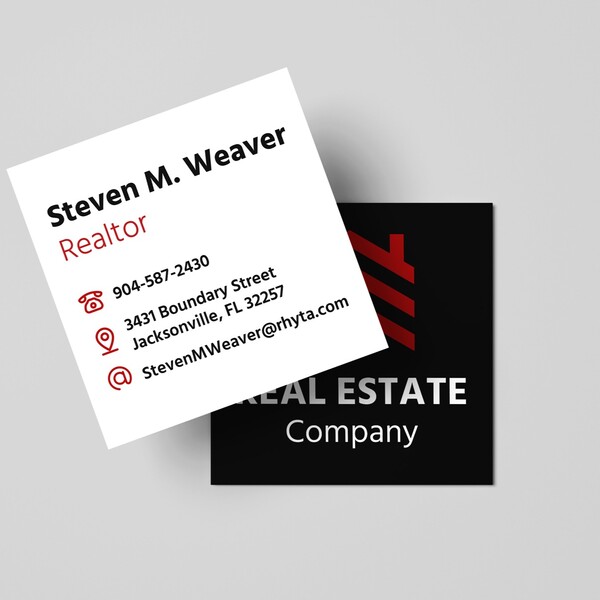
The buyer Square Signs fits best is the small or mid-sized business that orders signage multiple times a year across different product types, the entrepreneur or solopreneur setting up branded materials without an in-house designer, the real estate agent who needs yard signs and A-frames in volume, the event organizer running trade-show booths and backdrops, and the brand team handling everything from launch signage to vehicle decals.
The enterprise customers the brand has landed (Facebook, Pepsi, Amazon, Google, Pixar, Adobe) signal that the production quality scales to the high end, but the platform is clearly optimized for the long tail of small and mid-sized buyers who would otherwise be jumping between multiple vendors.
Square Signs is probably not the right fit for a buyer who already has a designer on retainer and a wholesale relationship with a high-volume commercial printer. The platform’s design tool, templating library, and integrated QR generator are most valuable to buyers without those resources. A buyer who would never touch the editor and only uploads finished PDFs may not notice these differentiating elements.
For the buyer who fits the format and wants a single online sign maker that handles custom and business signs, and the full small-business signage stack, Square Signs earns our recommendation. The platform delivers what the brand pitches.
Square Signs Discounts and Promotions
Square Signs runs several standing offers and rotating programs that apply across the catalog. Here are the active programs at the time of writing.
10% off your first order with newsletter signup
New customer signups to the Square Signs email list trigger an automatic 10% off the first order across the catalog, with codes WELCOME10 and SAVE10 visible on the signup confirmation. The discount applies to acrylic signs, vinyl banners, yard signs, die-cut stickers, and the broader product range.
Buy More, Save More bulk discounts
Square Signs runs tiered volume discounts across most products in the catalog. The acrylic signs product page surfaces savings of 7% on 2-6 pieces, 17% on 7-19 pieces, with deeper savings on higher quantities. The pricing tiers are visible directly in the cart and on the product page configurator, so the buyer sees the per-unit cost at every quantity before placing the order.
Refer-a-Friend program
The referral program credits the referrer $50 and gives the referred friend 15% off their first order. The credit applies across the catalog and stacks with other standing offers.
Educational discount
Square Signs offers a 15% off educational discount for users with a verified educational email (code CAMPUSPERK15), with the discount applied to every order placed under the verified account. The current educational discount runs through September 30, 2026.
Category-specific 15% off codes
The Deals page publishes a rotating set of category-specific 15% off codes that buyers can apply at checkout. Active codes at the time of writing include PLAST15 (acrylic signs and other plastic products), METALLIC15 (aluminum and metal photo prints), YARDSALE15 (yard signs), ROLLUP15 (retractable banners), BANNERBOOM (vinyl banners), POSTERPOWER15 (custom posters), FRAMEIT15 (wrapped canvas), STICKERPOP15 (die cut and kiss-cut stickers), WAVEIT15 (pole flags), and others. Most active codes expire June 30, 2026, with the brand cycling new codes in regularly.
Free shipping on orders over $99
Free standard ground shipping is the default for every Square Signs order of $99 or more in the contiguous US, excluding products over 36 inches and freight-shipping items. The cart page shows a live progress bar toward the $99 threshold and asks for a ZIP code to calculate the exact tax and shipping cost.
Where Can I Buy Square Signs?
Square Signs sells their products through their platform: squaresigns.com. The site is open to browse and configure products without an account, but placing an order requires a sign-up (which takes about a minute and unlocks order tracking, file uploads, and exclusive promo codes). Orders ship from their Burbank, California, facility across the US and Canada.
The brand does not currently sell through Amazon, retail print kiosks, or wholesale marketplaces. Buying direct from squaresigns.com is the only way to access the published pricing, the Buy More, Save More tiers, the email-exclusive discounts, the Refer-a-Friend credits, and the rotating category-specific promo codes in one transaction.
FAQs

Do I need a design ready before I start?
No. Square Signs is built specifically for buyers who do not have a finished design. The online design editor opens with a blank canvas with your chosen product dimensions and provides templates, stock images, elements, text tools, background controls, and a QR code generator. A buyer with no design background can land a professional-looking result in 15 to 30 minutes of work.
For buyers who do have a finished design, the Upload option accepts standard file formats (PDF, JPG, PNG, AI, EPS) and loads them directly into the configurator preview.
How long does production and shipping take?
Standard turnaround on most Square Signs products is 2 to 4 business days for production, with shipping time added on top depending on the destination ZIP code. The cart page displays a live ship date on the configured product (for example, my test sign showed “Place order within 13h 25m / Ships on Tuesday, May 26”). For rush turnaround on specific products, the order summary shows expedited options at checkout.
Can I order a single sign, or do I need to buy in bulk?
Square Signs has no minimum order quantity, with the exception of paper print products. A single-unit order is supported across the catalog, and the Buy More, Save More tiers reward higher quantities without requiring them. The platform is built for both one-off orders (a single retirement sign, a one-time event banner) and high-volume reorders (a real estate agent’s yard signs, a retailer’s repeat storefront signage).
What file formats does Square Signs accept for uploaded designs?
The Upload tool accepts PDF, JPG, PNG, AI (Adobe Illustrator), and EPS files. The recommendation surfaced in the editor is to use high-resolution files for better print quality. For users who don’t have a finished file but have something close (a sketch, a low-res logo, a screenshot), the online design editor lets them rebuild the design inside the platform using the same elements that produced the upload.
Can I save my design and come back to it later?
Yes. Square Signs holds cart items and in-progress designs for a week without requiring an account, which lets a first-time user step away from a session and return to the same configuration. Registered users can save designs permanently, which makes reordering or duplicating a previous design a single-click action from the account portal.
How do I contact Square Signs?
Square Signs’ customer service is reachable by phone at +1 (844) 833-4455 Monday through Friday from 7:00 AM to 3:30 PM PST, and by email at [email protected].
The brand also runs a live chat widget visible on every page of the site (the “Chat With Us” tab on the right edge), and account holders can manage orders, returns, and reorders directly from the My Account portal once signed in.
Check out some similar articles you might like:
20 Best Photo Sticks for iPhones





Ask the community or leave a comment
WRITE A REVIEWCustomer Reviews
Leave a review