Adobe Firefly vs Midjourney: Which AI Image Generator Is Better for Your Work?

AI image generators can turn a one-line idea into a finished picture in seconds, but picking the right one gets harder once the images have real work to do. A social post, a product ad, or a client project needs more than a pretty result. You need to edit it, fit it into the rest of your design work, and know you’re allowed to use it.
For most people, Adobe Firefly is the better choice. It pairs Adobe’s commercially safe image models with more than 30 partner models, offers deep editing tools, and integrates directly with Photoshop, Illustrator, and Adobe Express. Midjourney earns its fans with a distinctive artistic style, and it works well for concept art and visual brainstorming.
We compared the two on image quality, editing, commercial safety, workflow, video and audio, ease of use, privacy, and price, using details from Adobe’s and Midjourney’s own websites, so you can choose the one that fits how you work.
Table of Contents
Adobe Firefly vs Midjourney Comparison Chart
| Adobe Firefly | Midjourney | |
| Best for social content creators | Designers, marketers, businesses, and creators who need editable, commercially safe images models | Artists and creators experimenting with stylized, artistic images |
| Image models | Firefly Image 5, Image 4, and Image 4 Ultra, plus 30+ partner models from Google, OpenAI, Black Forest Labs, and others | Midjourney V8.2 |
| Editing tools | Generative Fill, Generative Expand, background removal, 2x and 4x upscaling, style and composition reference | Edit Model, inpainting, outpainting, Vary Region, Pan, Zoom Out, style references |
| Commercial safety | Adobe’s own models train on licensed Adobe Stock and public domain content, and outputs carry Content Credentials | You own your images, and companies earning over $1 million a year need a Pro or Mega plan |
| App integration | Photoshop, Illustrator, Adobe Express, and Firefly Boards | Midjourney website and Discord |
| Video and audio | Text to video, sound effects, music, and audio and video translation | Video clips from still images |
| Platforms | Web, iOS, and Android | Web and Discord |
| Free option | Free daily generations | No free plan |
| Starting price | $9.99/mo (Firefly Standard) | $10/mo (Basic) |
About Adobe Firefly
Firefly is where Adobe puts its generative AI to work, with one app for images, video, audio, and vector graphics. Adobe trains its own Firefly models on licensed content from Adobe Stock and public domain material, and it states that it doesn’t train them on users’ personal or generated content.
Firefly also works as a hub for other AI models. Inside one app, you can switch between Adobe’s own Firefly Image models and partner models like Google’s Nano Banana, OpenAI’s GPT Image, and FLUX. You’ll find that same tech behind Photoshop’s Generative Fill, Illustrator’s Text to Vector Graphic, and the image tools in Adobe Express.
About Midjourney

Midjourney is an independent AI research lab best known for its image generator. Since July 2026, V8.2 has served as its default model, with a focus on aesthetics, image quality, and personalization.
You can create images on Midjourney’s website or through its Discord server. The platform also turns still images into short video clips and offers style references, personalization profiles, and moodboards for building a consistent look.
How Adobe Firefly vs Midjourney Compare by Category
Image Quality and Style
Image quality decides whether a result is ready to use or needs another round of prompts, so it’s the first thing most people notice.
Adobe Firefly

Firefly Image 5 generates images at a native 4MP resolution, so details hold up when you crop, print, or drop an image into a layout. Firefly Image 4 and Image 4 Ultra handle detailed, realistic scenes, and when you want a different look, you can switch to a partner model like Nano Banana or GPT Image without leaving the app. Style reference and composition reference let you match the mood or layout of an image you already like, which helps a campaign look consistent from one asset to the next.
Midjourney
Midjourney V8.2 is known for detailed, artistic images with a strong sense of style. Its high-definition setting produces larger images, and personalization profiles learn your taste over time.
Verdict: Firefly comes out ahead for most work. Midjourney has a distinctive artistic look, yet Firefly’s 4MP native output, realistic models, and choice of more than 30 partner models give you more range for photos, ads, and brand visuals in one place.
Editing and Creative Control
A first draft rarely comes out perfect, so the tools you use to fix a hand, swap a background, or widen a shot often count as much as the first generation.
Adobe Firefly
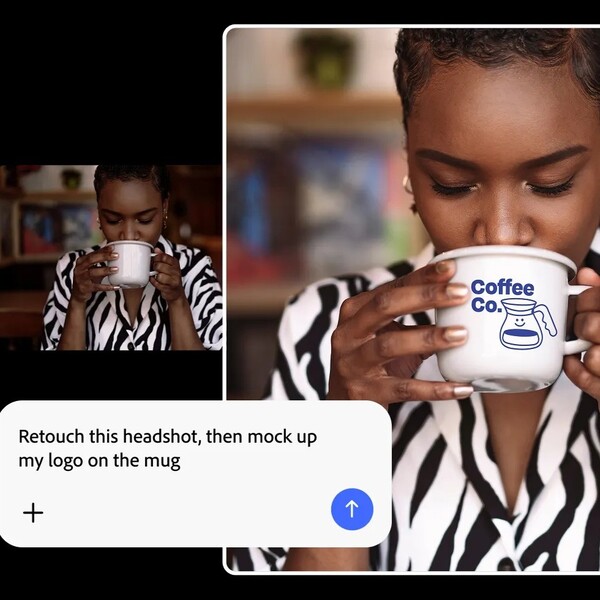
Firefly feels like a full editing suite. Generative Fill adds, removes, or replaces objects with a brush and a short prompt, and Generative Expand extends an image past its original edges, which comes in handy when a square image needs to become a wide banner. You can also remove backgrounds, upscale images 2x or 4x, and use Generate Similar to try fresh variations. And because the same Generative Fill runs inside Photoshop, you can carry an image into a full layered edit whenever you need more control.
Midjourney
With the Edit Model, you describe a change in words, and you can add up to four reference images to guide it. You can also rework parts of an image or extend the scene with inpainting, outpainting, Vary Region, Pan, and Zoom Out.
Verdict: Firefly takes this one. Midjourney covers the basics of reworking an image, but Firefly adds background removal, upscaling, and a direct path into Photoshop, so a generated image can become a finished design without switching tools.
Commercial Use and Copyright Safety
If an image appears in an ad, on a product page, or in a client deliverable, you need to know where the model was sourced and what rights you have.
Adobe Firefly
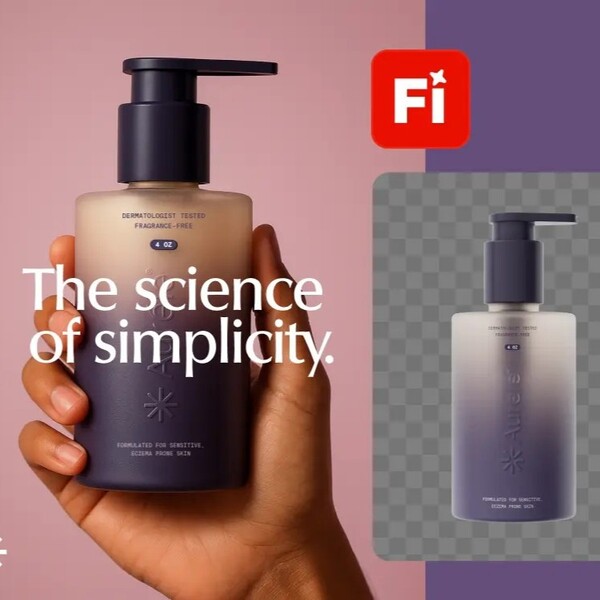
Adobe trains its Firefly models on licensed Adobe Stock content and public domain material, and its Firefly pages describe the models as commercially safe. All Firefly outputs carry Content Credentials, a kind of digital nutrition label that shows AI helped create it. Adobe also says it doesn’t train on your personal or generated content, and eligible enterprise customers can get IP indemnification for select Firefly outputs.
Midjourney
Under Midjourney’s terms, the images you make belong to you. Bigger businesses, those with over $1 million in yearly gross revenue, have to be on Pro or Mega to own what they create.
Verdict: Firefly is the clear choice for commercial work. Licensed training data, Content Credentials, and enterprise indemnification give brands and agencies the paper trail they need before an image goes live.
Workflow and App Integration
Most creators don’t stop at one image. They resize it, add text, drop it into a deck or a social template, and share it with a team.
Adobe Firefly
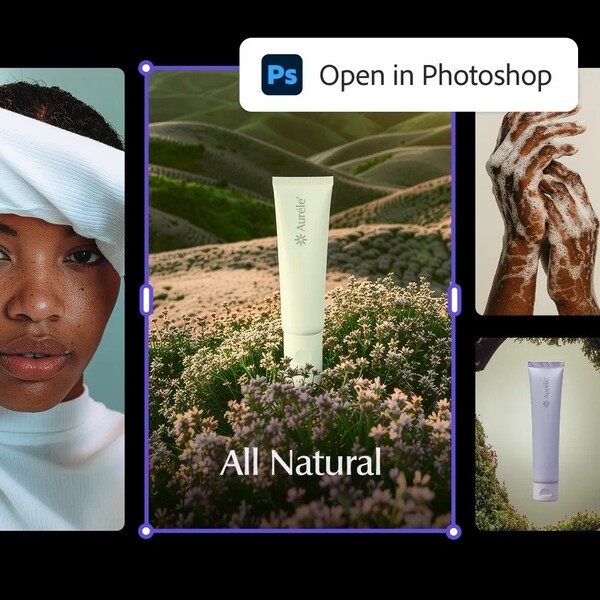
Firefly fits right into the Adobe apps many designers already use every day. Its models power Generative Fill in Photoshop, Text to Vector Graphic in Illustrator, and image tools in Adobe Express, and Firefly exports vector art as SVG files. Firefly Boards adds an infinite canvas where a team can gather references, generate options, and work through ideas together in real time.
Midjourney
Midjourney runs on its own website and in Discord. Moodboards and style references help you organize ideas and keep a consistent look across images.
Verdict: Firefly wins on workflow. A generated image can move straight into Photoshop, Illustrator, or Express, and Firefly Boards gives teams one shared space to plan a project from start to finish.
Video and Audio
More and more creators need motion and sound along with still images, especially for social media.
Adobe Firefly
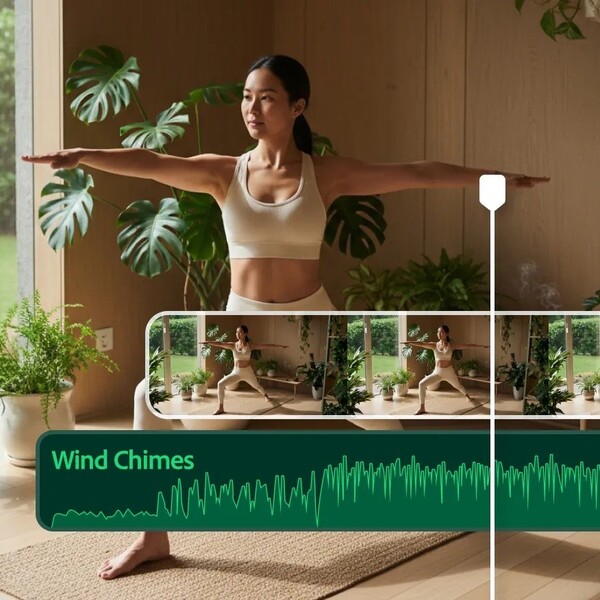
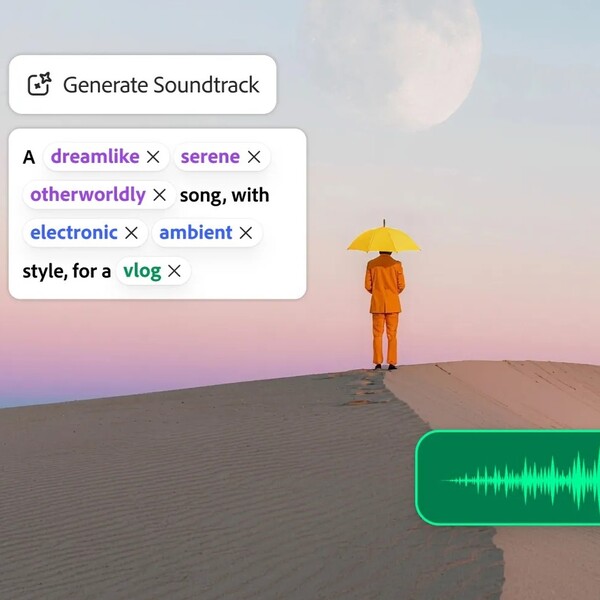
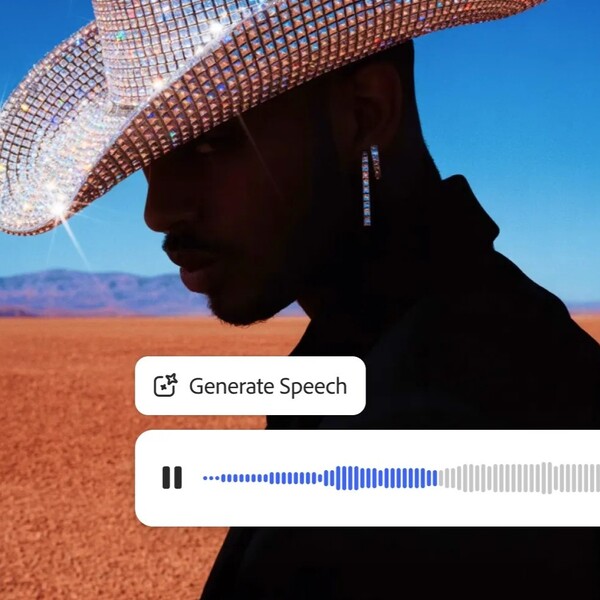
Firefly goes far past still images. Paid plans include text to video with the Firefly Video Model, sound effects, music, and audio and video translation, so you can create a short clip, add a soundtrack, and translate it for another audience in the same app. The Standard plan, for example, includes up to 20 five-second videos, up to 200 sound effects, and up to 100 minutes of music each month.
Midjourney
Midjourney can animate still images into short video clips, which helps bring artwork to life for social posts.
Verdict: Firefly covers far more ground. Video, sound effects, music, and translation all live in one plan, which makes it a stronger pick for anyone building content for social media or marketing.
Ease of Use and Access
The easier a tool is to open and try, the faster you can get to work.
Adobe Firefly
You can start using Firefly for free, with daily free image, video, and audio generations, and no plan required. Firefly runs in a web browser and in iOS and Android apps, so you can generate an image on your phone and finish it on your laptop.
Midjourney
Midjourney works through its website and Discord. To create images, you’ll need a paid plan, which starts with Basic.
Verdict: Firefly is easier to start with. A free option and mobile apps let you try it before you pay and keep working wherever you are.
Privacy
Some projects, such as unreleased products or client work, need to remain private until launch.
Adobe Firefly
Adobe states that it doesn’t train its Firefly models on your personal or generated content, and your images stay in your own account and library.
Midjourney
Images created on Midjourney appear in its public gallery by default. Pro and Mega plans include Stealth mode, which keeps your images private.
Verdict: Firefly gives you more peace of mind. Your work stays private on every plan, so you don’t need a higher tier to keep a project under wraps.
Pricing and Plans
The monthly number only tells part of the story, so look at what each plan includes.
Adobe Firefly
Firefly Free includes limited daily generations. Paid plans run from Firefly Standard at $9.99/mo for 2,000 generative credits to Firefly Pro at $19.99/mo for 4,000, Pro Plus at $49.99/mo for 10,000, and Premium at $199.99/mo for 50,000.
No matter which paid tier you pick, you get unlimited use of standard tools like Generative Fill, along with partner models and Firefly Boards.
Step up to Pro or higher, and Adobe Express Premium and Photoshop on web and mobile come along too.
Midjourney
Midjourney’s four tiers run $10/mo for Basic, $30/mo for Standard, $60/mo for Pro, and $120/mo for Mega, or $96, $288, $576, and $1,152 a year if you pay annually. Fast GPU time goes up with each tier, and from Standard up you also get unlimited Relax-mode images.
Verdict: Firefly delivers more for the money. Its entry plan costs less than Midjourney’s, and it bundles editing tools, partner models, video, and audio, with Photoshop and Express Premium on Pro and higher.
Who Should Choose Adobe Firefly?
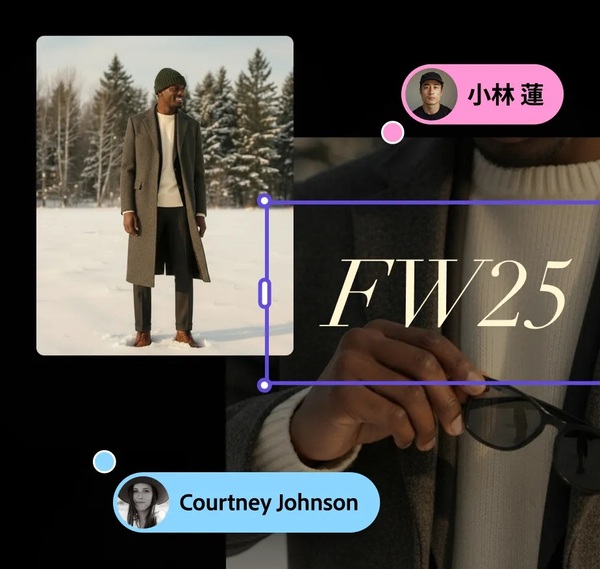
Adobe Firefly suits designers, marketers, small businesses, agencies, and content creators who need images they can edit and use with confidence. It’s an especially easy fit if you already work in Photoshop, Illustrator, or Adobe Express, or if you create video and audio along with still images. And since you can start for free, it’s simple to try before you commit.
Who Might Prefer Midjourney?
Midjourney appeals to illustrators, concept artists, and hobbyists who want to experiment with a stylized, artistic look and enjoy working with style references and personalization profiles.
Which AI Image Generator Should You Choose?
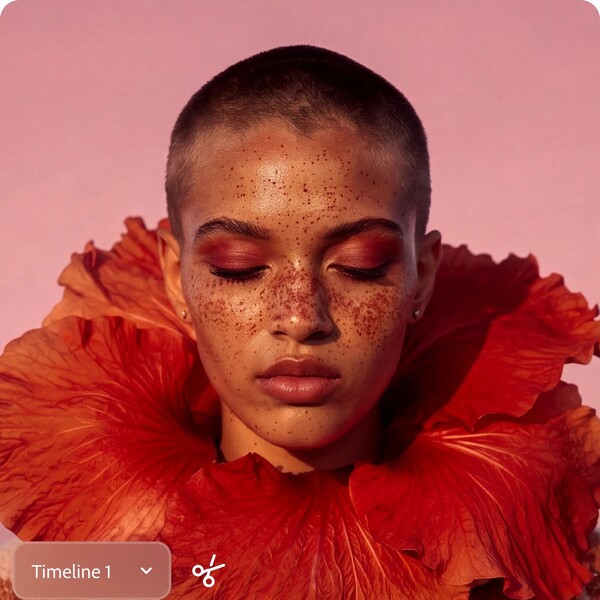
Between these two, Adobe Firefly is the pick for most people, and the reason comes down to what happens after you generate an image. Most images have a job to do. A marketer needs a campaign visual in three sizes by Friday, a small business owner needs product shots for a new listing, and a social creator needs a still, a short clip, and a soundtrack for the same post. Firefly covers that whole path in one place. You can generate an image, fix the details, swap the background, stretch it to a new format, and send it straight into Photoshop or Adobe Express to finish. And because Adobe trains its own models on licensed content, you can put the result in an ad or a client deliverable without second-guessing where it came from.
Midjourney fits a narrower kind of user. Illustrators, concept artists, and hobbyists who treat image generation as a creative exercise in its own right often enjoy its stylized results, especially for mood boards, character ideas, and personal art where the look of the image counts more than what happens to it next.
If you’re still deciding, think about where your images will end up. Pictures that stay in an inspiration folder can come from almost anywhere, but anything headed for a website, a storefront, a pitch deck, or a client’s inbox needs editing, a clear commercial footing, and a fast route to a finished file. Firefly handles all three. Its free daily generations also let you run the same prompt you’d use anywhere else and see the results before you spend a cent, so the easiest next step is to open Firefly, try a project you actually need, and see how far it takes you.
Next, check out other related reviews that you might also like:


Ask the community or leave a comment
WRITE A REVIEWCustomer Reviews
Leave a review