Adobe Premiere vs Final Cut Pro: Which Platform Gives You More Creative Freedom?

Table of Contents
About Adobe Premiere
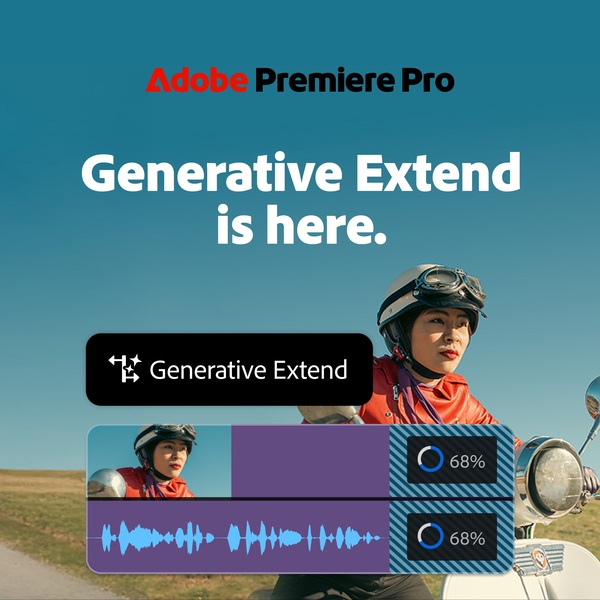
Adobe has been building creative software since 1982, and its tools are widely used across film, television, marketing, and digital media. Premiere is part of Creative Cloud, which connects video editing with apps like After Effects, Audition, and Photoshop under one subscription. That connected system shapes how Adobe approaches video.
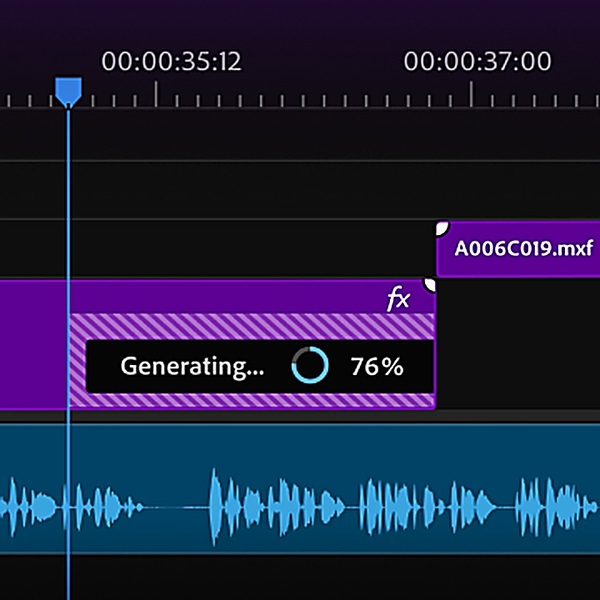
Editors can move between motion graphics, sound design, and visual effects without leaving the ecosystem. In recent years, Adobe has also added AI features through Firefly, bringing tools like text-based editing, automatic transcription, object masking, and generative clip extension directly into Premiere.
About Apple Final Cut Pro
Apple was founded in 1976 and is known for building both hardware and software in-house. Final Cut Pro reflects that approach. It runs only on macOS and iPad and is optimized for Apple silicon. The software sits alongside Motion, Compressor, and Logic Pro, and can be purchased outright or accessed through Apple Creator Studio.
Apple’s focus with Final Cut centers on performance and tight integration with its devices. Features such as Magnetic Timeline, object tracking, visual search, and automatic captions are designed to work closely with Apple hardware.
What to Consider?

Adobe Premiere and Final Cut Pro are both serious editing tools, but they’re built with different priorities in mind. One leans into cross-platform flexibility and connected creative apps. The other focuses on tight hardware optimization inside the Apple ecosystem. The right choice depends less on brand loyalty and more on how you actually work.
Before deciding, it helps to look at the practical factors that shape day-to-day editing. Things like collaboration, AI tools, platform access, and long-term scalability can matter more than small interface preferences. The points below break down the differences.
1) Platform Flexibility
Where you edit matters more than people admit. Some creators work solo on one machine. Others collaborate across different operating systems. Platform flexibility affects hiring, scaling, and even file sharing. If a tool limits where it can run, that becomes part of the decision.
Adobe Premiere
Premiere runs on both Windows and macOS. That means editors can move between machines without switching software. Teams using mixed systems don’t need to standardize hardware just to stay compatible. It also lowers the barrier for freelancers who may not work exclusively on Apple devices.
Final Cut Pro
Final Cut Pro runs only on macOS and iPad. It is built specifically for Apple hardware and benefits from that tight optimization. However, it cannot operate in Windows environments, which immediately narrows its deployment options.
Verdict
For broader accessibility and long-term flexibility across different setups, Premiere takes the edge.
2) Collaboration and Team Workflows
Video projects often involve more than one editor. Producers, motion designers, sound engineers, and clients may all need access at different stages. Built-in collaboration tools reduce friction and prevent version control headaches.
Adobe Premiere
Premiere supports structured team workflows through cloud-based project systems and integrated review tools. Editors can share work, manage versions, and coordinate across departments without relying entirely on external file transfers.
Final Cut Pro
Final Cut supports XML workflows and proxy sharing, which work well for experienced teams. However, it does not offer the same built-in multi-editor environment or conflict management tools inside the core software.
Verdict
For teams that rely on shared access and distributed editing, Premiere offers a more direct path.
3) AI-Assisted Editing
Modern editing software increasingly uses machine learning to reduce repetitive tasks. AI tools can speed up searching footage, refining cuts, cleaning audio, and managing captions.
Adobe Premiere
Premiere includes text-based editing, object masking, generative clip extension, automated caption translation, and AI-powered search tools. Many of these tools directly shorten the time spent on rough cuts and content revisions.
Final Cut Pro
Final Cut offers object tracking, magnetic masking, visual search, beat detection, and automatic captions. Its intelligence features focus on refinement and performance optimization rather than generative editing.
Verdict
For editors who want AI tools that reshape workflows and accelerate early-stage editing, Premiere offers a broader feature set.
4) Motion Graphics Integration
Many video projects include animated titles, lower thirds, and visual effects. How easily a video editor connects with motion graphics software can affect turnaround time.
Adobe Premiere
Premiere connects directly with After Effects. Editors can send sequences back and forth without rendering, keeping graphics live and editable within the workflow.
Final Cut Pro
Final Cut pairs with Motion for advanced graphics. The connection is solid, but it operates more as a separate application than a tightly linked pipeline.
Verdict
For projects that rely heavily on motion graphics and compositing, Premiere offers a smoother connection.
5) Ecosystem Reach
Some editors use only a single video app. Others rely on photography tools, vector design apps, audio workstations, and asset libraries in the same workflow. Ecosystem depth can influence long-term value.
Adobe Premiere
Premiere sits inside Creative Cloud, which includes design, photography, motion, and audio tools under one subscription. Assets, fonts, and libraries move between apps with minimal friction.
Final Cut Pro
Final Cut integrates well with Apple’s creative apps and hardware. Its ecosystem feels cohesive within Apple devices, but it does not extend across as many creative disciplines.
Verdict
For users working across multiple creative formats, Premiere offers broader integration options.
6) Long-Term Scalability
A tool that works for a solo editor may not scale the same way for a growing team or production company. Scalability affects licensing, collaboration, and infrastructure support.
Adobe Premiere
Premiere offers structured plans for individuals, students, and teams. It integrates with enterprise systems and shared cloud workflows, making expansion more straightforward as production needs grow.
Final Cut Pro
Final Cut offers a one-time purchase option and a subscription bundle. It scales well for individual Mac-based editors but requires more manual coordination for larger team environments.
Verdict
For structured growth in multi-editor or agency settings, Premiere provides clearer scaling pathways.
7) Hardware Freedom and Upgrade Flexibility
Editing software often locks you into certain hardware decisions. Some creators prefer that tight integration. Others want the freedom to upgrade parts, switch machines, or build custom setups over time.
Adobe Premiere
Premiere runs on both Windows and macOS, which means editors can build high-performance PCs, upgrade GPUs, increase RAM, or switch between laptops and desktops without changing software. That flexibility matters for freelancers and studios that optimize machines for budget or performance rather than brand alignment.
Final Cut Pro
Final Cut Pro is exclusive to Apple hardware. It benefits from Apple silicon optimization and tends to perform extremely well on modern Macs. However, users are limited to Apple’s hardware lineup and upgrade paths.
Verdict
For editors who want freedom in choosing and upgrading their machines over time, Premiere provides more flexibility.
8) Global Content Production Support
As video content becomes more international, tools that support multilingual workflows and global distribution features carry more weight.
Adobe Premiere
Premiere includes caption translation into multiple languages and integrates with cloud-based collaboration systems that support distributed teams. For creators producing content across regions, this reduces friction during localization.
Final Cut Pro
Final Cut Pro supports automatic captions and transcript search, but it does not currently offer built-in caption translation or the same level of cloud-native collaboration.
Verdict
For creators and teams working across multiple markets and languages, Premiere offers broader built-in support.
Adobe Premiere vs Final Cut Pro Review: What Do Customers Think?
Customer feedback on both Premiere and Final Cut Pro comes from a mix of professional reviewers, long-time editors, and creative communities. While feature lists tell one story, real-world use often highlights what actually stands out once people start editing full projects. Below is a closer look at what reviewers and users have said about each platform.
What Customers Say About Adobe Premiere

Across professional reviews, Adobe Premiere is frequently positioned as the industry standard. In PCMag’s coverage of professional video editing tools, Premiere remains the Editors’ Choice, noted for offering “clearer import and export processes and more advanced AI features.” That reputation for depth and flexibility appears consistently in expert evaluations.
Users often highlight Premiere’s AI-driven workflow improvements. Tools like text-based editing, transcription, intelligent search, and generative AI integrations are regularly described as meaningful time savers. The platform’s tight integration with other Creative Cloud apps is also praised by editors working across motion graphics, design, and audio projects.
Within creative communities, Premiere is commonly described as powerful and versatile, especially for those handling complex timelines or collaborative work. The ability to move between desktop and cloud-based tools adds to its appeal for teams and freelancers alike.
What Customers Say About Final Cut Pro
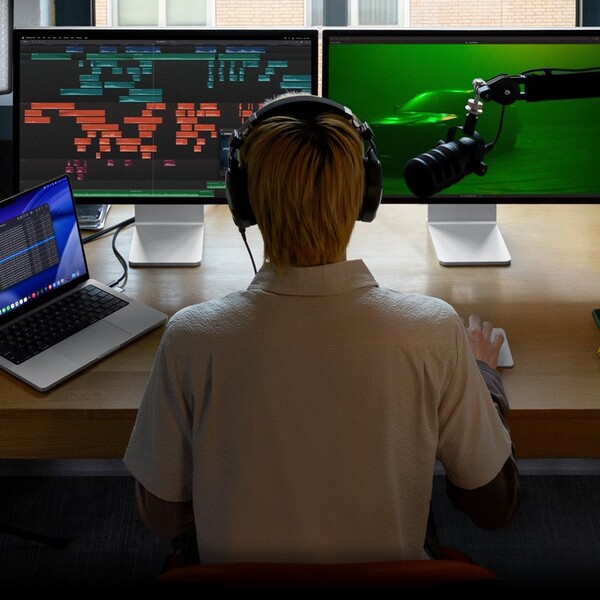
Final Cut Pro earns strong praise for performance and streamlined workflow, particularly among Mac users. In PCMag’s 2026 review, the software is described as “polished and technically impressive.” The same review highlights its “fantastic organization tools, snappy performance, and plenty of top-notch effects.”
Reviewers frequently point out the Magnetic Timeline as a distinctive editing experience that keeps projects fluid and uncluttered. Performance optimization for Apple silicon is also widely appreciated, with many users noting smooth playback and fast rendering even on lighter hardware.
PCMag concludes that Final Cut Pro is “well worth the cost for professionals and serious hobbyists alike.” At the same time, the review observes that it offers “Fewer AI and collaboration than Premiere,” which is sometimes echoed in broader discussions about feature depth.
Users often mention the one-time purchase option as a strong advantage, especially for independent creators who prefer avoiding monthly fees.
Adobe Premiere vs Final Cut Pro: Promotions and Discounts
Discounts change often, so it helps to know what counts as an actual deal versus a standard plan price. Below are the most common legit promos and cost-savers for each product, along with what they typically include.
Adobe Premiere promotions and discounts
- Free trial (usually the easiest “promo” to grab first). Adobe typically offers a time-limited free trial for Premiere so you can test the full app before paying.
- Premiere single-app plan. The standard starting point is the Premiere single-app subscription, priced at US$22.99/month on an annual plan billed monthly.
- Creative Cloud Pro intro promo (new subscribers). Adobe sometimes runs a limited-time new-subscriber discount for Creative Cloud Pro, shown as a reduced monthly rate for the first few months before returning to the regular price.
- Student and teacher pricing. Adobe offers discounted Creative Cloud pricing for eligible students and teachers, with a lower first-year rate and a higher rate after that.
- Bundles that reduce “total tool” cost. If you already need multiple Adobe apps, Creative Cloud Pro can be cheaper than stacking separate subscriptions, since it includes Premiere plus other apps under one plan.
Final Cut Pro promotions and discounts
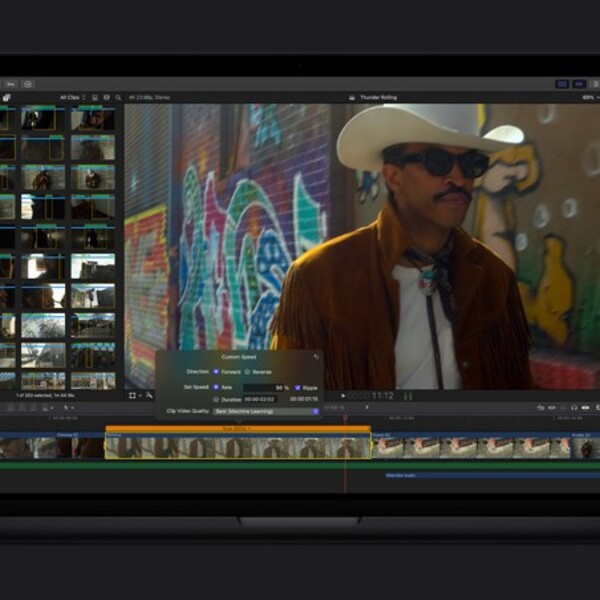
- Free trial. Apple typically offers a free trial period for Final Cut Pro, which is the cleanest way to test it on your Mac or iPad before committing.
- One-time purchase option (Mac). Final Cut Pro for Mac is commonly available as a one-time purchase through the Mac App Store, which can be a big value if you prefer paying once instead of subscribing.
- Apple Creator Studio subscription. Final Cut Pro can also be bundled with Apple Creator Studio, a subscription that includes other creative apps, so it can make sense if you want the suite rather than Final Cut alone.
- Education savings (where available). Apple often provides education pricing through its education store or qualified channels, so it’s worth checking if you’re a student, educator, or buying for a school.
Who Will You Shop With?
If someone is choosing where to put their money, time, and creative energy, Adobe Premiere stands out as the more strategic investment. It is not just another editing app sitting on a Mac or PC. It is part of a larger creative ecosystem that many professionals already rely on daily.
Editors, agencies, content teams, and independent creators often build entire workflows around it. That kind of industry presence matters. It means compatibility is rarely an issue, collaboration feels natural, and projects can move from one stage of production to another without friction.
Premiere also makes sense for creators who are serious about growth. A beginner can learn the basics inside the same environment that seasoned professionals use for broadcast, film, and large-scale commercial work. There is no ceiling that forces an upgrade to a different tool later. As projects become more layered, more demanding, or more collaborative, Premiere scales with that ambition. It handles complex timelines, detailed color work, polished audio, captioning, and advanced effects without asking the editor to step outside the app.
On the other hand, Final Cut Pro absolutely delivers a refined experience within the Apple ecosystem. But if the question is who to shop with for long-term flexibility, broader compatibility, and a platform that aligns with the way much of the industry operates, Adobe Premiere is the confident choice. It offers creative control, room to expand, and the reassurance that the tool will not limit the vision behind the edit.
Next, check out other related reviews that you might also like:





Ask the community or leave a comment
WRITE A REVIEWCustomer Reviews
Leave a review