
In partnership with HP
Table of Contents
About HP All-In Plan Smart Tank
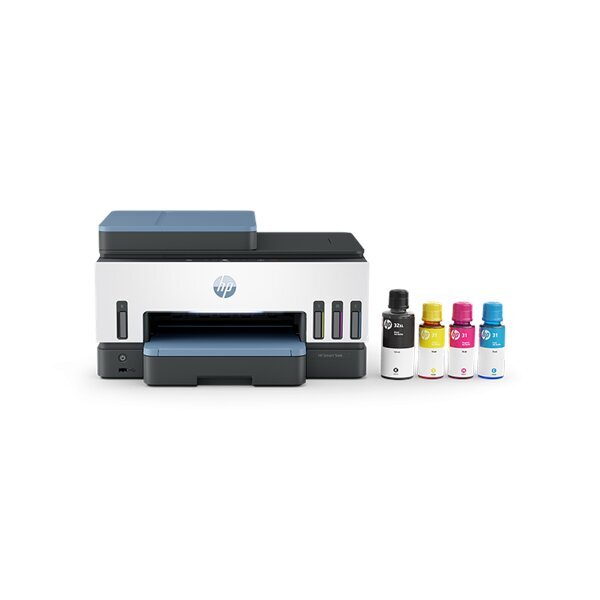
A printer usually fades into the background until it stops cooperating. Then the whole thing gets annoying fast. One low ink warning or random offline error can throw off school forms, shipping labels, work drafts, and all the small jobs you meant to finish in five minutes.
HP All-In Plan aims to clean that up with a printer subscription that bundles a new printer, ink delivery, support, and coverage into a single monthly plan. For this review, the Smart Tank option is the one to watch. HP frames it as the pick for people who print a lot at home, and that alone makes it a different conversation from a basic ink plan or a one-time printer purchase.
Still, a setup like that can sound better on a product page than it does in real life. A monthly bill, page limits, a 3-year term, and the promise of 24/7 help from a real HP customer service person all deserve a real look before anyone signs up.
So instead of taking the pitch at face value, it makes sense to slow down and sort through what matters. Keep reading for the day-to-day side of the HP All-In Plan Smart Tank, who it seems best for, and where the fine print starts to matter.
Highlights
- HP is a long-running tech brand, and here the main product is the HP All-In Plan Smart Tank printer subscription.
- The HP All-In Plan gives you a new printer, ink delivery, support, and printer coverage in one monthly plan.
- The Smart Tank option is aimed at people who print often at home or in a home office.
- HP lists the Smart Tank plan from $12.99 per month for 100 pages.
- The Smart Tank plan comes with a 3-year term, which makes it the longest plan in the lineup shared here.
- Ink gets sent when the printer reads low levels, so you are less likely to get stuck with a last-minute supply run.
- HP also includes 24/7 help from a real HP customer service person if something goes wrong.
- If the issue cannot be fixed over the phone, HP says it can send a replacement the next business day.
- Unused pages can roll into the next month, up to three times your monthly page amount.
- There is no upfront printer cost, and HP says new users can start with a 30-day risk-free trial.
- An optional paper add-on is available for people who want paper sent automatically too.
- Plan changes can be made through the account page, with the new page level starting on the next billing cycle.
Why You Should Trust Us
Our mission is to help you make better, more informed purchase decisions.
Our team spends hours researching, consulting with medical experts, gathering insight from expert professionals, reviewing customer feedback, and analyzing products to provide you with the information you need.
HP All-In Plan Smart Tank
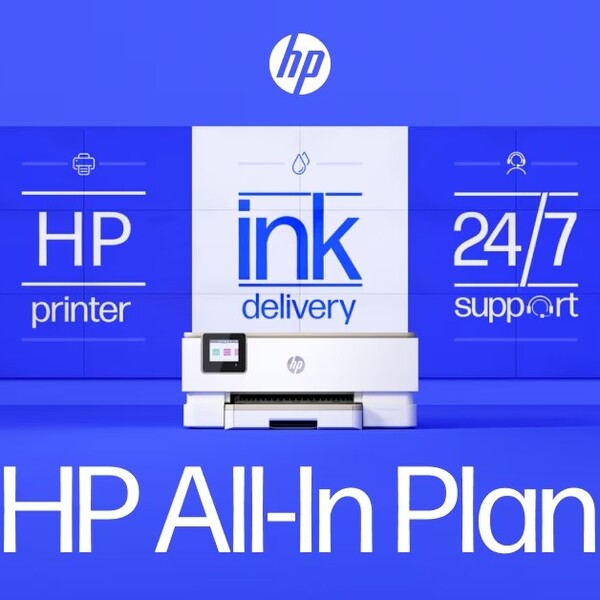
To get a clearer read on the HP All-In Plan Smart Tank, the next sections cover what comes with the plan, who it is likely to fit, and what the cost is.
What You’re Getting
A big part of HP All-In Plan Smart Tank is that it bundles the printer, supplies, and service into a single subscription. For anyone trying to figure out what is actually part of the plan, these are the details that matter most.
A Smart Tank printer is part of the plan
The starting point is the printer itself. The HP All-In Plan Smart Tank includes a new HP Smart Tank printer, so there is no upfront printer cost. That matters because the plan is not just about ink. It is also about getting hardware, support, and coverage under a single monthly payment.
Ink shows up when levels run low
HP says ink is sent when the printer detects low ink levels. For people who print often, that may take some pressure off the usual routine of checking supplies, figuring out the right refill, and making an extra store run at the worst time.
Support is available any time
One detail that stands out here is the support setup. HP All-In Plan includes 24/7 access to a real HP customer service representative by phone or chat, which is a key part of the plan and something the client clearly wants called out.
Coverage is part of the subscription
The plan also comes with continuous printer coverage. If HP cannot fix the problem over the phone, the company says it can send a replacement the next business day at no added cost. For a household or home office that relies on regular printing, that part may carry as much weight as the ink delivery.
Paper can be added too
Paper is not included in the base plan, though HP offers customers the option to add automatic paper delivery. That will not matter to everyone, though it may be useful for people who go through paper almost as fast as they go through ink.
Smart Tank is the higher-volume option
In the lineup, Smart Tank is the plan for heavier printing. HP lists it with a 3-year term. That already starts to frame who this version is really for, which leads naturally into the next section.
Who It Fits Best
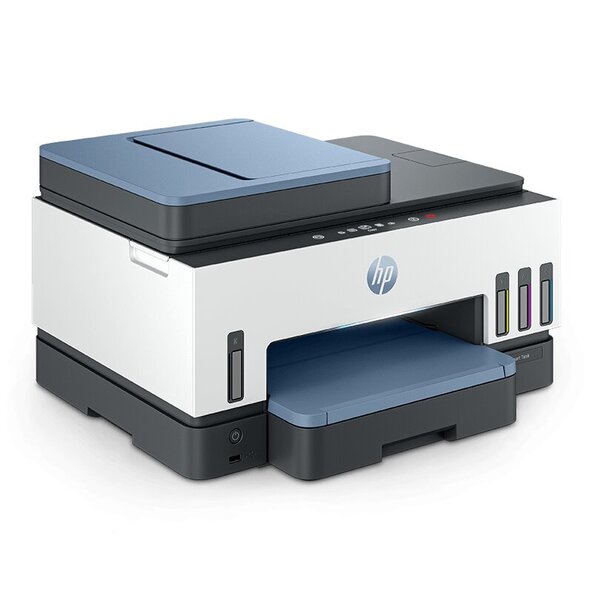
HP All-In Plan Smart Tank makes the most sense when printing is a regular part of the week, not something that happens once in a while.
Homes that print often
School packets, permission slips, return labels, recipes, forms. That kind of printing adds up fast. A printer subscription like HP All-In Plan Smart Tank makes more sense in a home where the printer gets used often enough for ink delivery and support to feel useful, not extra.
People who are tired of supply runs
Some people do not mind buying ink when they need it. Others hate dealing with it. HP All-In Plan Smart Tank fits the second group better. Having ink sent when levels run low takes one more errand off the list, which matters more when printing is part of normal weekly life.
Home office users who need steady access
A home printer can turn into a problem fast when work depends on it. Shipping labels, signed forms, invoices, drafts, and basic paperwork don’t seem like a big deal until the printer stops working. The support and replacement coverage may be worth it for people who need their printer ready when they need it.
Families sharing one printer
A shared printer tends to get pulled in many directions. One person needs schoolwork printed. Someone else needs a return label. Then a form, a worksheet, or a copy of a document comes up. HP All-In Plan Smart Tank feels better suited to steady household use than to a home where the printer mostly sits untouched.
People who want one monthly setup
Some buyers would rather pay once and own the printer outright. Others are fine with a monthly plan if it means the printer, ink, and support are billed together. HP All-In Plan Smart Tank is more likely to appeal to that second group, especially when convenience matters as much as the printer itself.
People who may want to skip it
A lighter user may not get the same value here. Someone who prints only now and then may care less about automatic ink delivery, and the three-year term may feel like more commitment than the setup is worth. That does not make HP All-In Plan Smart Tank a bad option. It just means the fit depends heavily on how often the printer will actually be used.
What to Know About the Cost
The price side of the HP All-In Plan Smart Tank looks simple at first, though a few details matter more once the full plan is on the table.
The starting price is tied to a page plan
HP lists the HP All-In Plan Smart Tank from $12.99 per month for 100 pages. That gives the plan a clearer starting point than a one-time printer purchase, though the monthly number only tells part of the story.
There is no upfront printer cost
One reason the plan may catch people’s attention is the lack of an upfront printer payment. Instead of buying the printer separately, the cost is folded into the monthly printer subscription. For some households, that may feel easier to manage than paying for the hardware all at once.
The term is longer than the other plans shared here
Smart Tank comes with a 3-year term. That matters. A longer term may feel reasonable for someone who prints a lot and plans to stick with the setup, though lighter users may think more carefully about that part.
Unused pages can roll over
HP says unused pages roll over to the next month, up to three times the monthly page limit. That gives the plan a little more room for months when printing goes up and down, which may help households that do not print the exact same amount every month.
The trial lowers the pressure at the start
HP also says the plan comes with a 30-day risk-free trial and no upfront cost. That gives people a chance to see how the printer subscription fits into their routine before the longer term becomes the bigger question.
Cancellation terms matter here
Cost does not stop at the monthly rate. Smart Tank also has early cancellation fees if the plan ends before the term is up. Based on the details shared earlier, the fee is $345 for 30 days to 12 months. months, $230 for 12 months to 24 months, and $115 for 24 months to 36 months. After 36 months, that fee drops to $0.
The best value for the price
For frequent printing, the monthly setup may be easier to justify, as the printer, ink, support, and coverage are bundled into one plan. For lighter use, the longer term may stand out more than the starting price.
HP All-In Plan Smart Tank Review: What Do Customers Think?
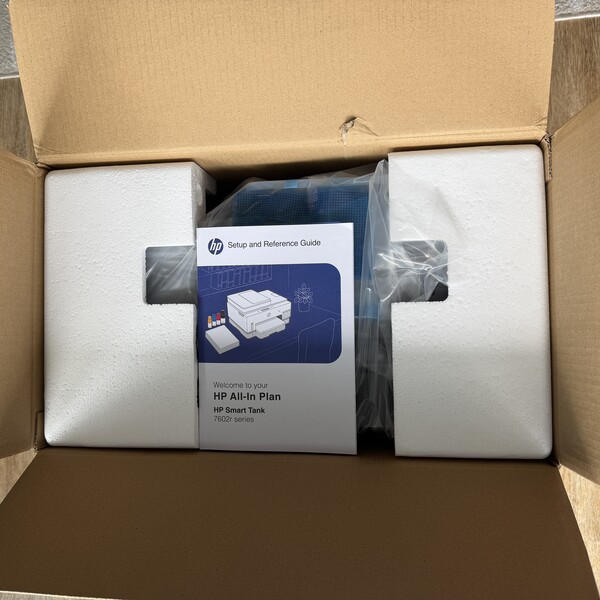
People like the idea that HP takes a lot of the printer upkeep off the user’s plate. The strongest praise keeps coming back to the same things. One monthly plan, no upfront printer payment, ink sent when levels run low, and help being there when something goes wrong.
A lot of the positive reaction also comes from how simple the setup sounds on paper. Instead of buying a printer first and then dealing with ink, support, and repairs separately, the plan puts those pieces together. That seems to land well with people who print often at home, work from home, or need a printer ready without much fuss.
CNET called it “a brand-new printer you don’t have to buy” and leaned into the appeal of getting the printer, ink, and support under one monthly rate.
That same pattern reappears in how the plan is described for heavier printing needs. The Smart Tank option seems to be a better fit for people who print more than just the occasional page. From the material you shared, the stronger comments lean toward steady home use, home office use, and small business use, where a printer that stays ready matters more.
TechRadar summed up one big selling point with “A page is a page.” That line points to why the plan may look more attractive to people printing color-heavy pages or higher-ink jobs.
Another good sign in the coverage is how often support and backup coverage are mentioned. That keeps showing up as one of the more reassuring parts of HP All-In Plan. It is not only about getting ink sent out. It is also about having 24/7 help from a real HP customer service representative and a replacement option if the issue cannot be fixed remotely.
PR Newswire described it as “a single subscription that starts at $7.99 a month” and framed the plan as a simpler way to manage printing.
Hence, HP comes across as trying to make printing feel less annoying and less piecemeal. The best points people seem to like are the bundled monthly setup, the automatic ink delivery based on actual use, the built-in support, and the sense that the Smart Tank option may suit people with regular print needs better than it does lighter users.
Is HP Legit?
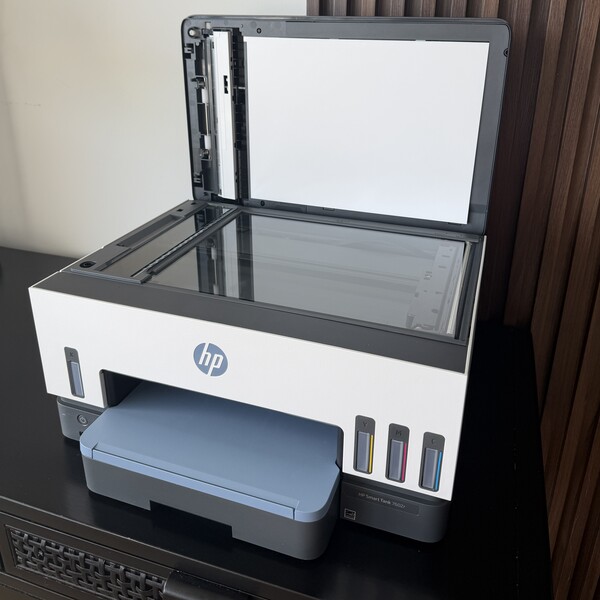
Yes. HP is legit. It is a well-known printer brand with a long history in the category, and HP All In Plan reads like a real service with clear terms instead of vague promises. The company lays out what comes in the plan, how page limits work, what support you get, when replacement applies, and what happens if you cancel early.
Is the HP All-In Plan Smart Tank a Good Fit? Is it Worth It?
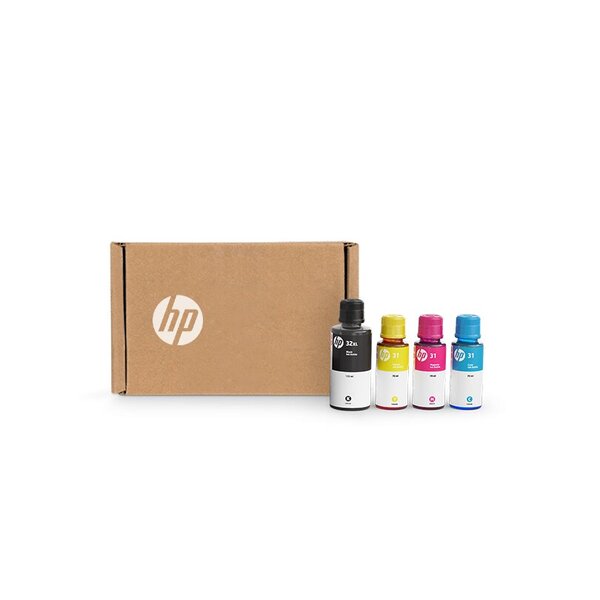
The HP All-In Plan Smart Tank looks strongest for people who print often and want fewer printer chores. The starting price is part of the appeal, though the bigger draw is the full setup. A new printer, automatic ink delivery, support, coverage, page rollover, and replacement, if needed, are all included in one printer subscription. Smart Tank also factors in the tank angle, which is worth noting since tank printers usually cost less to keep filled than standard cartridge models.
Fit matters here more than a blanket ‘yes’ or ‘no’. For busy homes, shared family printing, and home office setups, the monthly plan may be easier to justify because it reduces supply runs and provides backup when something goes wrong. For lighter use, the three-year term may outweigh the monthly price. The HP All-In Plan Smart Tank looks like a stronger match for people who expect regular printing and want support built into the deal.
Where Can I Buy the HP All-In Plan Smart Tank?
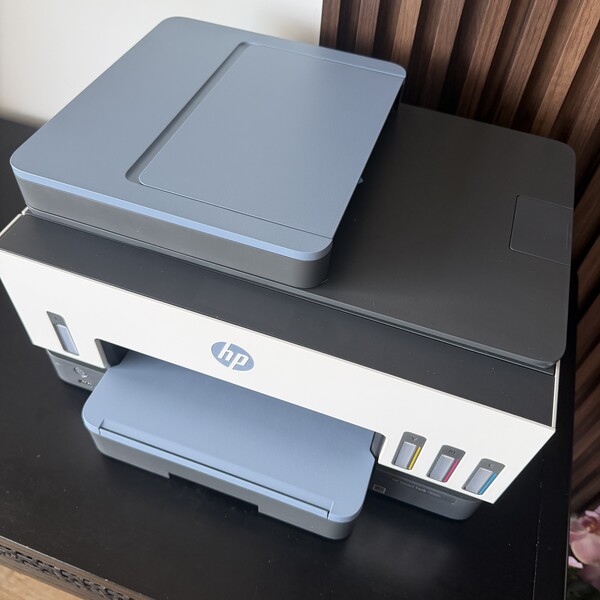
You can get HP All-In Plan Smart Tank directly through HP on its US HP All-In Plan page and HP Store. That is where HP lets shoppers choose the Smart Tank option, pick a page plan, and start the printer subscription.
FAQs
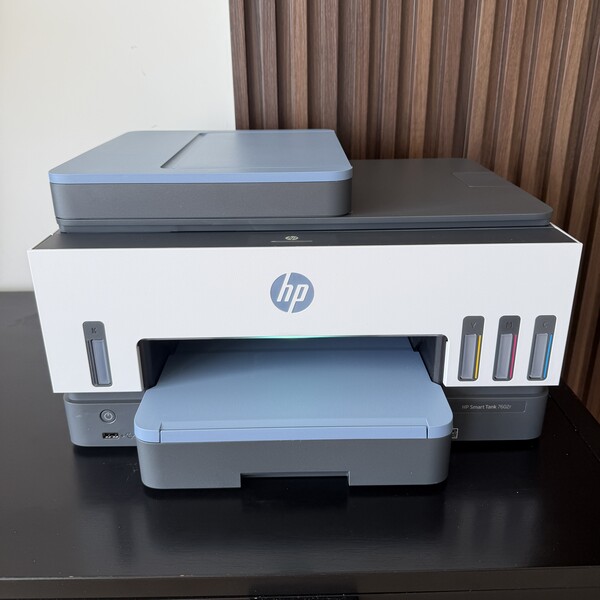
What should I know before subscribing to a printer subscription?
Check the monthly page count, see whether unused pages roll over, and pay attention to the term length. It also helps to look beyond ink to what the plan includes, such as support, replacement coverage, and the printer itself. With the HP All-In Plan Smart Tank, the three-year term is one of the main details to think through before signing up.
Which printer subscription offers the most flexibility?
Flexibility usually comes down to how easy it is to change page plans, whether unused pages roll over, and what happens if your needs shift later. The HP All-In Plan allows users to change plans on the account page, and unused pages can roll over up to a set limit. That makes it easier to deal with months when printing goes up or down rather than staying exactly the same.
Which printer subscriptions have the lowest ink cost?
Tank printers are usually the better choice if lower ink costs matter to you. That is one reason the Smart Tank side of the HP All-In Plan stands out. Even then, ink cost is only part of the picture. Support, replacement coverage, the printer itself, and the monthly setup all shape the value, too.
Is the HP All-In Plan Smart Tank good for a home office?
Yes, it can be a strong fit for a home office, especially when printing is steady, and the printer needs to stay ready. Forms, labels, drafts, invoices, and signed paperwork add up faster than people expect. A plan that includes ink delivery, support, and coverage may be more useful in that kind of setup than in a home where the printer is used only occasionally.
How does the HP All-In Plan compare with Epson ReadyPrint?
The biggest difference is that the HP All-In Plan wraps more into the monthly setup. Along with the printer subscription itself, HP also places a lot of emphasis on support, replacement assistance, and printer upgrades. Epson may still appeal to some buyers, though HP All-In Plan looks stronger for people who want a fuller service setup instead of only a narrower print plan.
What are the best low-cost printer subscriptions for home printing?
That depends on what “low cost” means to you. A lower monthly price matters, though it is not the whole story. Some people care more about keeping upfront costs down. Others care more about long-term ink costs, support, or replacement help. The HP All-In Plan Smart Tank stands out for people who print often and want the printer, supplies, and service handled in one place.
Next, check out other reviews that you might also like:





Ask the community or leave a comment
WRITE A REVIEWCustomer Reviews
Leave a review