
In partnership with reMarkable
Paper notebooks have a way of multiplying. One for work, one for the side project, and a third that lives in a bag and slowly fills with grocery lists and half-finished ideas. The alternative most people reach for is an iPad, and that works right up until a notification slides in and twenty minutes disappear into email.
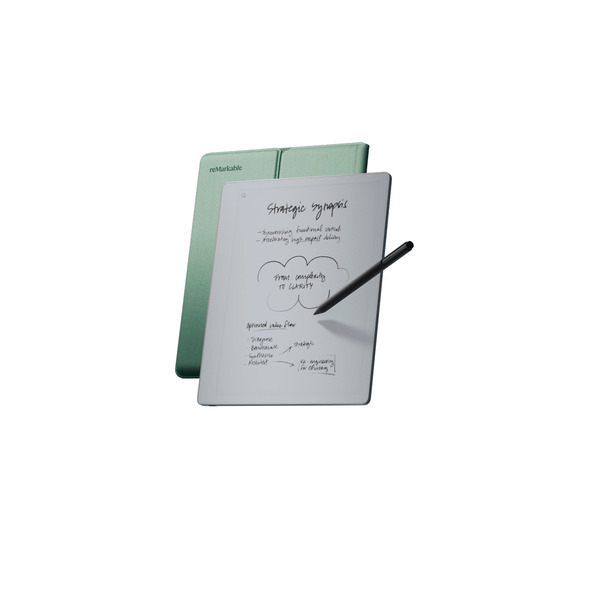
reMarkable built its whole company around that specific frustration. The Norwegian brand has been making paper tablets since its first model shipped in 2017, and it has sold several million of them by selling one idea hard. Its devices only let you write and read, with nothing else competing for your attention. The Paper Pure arrived in May 2026 as the direct replacement for the long-running reMarkable 2, and it keeps the black-and-white screen while quietly upgrading almost everything behind it.
What you get is a 10.3-inch E Ink slate that weighs less than most hardcover notebooks, writes with about 21 milliseconds of lag, and runs for roughly three weeks between charges. No color, no front light, no app store, no browser. The basic Marker comes in the box, so you can start writing the moment it’s charged.
At $399, it costs about the same as an entry-level iPad that does a hundred more things. So the real question isn’t whether the Paper Pure is nice to write on. It’s whether writing and reading, done well and nothing else, are worth that money to you. We dug into the specs, the software, and what early owners and reviewers are actually saying to find out.
Highlights
- reMarkable is a Norwegian brand that has sold several million paper tablets since its first device launched in 2017
- The Paper Pure replaced the reMarkable 2 in May 2026 as the company’s core black-and-white writing tablet
- 10.3-inch monochrome E Ink Carta 1300 display at 1872 x 1404 resolution (226 PPI)
- Writing latency of about 21 milliseconds, close to the timing of a pen on real paper
- 1.7 GHz dual-core processor with 2GB of RAM, roughly 50% faster than the reMarkable 2 it replaces
- Battery rated for up to 3 weeks of use from a 3,820 mAh cell
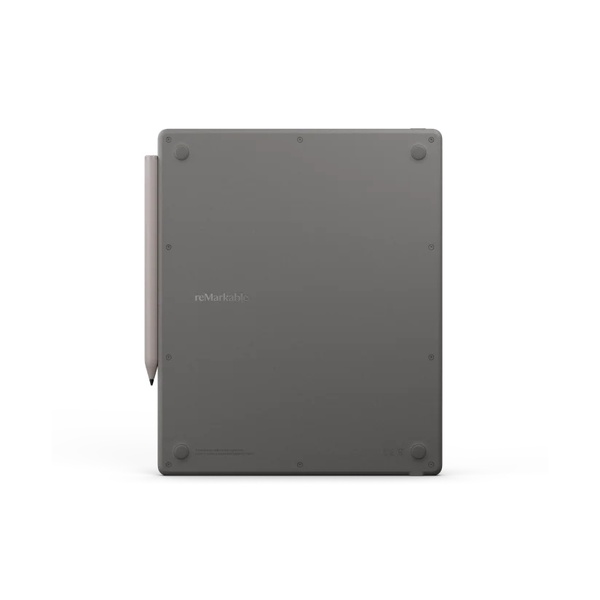
- 360 grams and 6mm thick, lighter and thinner than a typical hardcover notebook
- 32GB of storage, room for around 405 notebooks worth of files
- Repairable design held together with screws and snap connectors, built with 38% recycled materials
- Basic Marker included in the box, with no separate stylus purchase needed to start
- 50-day satisfaction guarantee with free shipping and free returns
Table of Contents
Why You Should Trust Us
Our mission is to help you make better, more informed purchase decisions.
Our team spends hours researching, consulting with medical experts, gathering insight from expert professionals, reviewing customer feedback, and analyzing products to provide you with the information you need.
reMarkable Paper Pure Review
The Paper Pure sits at the center of reMarkable’s lineup, below the color Paper Pro ($579) and the smaller Paper Pro Move ($449), and it takes over from the reMarkable 2 that a lot of people still carry to meetings. Same core promise, better hardware.
Rather than pile on features, reMarkable spent this generation making the basics quicker and sharper. The processor is faster, the contrast is higher, and the writing feels a touch more immediate than it did on the older model. The rest of this review walks through what the device does well, where it frustrates people, what the subscription actually gets, and who should skip it.
Unique Features
1. A Canvas Display Built for Writing, Not Watching
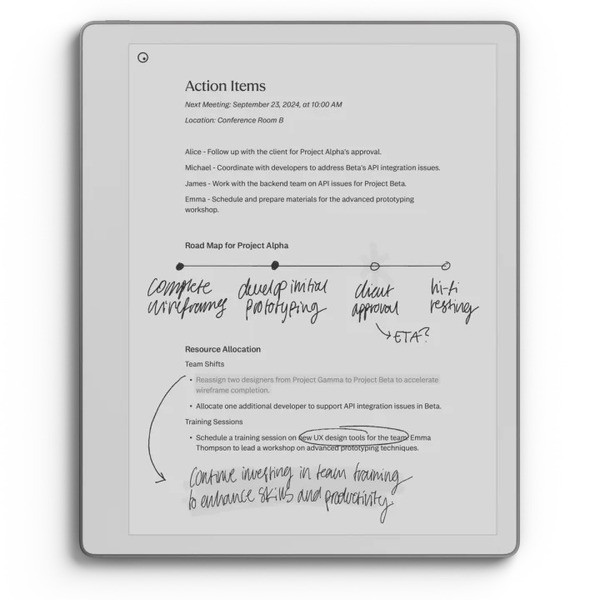
The 10.3-inch screen uses E Ink Carta 1300 under a matte-textured surface, which reMarkable calls Canvas. At 1872 x 1404 (226 PPI), text and handwriting look crisp, and the matte finish kills the glare that makes glossy tablets useless in direct sunlight. Contrast runs about 20% higher than the reMarkable 2, so black ink reads darker against the gray-white background. There’s no color here, which is the whole point of picking the Pure over the Pro.
2. Marker Input at 21 Milliseconds
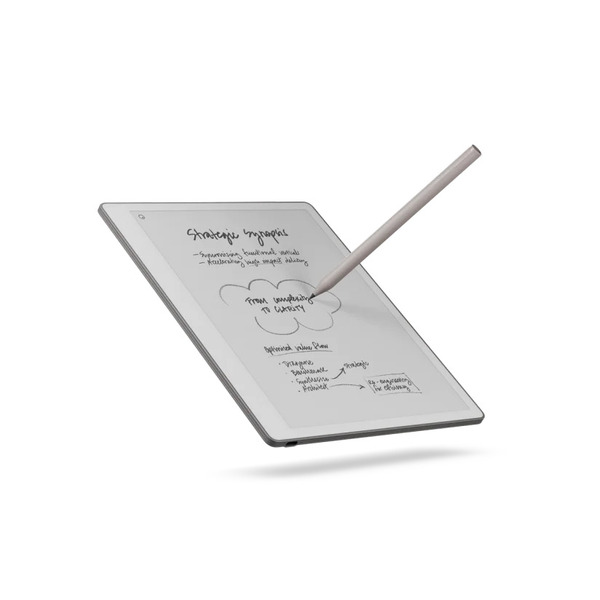
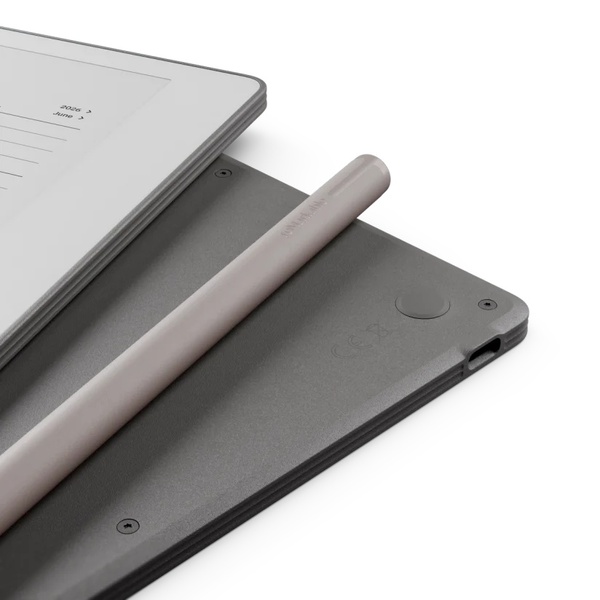
Cheap styluses fall apart with writing lag, and reMarkable has spent years chasing this number. The Paper Pure lands at roughly 21 milliseconds of latency, and reviewers who switched over from earlier models say the difference in immediacy is real. The included Marker needs no charging and no pairing. The Step-Up Marker Plus adds a built-in eraser you use by flipping the pen, plus a slightly grippier texture. Both support tilt for shading.
3. Software That Does Almost Nothing on Purpose
There’s no browser, no email client, no notifications, and no app store. You open the device, and you’re looking at notebooks and documents, full stop. That restraint is the feature. Folders, tags, and a handful of paper templates keep things organized, and the home screen loads into your writing rather than a feed. People who buy a reMarkable and expect a general tablet come away disappointed, and that’s by design.
4. Convert and Share for Turning Scribbles Into Text
Handwriting-to-text conversion lets you turn a page of messy notes into typed text you can email or drop into a document. It reads a range of handwriting styles and supports multiple languages. Accuracy is good but not perfect, and it sits behind the Connect subscription, which we get into below. Reviewers have caught it mangling the occasional word; one turned “AI slop” into “AI stop,” so it’s a helper, not a court stenographer.
5. A Repairable, Lower-Waste Build
reMarkable designed the Paper Pure to come apart. It’s held together with screws and snap connectors instead of glue, which makes battery and screen swaps far more realistic than on a sealed tablet. The company builds it with 38% recycled materials and sells replacement parts. For a category where most gadgets are landfill after one dead battery, that’s a genuine point in its favor.
6. Three-Week Battery, With One Big Catch
The 3,820 mAh battery is rated for up to three weeks of typical note-taking, and it hits that number partly because there’s no front light draining it. That’s the catch, too. No backlight means no writing or reading in a dark room without a lamp. It’s the single most common complaint about this device, and whether it’s a dealbreaker depends entirely on where you plan to use it.
How the Paper Pure Handles Daily Writing

We haven’t run the Paper Pure through months of meetings ourselves, so this section leans on what reviewers and early owners consistently report rather than a first-party test.
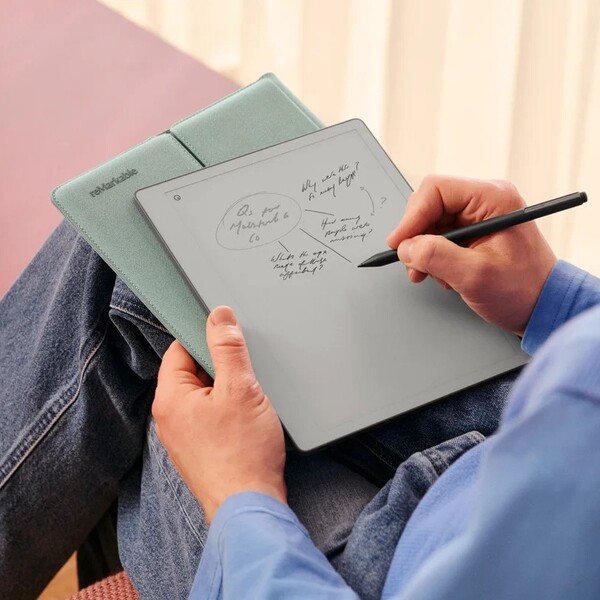
The through-line in nearly every review is the writing feel. The textured Canvas surface adds just enough friction that the Marker catches the way a pen catches paper, and the low latency means the ink appears to land right under the tip instead of trailing behind it. One reviewer at Trusted Reviews put it plainly, writing that “it’s the only type of digital device I’ve used that takes no adjustment from pen and paper.” For anyone who has bounced off writing on glass, that’s the line worth paying attention to.
Palm rejection is reliable, so you can rest your hand while you write. The faster processor shows up in small ways, pages turn quicker, and the pen menu responds without the little hitch the reMarkable 2 had. At 360 grams, it’s light enough to hold in one hand like a legal pad for a whole meeting.
The honest knock is that this is a writing device first and everything else second. Large edits can feel fiddly, since moving or erasing big chunks of a page takes a few taps, and organizing a lot of documents is smoother in the companion apps than on the tablet itself.
How Much Does the reMarkable Paper Pure Cost?

reMarkable keeps the hardware pricing simple, then layers accessories and the subscription on top. Here’s the current breakdown.
- reMarkable Paper Pure – $399 Includes the tablet and the basic Marker.
- 10.3-inch monochrome E Ink display, 32GB storage
- Basic Marker (no charging, no eraser) in the box
- 50-day satisfaction guarantee, free shipping and returns
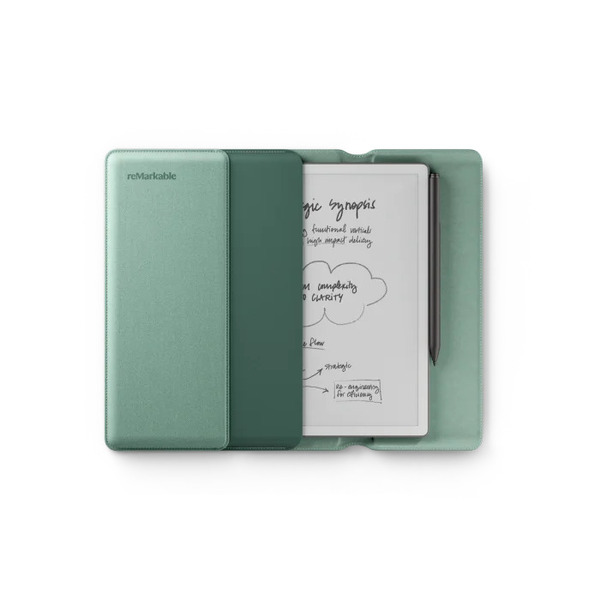
- Paper Pure Bundle – $449 The device plus the upgraded Marker Plus and a Sleeve Folio in one of three colors.
- Marker Plus adds a flip-to-erase tip and grippier texture
- Sleeve Folio for protection and carrying
- CNN Underscored notes this bundle runs about $69 less than the equivalent reMarkable 2 bundle did
- Accessories, bought separately
- Sleeve Folio – $69
- Marker tips – $19 for a 6-pack of replacements
- reMarkable Connect – $4/month or $39/year Optional subscription for cloud sync, handwriting search, Convert and Share, meeting notes, and templates. New devices include a free trial.
For most buyers, the $449 bundle is the better starting point, since the Marker Plus eraser and a case are things you’d likely buy anyway, and buying them bundled costs less than adding them later.
reMarkable Paper Pure Review: What Do Customers Think?

Early buyers have taken to the Paper Pure fast. On reMarkable’s own product page, it holds a 4.5 out of 5 rating across 241 reviews, and the words that come up most are the feel of writing, the contrast, and how light it is to carry.
The writing experience is what most owners lead with. One reviewer wrote, “Just love everything about it: the pressure and feel of the writing, how transportable and light weighted it is… it is no doubt better than the previous.” That last line counts for anyone upgrading, since it comes from someone who used an older reMarkable.
The note-wrangling side wins over people who work across places. A buyer who came in through the trial said, “It was the 50 day satisfaction guarantee that swung it for me and I treated myself to the Paper Pure. It is really helping me at work – no flicking through paper notebooks to find related notes – I can now store them together, move them around and search!”
First-timers coming from paper seem to have the smoothest landing of all. As one new owner described the bundle, “the case is soft and sturdy enough to protect the tablet from any falls as long as it stays in the case. The tablet has been a joy to use I love the design and it is the perfect size for me.”
The rating skews high, and the common thread is people who wanted a focused writing tool getting exactly that. Two limitations still show up in the wider coverage, and they’re worth weighing before you buy. There’s no front light for reading in the dark, and the Connect subscription sits in front of handwriting search and text conversion. Neither has dented the early scores much, but both are real.
Is reMarkable Legit?
Yes, reMarkable is a legitimate, well-established company. The Oslo-based brand has been shipping paper tablets since 2017, has sold several million units across the reMarkable 1, reMarkable 2, Paper Pro, and now Paper Pure, and went public on the Oslo Stock Exchange. Its products are carried by major retailers like Best Buy alongside direct sales, and it backs purchases with a 50-day return window and a limited warranty.
Is the reMarkable Paper Pure Worth It?
For the right person, the Paper Pure is an easy recommendation. For the wrong one, it’s an expensive way to do less than an iPad.
The people who get the most out of it are writers, students, researchers, and meeting-heavy professionals who want to think on a page without a screen full of apps pulling at them. If your notes tend to get lost in a drawer or drowned out by notifications, a device that does nothing but hold your writing, syncs it when you want, and lasts three weeks on a charge earns its keep quickly. The writing experience really is the best in the category, and the repairable build means it should last years rather than becoming e-waste after one battery cycle.
The case against it is real, too. At $399, it’s only about $29 less than a base iPad that plays video, browses the web, and runs full apps. The missing front light rules out nighttime reading. and the Connect subscription puts a slow, recurring cost on the features that make the notes most useful. None of that makes the Paper Pure a bad product. It makes it a specific one.
Buy it because you want less, not more. Judged as the focused writing tool it’s built to be, it delivers, and the 50-day guarantee means you can find out for yourself with nothing to lose but return shipping, you don’t even pay for.
reMarkable Paper Pure Discounts and Promotions
reMarkable rarely runs deep discounts on current hardware, so the value plays here are the bundle and the trial rather than a coupon code. A few things worth knowing before you buy.
- The $449 Paper Pure Bundle is the standing “deal,” pairing the Marker Plus and a Sleeve Folio for less than buying them separately
- Every new device includes a free trial of reMarkable Connect, so you can test the cloud and conversion features before paying
- The 50-day satisfaction guarantee acts as a risk-free trial of the hardware itself, with free shipping and free returns
- reMarkable occasionally offers education and bulk pricing, and financing is available at checkout to split the cost into monthly payments
Where Can I Buy the reMarkable Paper Pure?
The safest place to buy is reMarkable’s own site, which carries the full lineup, the accessories, and the current bundle pricing. The Paper Pure is also stocked at major retailers, including Best Buy. Purchasing directly or from an authorized retailer keeps the warranty and the 50-day return window intact, so it’s worth steering clear of unfamiliar third-party marketplace listings that may not honor either.
FAQs
Does the reMarkable Paper Pure have a front light for reading in the dark?
No. The Paper Pure has no front light or backlight, so it can’t be read in a dark room without an external lamp. If nighttime reading is a priority, the color Paper Pro includes an adjustable reading light.
Do I need the Connect subscription to use it?
No. The device works fully offline for writing, reading, and organizing without a subscription. Connect ($4/month or $39/year) adds cloud sync, handwriting search, text conversion, and templates, and every new device comes with a free trial.
How is the Paper Pure different from the Paper Pro?
The Paper Pure has a 10.3-inch black-and-white screen, no front light, and starts at $399. The Paper Pro has a smaller 7.3-inch color screen with a reading light and costs $579. The Pure trades color and light for a bigger writing surface, longer battery, and a lower price.
What comes in the box, and do I need to buy a pen?
The $399 Paper Pure includes the basic Marker, so you can write immediately with no extra purchase. The Marker Plus, which adds a flip-to-erase tip, comes with the $449 bundle or can be bought on its own.
How long does the battery last?
reMarkable rates the battery for up to three weeks of typical note-taking on a single charge. Real-world life depends on how much you write and sync, but the lack of a front light helps it stretch further than lit e-readers.
How do I contact reMarkable?
reMarkable handles support through its help center and contact form at support.remarkable.com, where you can reach the team about orders, returns, and warranty claims. Support and returns run through the same portal on the official site.
Check out similar brands you might like:




Ask the community or leave a comment
WRITE A REVIEWCustomer Reviews
Leave a review