
Table of Contents
Putting SpotOn Nova’s GPS Fence to the Test
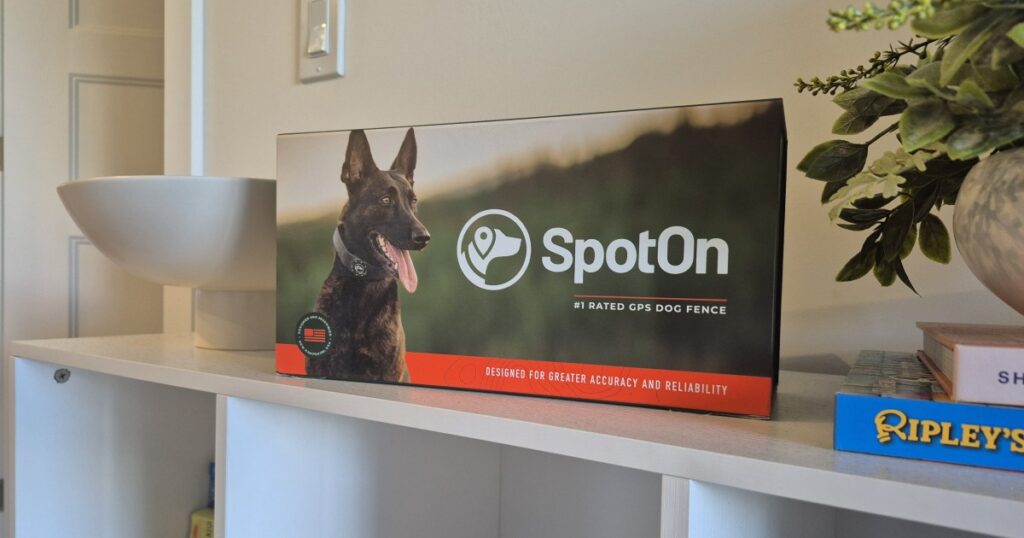
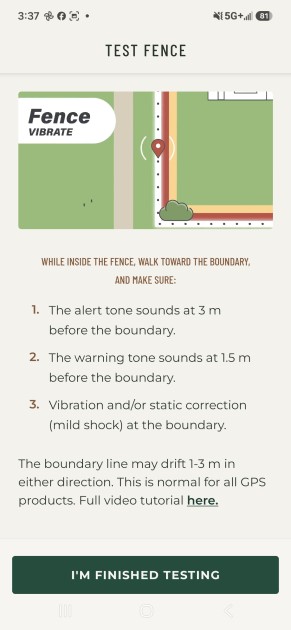
The SpotOn Nova is a GPS dog containment system designed to give dogs the freedom to roam without a physical fence. Instead of installing posts and panels, owners create a virtual boundary through the SpotOn app. As the dog approaches that boundary, the collar gives an Alert Tone about 10 feet out, a Warning Tone about 5 feet out, and vibration or optional static feedback at the boundary itself. The dog is never corrected while heading back inside.
For this review, our main focus was GPS accuracy and consistency. We tested the Nova in several different environments, comparing the collar’s warning and vibration zones against the virtual boundaries we set in the app. We repeated each test multiple times to see how consistent the results were.
This gave us a clearer picture of how reliably the Nova maintains a virtual boundary across different environments and what owners can realistically expect from its GPS containment system. Here’s what we found after putting the Nova through its paces.
What’s In The Box
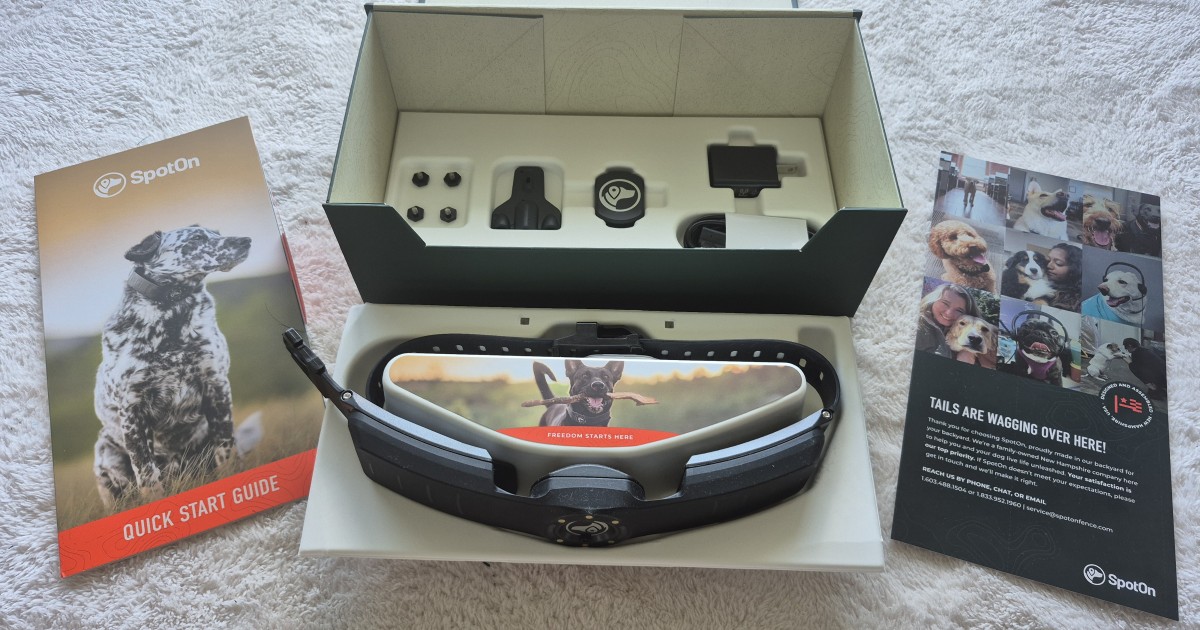
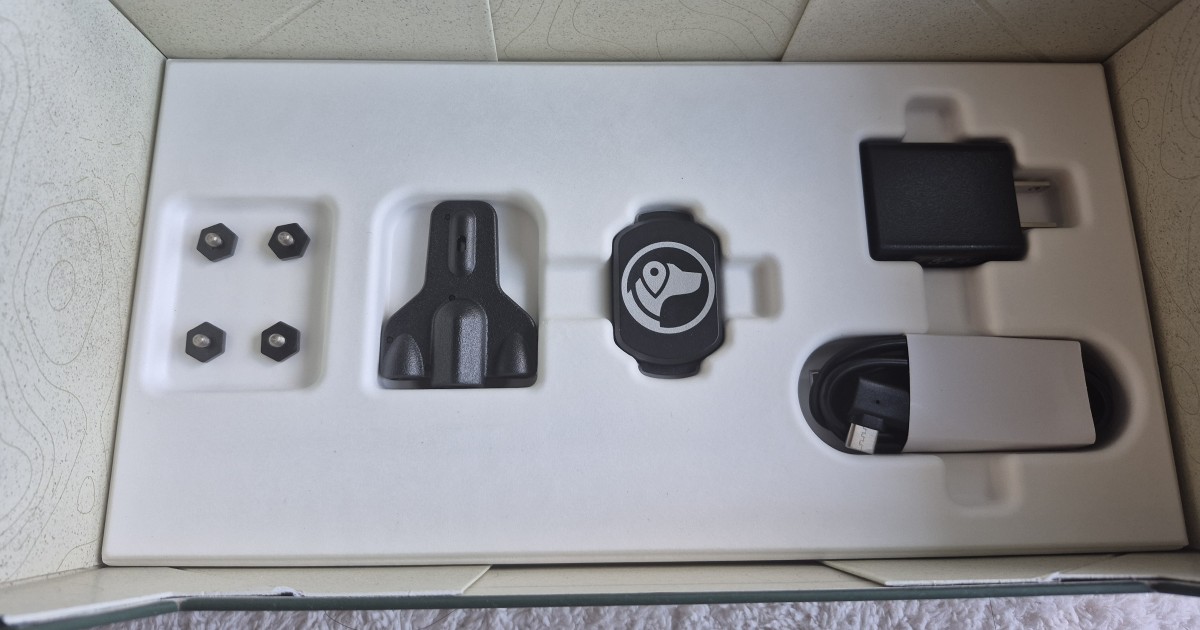
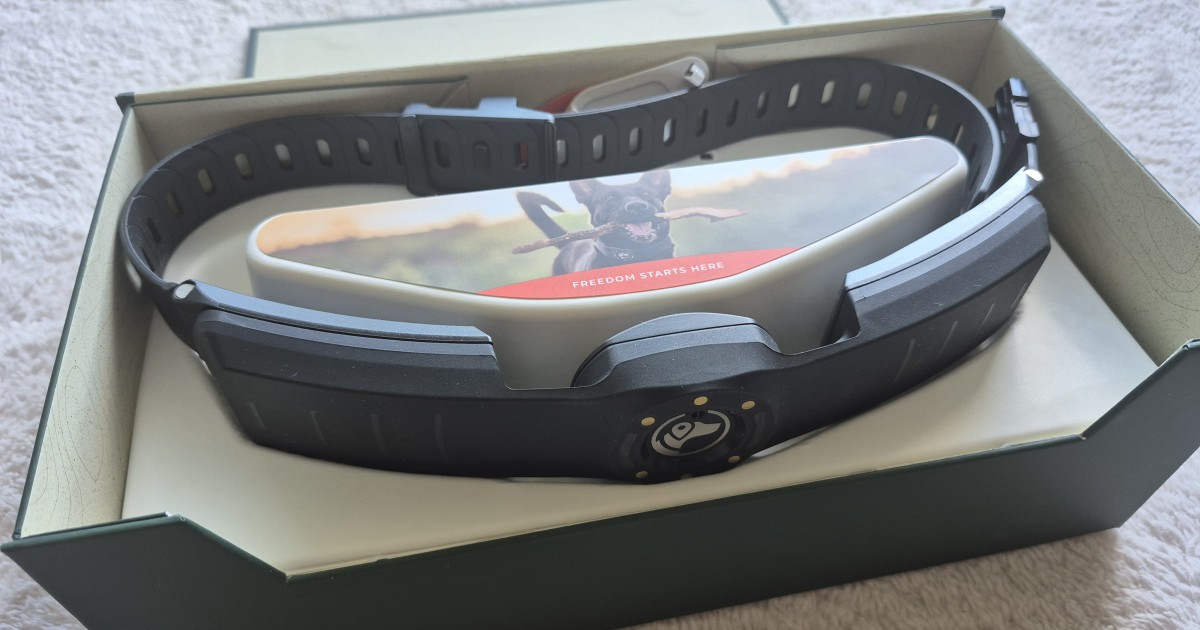
Inside the box, SpotOn includes everything you need to get the Nova collar set up and ready to go:
- SpotOn GPS Collar
- Charger
- Charger cable
- Charging puck, which connects to the collar for charging
- Four contact points in two sizes for static correction
- Contact point tester/wrench
- Quick start guide
Setting Up the Collar & App
Before using the Nova, you’ll need to charge the collar. The charging puck connects directly to the collar and plugs into the included cable. When the LED turns solid green, the collar is ready to use.
If you plan to use static correction, you’ll also need to install the appropriate contact points. The included tester/wrench makes it easy to swap them out.
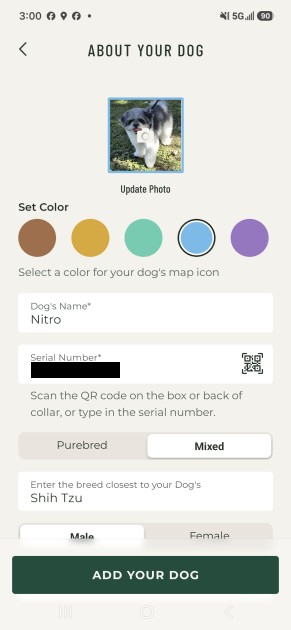
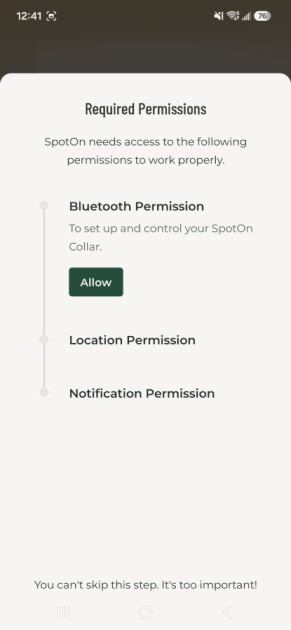
Setting up the Nova through the SpotOn app is straightforward. You can log into an existing account or create a new one. During setup, the app will ask for Bluetooth, location, and notification permissions, and you’ll connect the collar to your Wi-Fi network. You’ll then add the collar to your account and create a profile for your dog.
Once the initial setup is complete, you can activate a subscription if you want to access Nova’s tracking features. From there, you’re ready to create your first virtual fence.
Creating a Virtual Fence
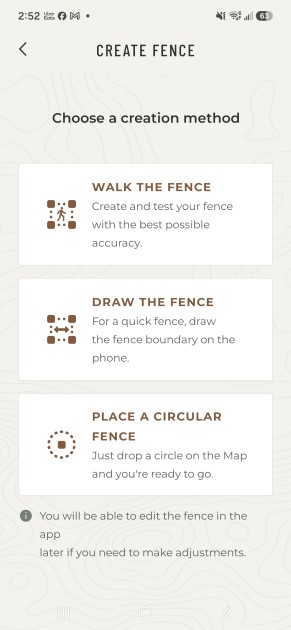
SpotOn gives you three ways to build a virtual fence: Walk the Fence, Draw the Fence, and Circular Fence.
Walk the Fence has you physically walk the perimeter of the area you want your dog contained to. To start, you hold the collar with its logo facing down while the GPS calibrates; the app lets you know when it’s ready. From there, you just walk the boundary you want, and once you get back near your starting point, the app draws the fence based on the path you walked. You can tweak it afterward if needed. One thing to know: the fence needs to be at least 80 feet wide at its narrowest point.
Draw the Fence skips the walking, you draw a boundary directly on the map in the app.
Circular Fence is the easiest option if you’ve got enough open space around you. It places a circular boundary around your current location, and that circle becomes the containment area.
Managing the Fence
Once you’ve created a fence, you can go back into the app and adjust it anytime, without having to start over from scratch.
GPS Boundary Testing
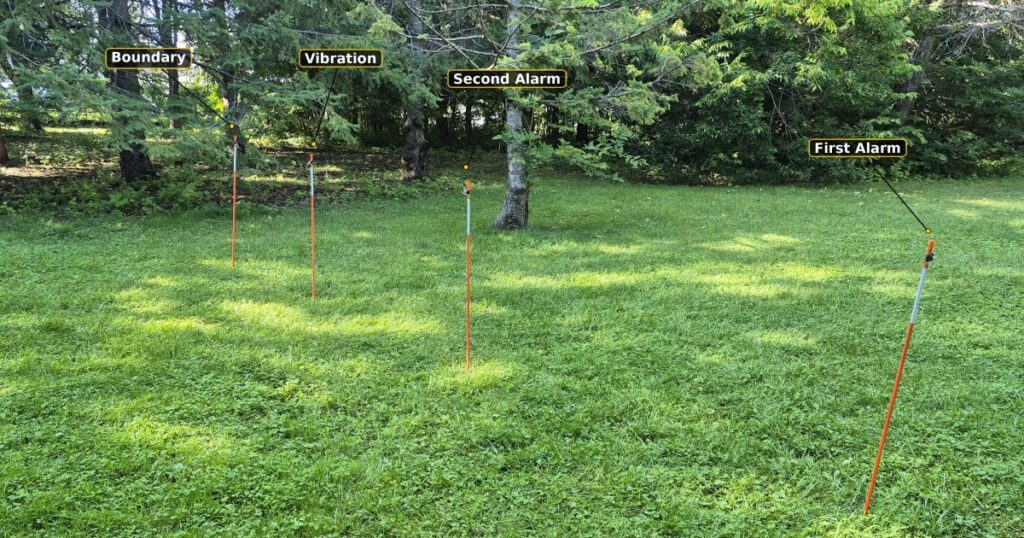
To test the accuracy of the Nova’s GPS containment, we set up three virtual fences in different environments: an open field, an area with tree cover, and a location near buildings. At each site, we planted a physical picket just before the point where the SpotOn app indicated that we had crossed outside the virtual fence, giving us a fixed reference point for the test. We then placed additional pickets at each alarm stage as the Nova approached the boundary.
From these reference points, we measured the distance at which the first alarm, second alarm, and vibration were triggered. The two tones serve as early warnings, while the vibration is the final signal, indicating that the dog has reached or crossed the virtual boundary.
We ran the test several times at each location to see how consistent the Nova’s responses actually were, and whether anything changed between individual runs.
Location 1: Open Field
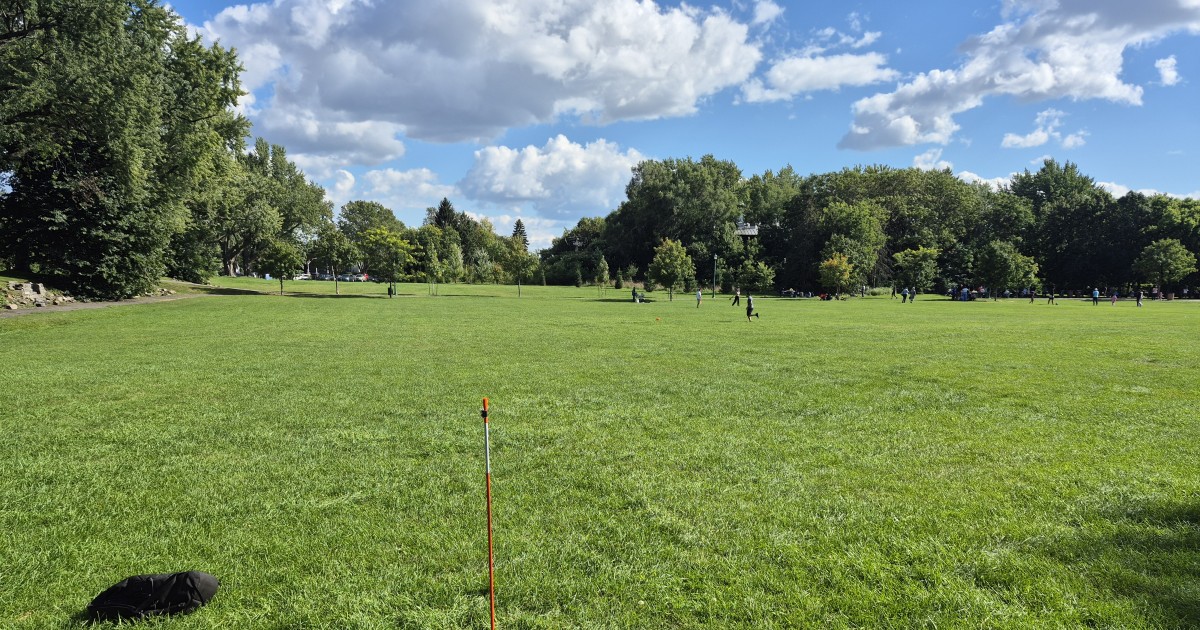
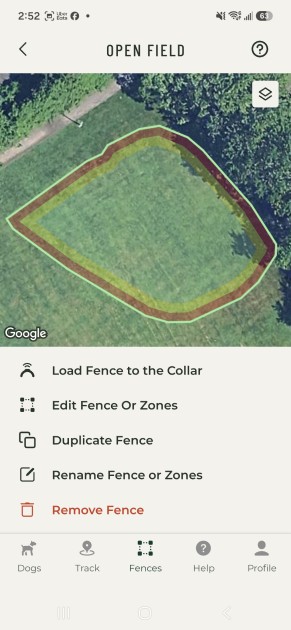
Location 1
The open field gave us the cleanest possible GPS signal, with nothing around to interfere, so this became our baseline for how the Nova performs under ideal conditions.
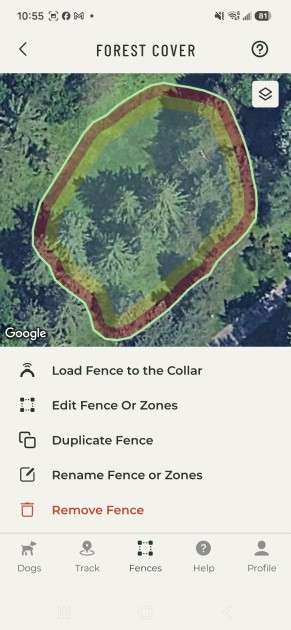
Location 2: Tree Cover
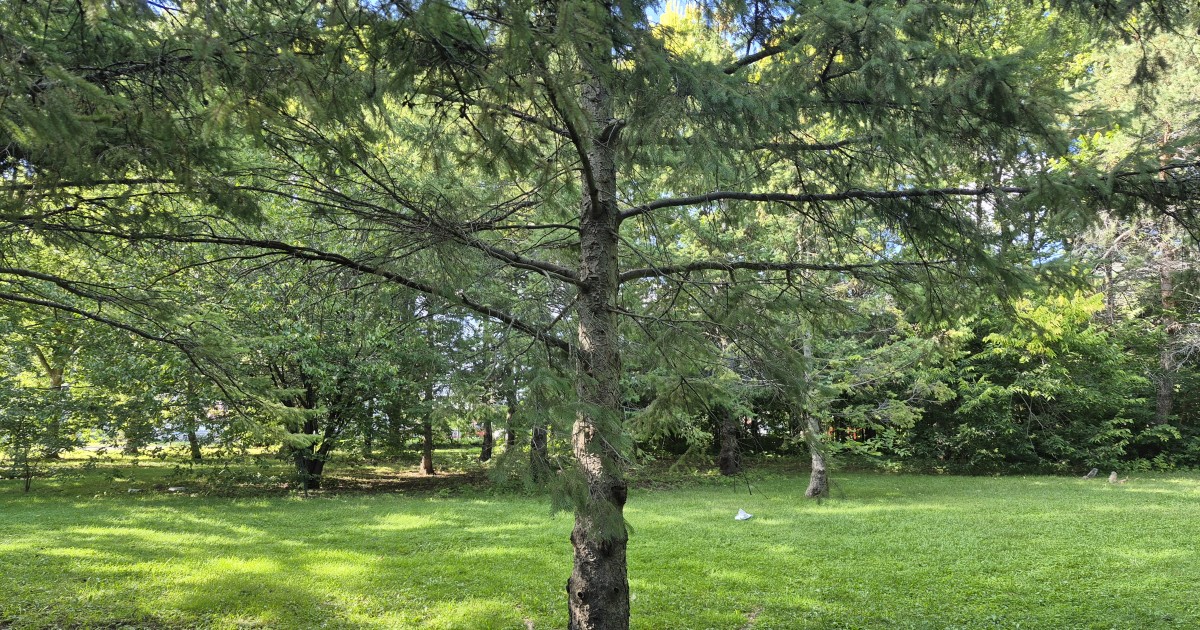
Location 2
For the second fence, we picked a spot with heavy tree cover to see whether the vegetation would throw off the Nova’s accuracy or consistency.
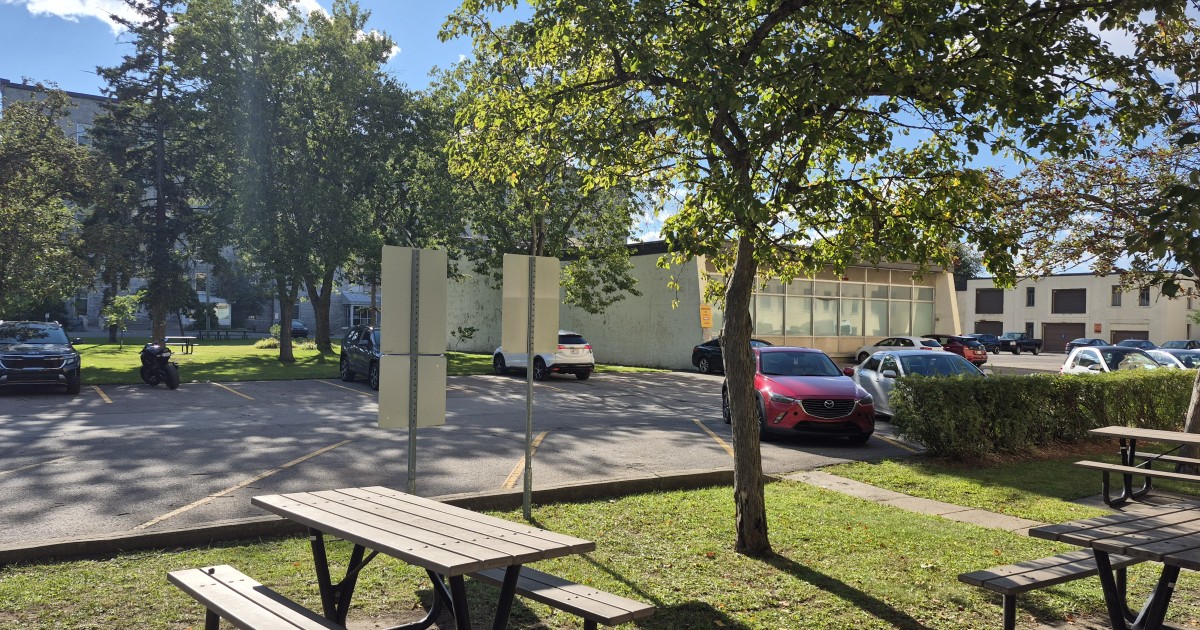
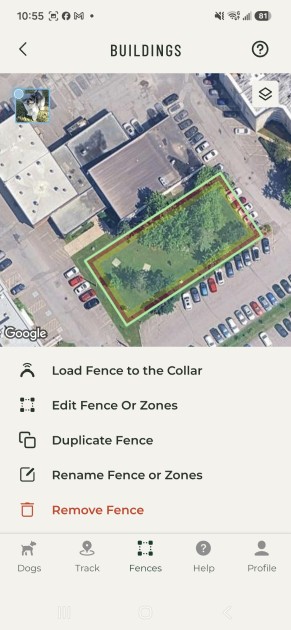
Location 3: Near Buildings
Location 3
The last fence went up near a cluster of buildings, to see how the Nova handled an environment where nearby structures could interfere with GPS.
For each test, we treated the virtual boundary as the 0-inch mark. The numbers below show how far from that boundary each response was triggered.
| Location | Test | 1st Alarm | 2nd Alarm | Vibration |
| Open Field | 1 | 200″ | 104″ | 36″ |
| Open Field | 2 | 204″ | 101″ | 35″ |
| Open Field | 3 | 200″ | 105″ | 33″ |
| Tree Cover | 1 | 218″ | 108″ | 48″ |
| Tree Cover | 2 | 214″ | 108″ | 45″ |
| Tree Cover | 3 | 215″ | 105″ | 50″ |
| Near Buildings | 1 | 161″ | 84″ | 6.5″ |
| Near Buildings | 2 | 164″ | 76″ | 2″ |
| Near Buildings | 3 | 161″ | 83″ | 6″ |
What We Found
The open field gave us the most predictable results. The Nova’s responses barely varied from test to test, and the collar also connected to GPS the fastest here, less than a minute when creating our first fence.
Under tree cover, the story was different in one specific way: it took about four minutes for the GPS connection to lock in, noticeably longer than in the open field. But once it connected, we didn’t run into any real issues. The measurements were close to what we saw in the open field, off by only a few inches between repeated tests. So while the tree cover slowed things down at setup, it didn’t seem to hurt the accuracy or consistency of the boundary itself.
The results near buildings actually surprised us. We expected the structures to add more variation, but this location produced the tightest numbers of the three, and they lined up closely with the distances SpotOn advertises for its warning zones (an alert tone at roughly 10 feet from the fence, and a warning tone at roughly 5 feet).
Across all three environments, the Nova held up well. Tree cover slowed down the initial GPS connection, but didn’t affect the collar’s consistency once it was live, and the results near buildings turned out better than we’d guessed going in.
Putting the Nova to Use

Collar Fit
For the real-world portion of the test, we used Nitro, our 1.5-year-old mixed-breed Shih Tzu. He weighs 15.3 pounds with an 11-inch neck, which puts him inside SpotOn’s fit range of 15 pounds and up and a 10 to 26-inch neck. Nitro is compact, full of energy, and loves chasing squirrels and birds, so he was a good test for how the collar handles an active dog at the smaller end of that range.
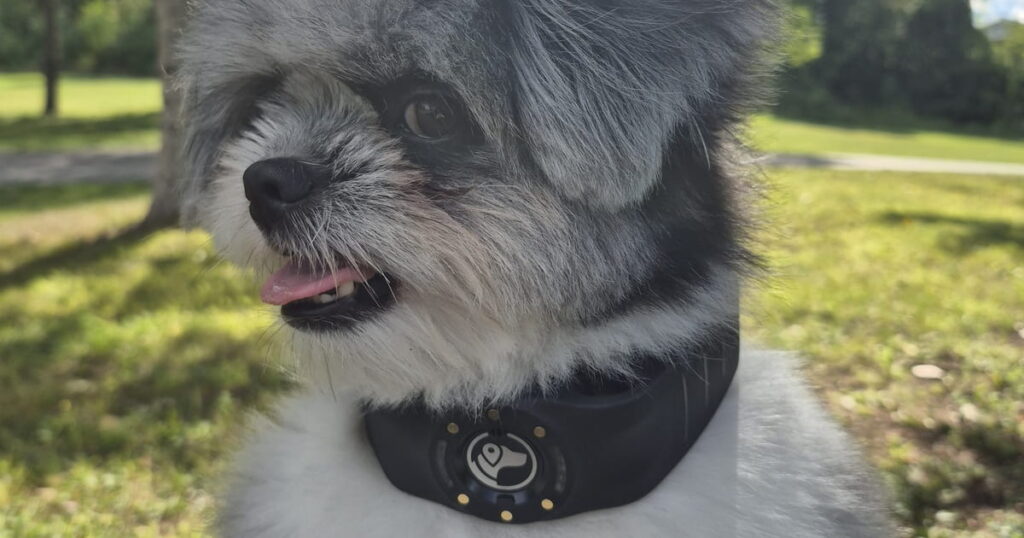
The Nova ships with plenty of extra strap to fit dogs of very different sizes. For Nitro, that meant using one of the shorter settings. Once we adjusted it, the collar sat snugly around his neck, and we could still comfortably fit two fingers underneath it. SpotOn recommends trimming the excess strap for a proper fit, and doing so won’t void the warranty.
Testing the Warning Sequence With Nitro
This part of our test focused on the collar’s warning system at dog height and dog speed. Nitro had started training to the fence but hadn’t finished it yet. In everyday use, full training comes right after setting up the fence, and a fully trained dog learns to turn back at the first tone, so these runs show the warnings at work rather than the finished result. We used the same pickets from our GPS testing and had Nitro walk toward each one.
As Nitro approached the pickets, the Alert Tone and Warning Tone went off as he neared the boundary, and the vibration followed at the line. The SpotOn app also lets you hear the collar’s tones through your phone in real time, so you get an audible cue whenever the collar is issuing a warning. Nitro is a little skittish, and whenever he felt the vibration, he’d spin around and head straight back toward the middle of the fence.
We also had Nitro sprint from just behind the pickets straight at the boundary. With his training still in progress, he didn’t always turn back at the first tone yet. Even at full speed, the collar still delivered its warning sequence on every run, with the tones and vibration arriving closer together because he covered the warning zone in a second or two.
That’s a useful tip for anyone shopping for a GPS fence. If you have an active dog that bolts toward the edge of the yard, choose a system that consistently issues its warnings at speed, like SpotOn, so your dog is always alerted before and at the boundary. Pair it with training, and those first tones become the cue to turn around.
GPS Tracking
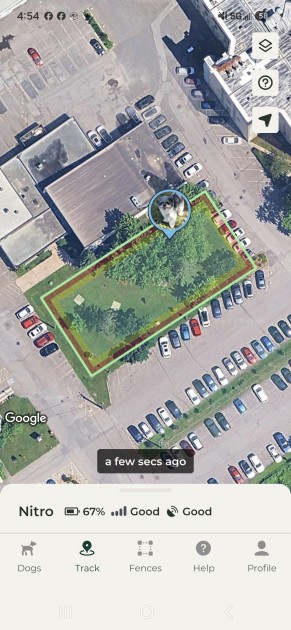
GPS tracking comes with a SpotOn subscription. During testing, we noticed a bit of a lag between where Nitro actually was and where the app showed him, but once the location updated, it was accurate. SpotOn says real-time tracking refreshes about every six seconds, and that roughly matched what we saw.
If you’ve got a larger property, this feature alone is worth having, it beats walking the yard to find your dog.
Voice Commands
The app also has a built-in call command that plays a whistle-like tone through the collar, plus room for up to three custom voice commands.
We recorded “Come here Nitro” and tested it out, and it worked as intended, especially since Nitro already knew the command. The collar’s volume is calibrated for a dog’s hearing rather than ours, so while it sounded subtle to us, Nitro heard it and responded.
Is The SpotOn Nova Worth It?
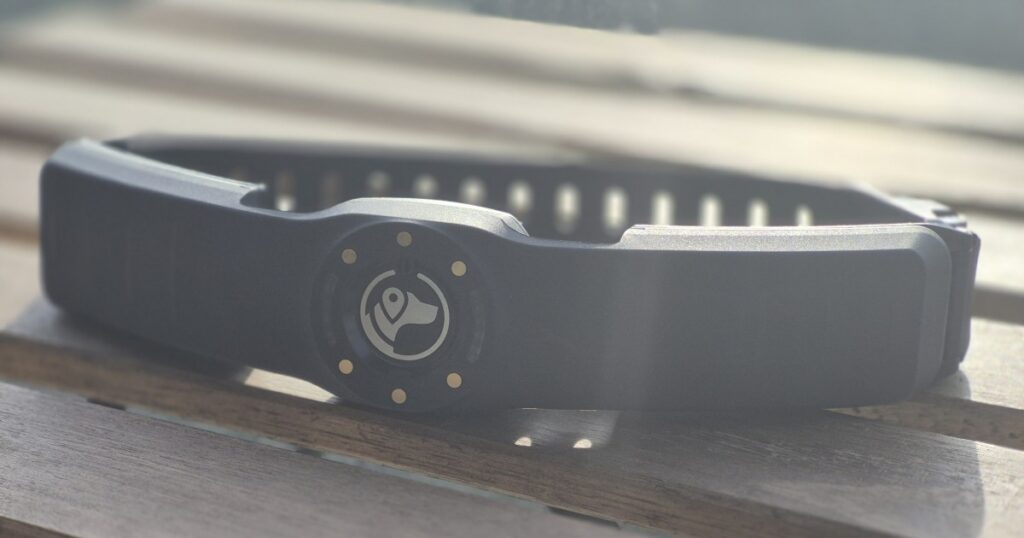
The SpotOn Nova is a premium GPS containment system, and based on our testing, it’s a solid option for owners who want a virtual fence without installing a physical one.
Across our tests, the Nova consistently delivered its warning tones and vibration at predictable points. The exact distances varied between environments, but the results within each location were generally very close from one test to the next. The GPS took noticeably longer to connect under heavy tree cover, but once connected, the collar performed reliably. We also didn’t run into any major issues testing it in open areas or near buildings.
Creating a virtual fence in the app is straightforward. You can walk the boundary, draw it on the map, or use a simple circle. If you need to change the fence later, you can edit the existing boundary rather than starting over.
The Nova also offers more than GPS containment. With a subscription, you get features like real-time tracking, activity maps, escape records, and activity data. There are also recall features, including the built-in whistle and custom voice commands, along with additional tone settings.
The Nova makes the most sense for owners with larger properties where a traditional fence isn’t practical. It’s also useful for people who regularly travel with their dogs or spend time outdoors, since you can create a new virtual fence without having to install anything.
At $999, the Nova is a significant investment. But if you’re looking for a GPS containment system and can justify the cost, our testing showed that the Nova delivers on what it promises, providing consistent boundary performance across different environments.
SpotOn Nova FAQs
How does the SpotOn Nova work?
The SpotOn Nova uses GPS to create and enforce virtual boundaries instead of relying on a physical fence. You create a boundary in the SpotOn app, and the collar uses GPS to determine your dog’s position relative to that boundary.
Will the SpotOn Nova collar fit my dog?
The Nova Edition is one-size-fits-most and best fits dogs with neck sizes from 10 to 26 inches. Most dogs fall comfortably within this range, and a strap extender is available if you ever need extra length.
Does SpotOn Nova hurt the dog?
The Nova is designed to use warning tones first, followed by vibration and static correction when enabled. Owners can choose their correction settings through the SpotOn system.
How long does the SpotOn Nova battery last?
Battery life depends on how the collar is being used, including tracking and containment. SpotOn rates the Nova for up to 33 hours of battery life on a charge.
How far away can a dog be from the SpotOn Nova?
The Nova does not have a fixed maximum distance from the owner in the same way a traditional wireless dog fence does. Because it uses GPS, the dog can roam within the virtual boundary you create.
Can SpotOn Nova be used for multiple dogs?
Yes. SpotOn supports multiple collars, allowing owners to manage multiple dogs through the same account and app.
Does SpotOn Nova work without cell service?
The Nova uses GPS for positioning, but some features rely on cellular connectivity. Areas with limited cellular coverage may affect features such as live tracking and communication with the collar.
Can you use SpotOn Nova without a subscription?
The Nova’s core containment functionality can be used without a subscription, but a subscription is required for certain tracking and additional features.
Where can I buy the SpotOn Nova?
You can purchase the SpotOn Nova directly from SpotOn’s website or through Amazon.



Ask the community or leave a comment
WRITE A REVIEWCustomer Reviews
Leave a review