Which HP Printing Option Fits You Best? HP All-In Plan vs Buying a Printer vs HP Instant Ink

Home printing is no longer just about buying a printer and handling the rest yourself. HP now offers shoppers several ways to print at home, depending on how much of the work they want to manage on their own.
One route is buying a printer outright and taking care of ink, support, and repairs as they come up. Another is buying a printer and using HP Instant Ink, which handles ink delivery but still leaves the printer in your hands. Then there is HP All-In Plan, a printer subscription that includes the printer, ink delivery, support, and coverage in one monthly plan.
Those three options can sound close at first, though they solve different problems. The right fit depends on how often you print, how much you want to pay up front, and whether you want full ownership or a setup that puts more of the printer side into one monthly plan.
Table of Contents
About HP All-In Plan
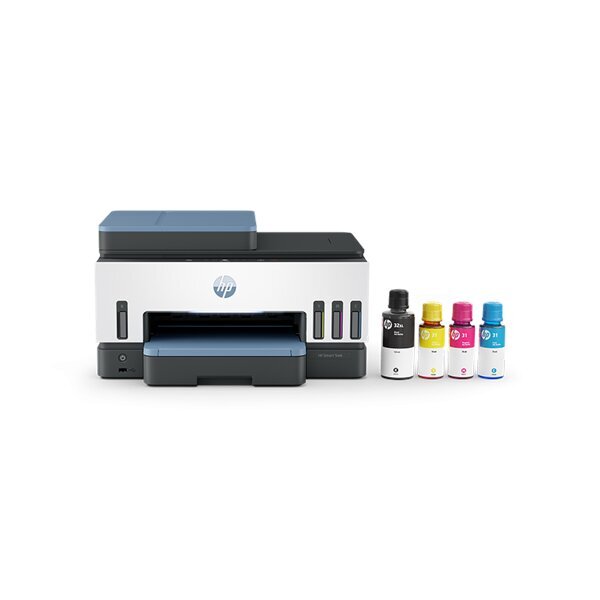
HP All-In Plan is a printer subscription from HP. Instead of buying a printer first and then paying separately for ink, support, and repairs, this monthly plan brings those pieces together. A new printer is part of the plan, ink is sent when levels run low, and support is there if something goes wrong.
A big reason people look at HP All-In Plan is convenience. HP includes continuous printer coverage, so if a problem cannot be fixed remotely, the company will send a replacement the next business day. Plans also include the option to upgrade to a new printer after a 2 or 3 years, to make sure you’re printing with the latest tech. Beyond the convenience of ink delivery, the HP All-In Plan includes 24/7 live customer support, replacement printers (if needed) and upgrades, giving the subscription a very different feel from standard printer ownership.
About Buying a Printer
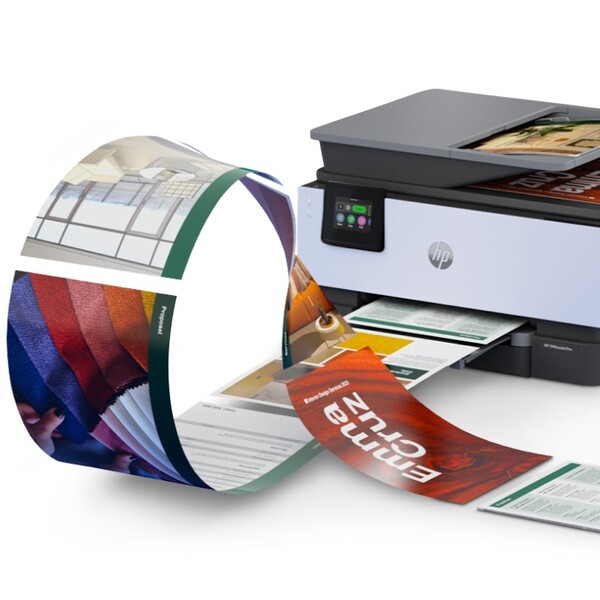
Buying a printer outright is the traditional route. You pay for the hardware up front, take it home, and the printer is yours. After that, ink, paper, repairs, and any replacement costs are handled separately.
For some buyers, that setup still makes the most sense. Owning the printer gives people full control over what they buy, how they use it, and when they replace it. At the same time, it also means more responsibility. When ink runs out or the printer needs attention, the job of sorting it out falls on the owner.
It also gives people a better sense of cost per page printing. That said, it doesn’t protect from the unpredictability of fixing, replacing or upgrading your printer
About HP Instant Ink
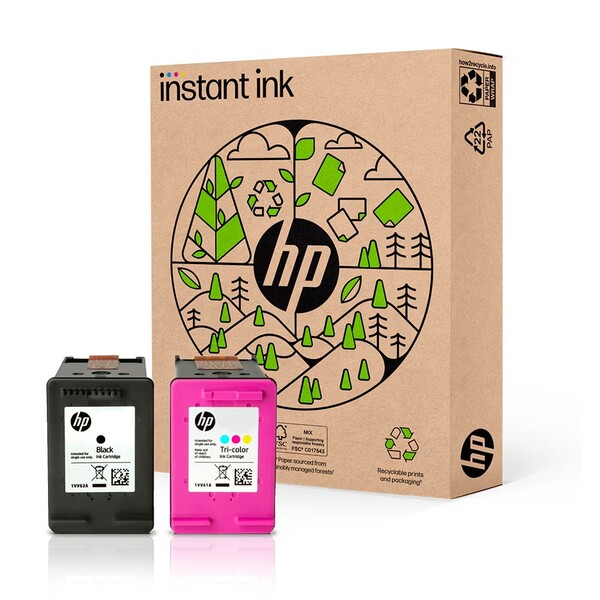
HP Instant Ink is an ink subscription, not a printer subscription. The printer is still purchased the usual way, but ink is sent based on how much the printer is used. That setup is meant to reduce last-minute cartridge runs and make supply costs easier to track month to month.
What makes HP Instant Ink different from HP All-In Plan is the scope. Instant Ink delivers ink cartridges on for any HP inkjet printer. The HP All-In Plan monthly fee includes covers the printer itself and adds support and coverage to the mix. So, while both involve a subscription, they are built for different needs and do not work the same way day to day.
The Comparison
| Aspect | HP All-In Plan | Buying a Printer | HP Instant Ink |
|---|---|---|---|
| What it is | A printer subscription | A standard printer purchase | An ink subscription |
| Printer included | Yes | Yes, through a one time purchase | No, printer is bought separately |
| Ownership | HP keeps ownership of the printer during the subscription | You own the printer | You own the printer |
| Upfront printer cost | No upfront printer cost | Upfront hardware payment required | Upfront hardware payment still required |
| What the monthly payment covers | Printer, ink delivery, optional paper add on service, support, and coverage | No monthly plan unless you add one later | Ink, delivery, and recycling |
| Ink delivery | Automatic when the printer reads low ink | Manual reordering | Automatic when the printer reads low ink |
| Support and coverage | 24/7 live support by phone or chat, plus next business day replacement if HP cannot fix the issue remotely | Standard warranty and normal support path | Support for the ink subscription, not full printer coverage |
| Upgrade path | Printer upgrades after 2 or 3 years, depending on plan | No built in upgrade path | No built in upgrade path |
| Cancellation | 30 day trial, then plan terms and possible early cancellation fees depending on printer and timing | Nothing to cancel | Change or cancel anytime |
| Best for | People who want the printer, ink, support, and coverage in one setup | People who want full ownership and do not mind handling supplies and upkeep themselves | People who want to own the printer but want ink sent automatically |
What to Consider?
A good comparison starts with the right points. Price is one part of it, though ownership, ink, support, flexibility, and day-to-day fit matter too. Looking at those details side by side makes the differences much easier to understand.
What You Pay For
Money lands in very different places across these three options. One route covers the printer, ink, support, and coverage under a single monthly plan. Another turns only the ink into a subscription. A regular printer purchase puts the first payment on the hardware and leaves the rest for separate purchases later.
That split can change how the whole setup feels over time. Some people want a single payment that covers more of the printer side of life. Others would rather own the device and deal with supplies as they go.
HP All-In Plan
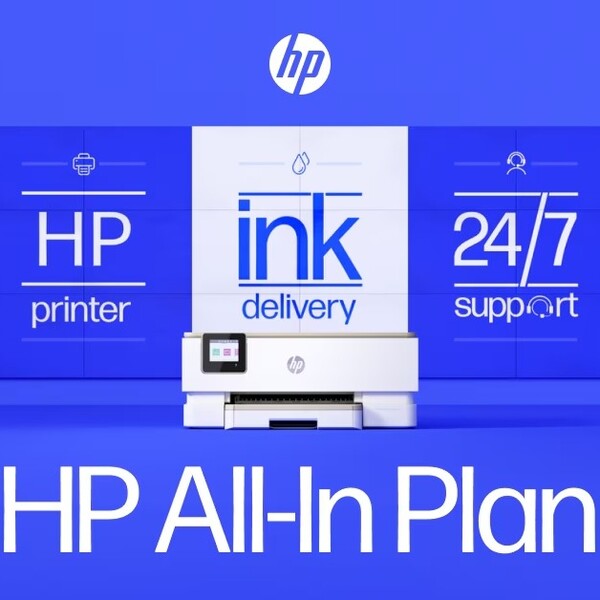
HP All-In Plan charges a monthly fee (starting at $7.99), which provides a new printer at no upfront cost and bundles ink and service packages. HP also says users can get a printer upgrade every 2 or 3 years. The plan comes with a new printer, ink delivery, an optional paper add-on service, continuous printer coverage, shipping, and free printer upgrades every 2 or 3 years. So the monthly payment covers more than ink alone.
Buying a Printer
A standard printer purchase puts your money into the device first. HP sells printers directly through its store, and ink is also sold separately through its cartridge pages, which reflects the usual ownership setup. Hardware comes first, then ink, paper, and any later service or replacement costs get handled as separate decisions.
HP Instant Ink
HP Instant Ink only covers the ink side. HP describes it as an ink subscription with plans based on how often you print, not how much ink a page uses, and says ink ships when the printer reads low. The printer itself is not part of that monthly fee, so the subscription cuts down on supply runs without turning the whole printer into a monthly printer plan.
Ownership
Ownership changes how much control you have and how much responsibility stays on your side. Some people want the printer to be fully theirs from day one. Others care more about keeping the upfront spend low and having fewer printer problems to manage on their own.
HP All-In Plan
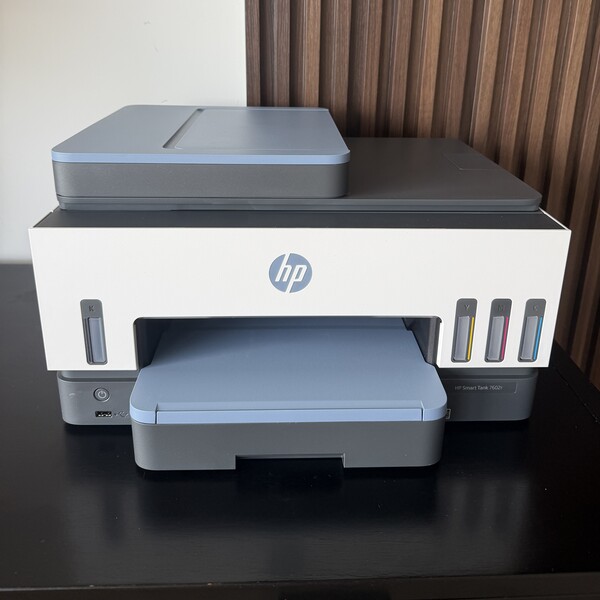
HP All-In Plan does not work like a normal purchase where you own the printer. HP maintains ownership of the printer, cartridges, and ink bottles during the subscription, and those items need to be returned if the plan is canceled or if the printer gets upgraded. So the value here comes from the all-inclusive printing service that keeps you printing, not from owning the device in the usual sense.
Buying a Printer
Buying a printer is the clearest ownership route of the three. You pay for the hardware up front, take it home, and the printer is yours. After that, supplies, repairs, and replacement decisions stay with you too, which gives you more control but also more to deal with over time. HP’s store reflects that standard setup by selling printers as standalone hardware purchases across its home and office lines.
HP Instant Ink
HP Instant Ink does not change printer ownership. The printer still has to be bought separately, since HP Instant Ink is an ink subscription for compatible printers rather than a printer subscription. So you still own the device, while getting the convenience of automatic ink deliveries and option paper add-ons.
Upfront Cost
Upfront cost often decides what even feels possible in the first place. Some people would rather pay more up front and own the printer right away. Others want to keep that first payment low, even if it means moving part of the cost into a monthly plan.
That is where these three options split pretty fast. One puts the printer itself into the subscription. One asks you to buy the hardware first, then add ink service later. The last one is the usual purchase route, where the largest payment is made at the start.
HP All-In Plan
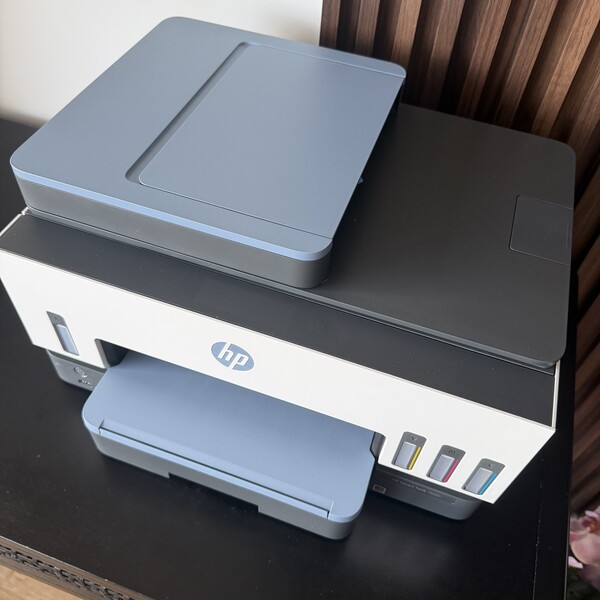
HP All-In Plan has no upfront printer cost. HP includes a new printer in the monthly payment, which lowers the cost of getting started compared with buying the hardware outright. For people who want to avoid a larger first purchase, that can be one of the main reasons to consider it.
Buying a printer usually requires the biggest first payment of the three. You pay for the hardware at checkout, and that cost is applied before ink, paper, or any later upkeep enters the picture. That route may still suit people who would rather own the device from day one and be done with the printer purchase part.
HP Instant Ink
HP Instant Ink has a low monthly starting price, though it still requires buying a printer first. HP says plans start at $1.79 per month for up to 10 pages, but that subscription only covers ink for an eligible printer you already own or buy separately. So while the monthly fee may be lower than HP All-In Plan, the upfront printer cost still stays in the picture.
How Ink Works
Ink is one of the biggest points of difference here because each option handles it in a completely different way. One rolls ink into a printer subscription, one turns ink into its own monthly plan, and one leaves the whole job to the buyer.
That matters because ink affects both cost and effort. Some people would rather have supplies show up automatically. Others do not mind buying cartridges or bottles when they need them.
HP All-In Plan
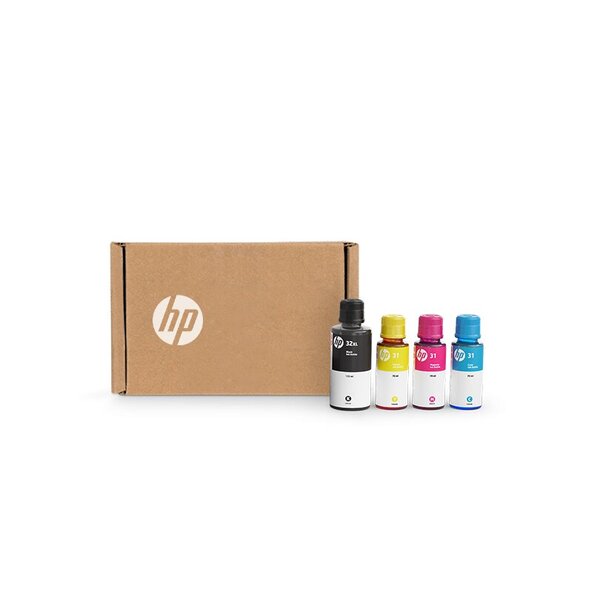
With HP All-In Plan, ink is already part of the printer subscription. Similar to HP Instant Ink, the printer tracks low ink levels and sends fresh supplies when needed, so the user does not have to place a separate ink order. In other words, ink is handled as part of the monthly plan rather than as a separate shopping task. The HP All-In Plan delivers automatic ink refills for both inkjet and tank printers, while HP Instant Ink just supplies inkjet printers with cartridges.
Buying a Printer
Buying a printer puts the ink side fully in the owner’s hands. You buy the printer first, then keep track of when ink runs low, figure out the right refill, and order more yourself. That gives you full control, though it also means more upkeep on the supply side.
HP Instant Ink
HP Instant Ink handles ink through a separate monthly subscription. Plans are based on how many pages you print, not how much ink a page uses, and the printer ships more ink when levels run low. So the service handles refills, though the printer itself is still outside the subscription.
Support and Replacement Coverage
Support matters a lot once a printer stops behaving. A printer can still go offline, jam, have a technical issue, or quit at the worst time, so it helps to know how much backup each option actually gives you. The HP All-In Plan puts the most weight on that side of the experience, while the other two paths leave more of the printer side in the owner’s hands.
That difference can shape day-to-day use more than people expect. Someone who prints often may care a lot about having help on hand and knowing what to do if the printer fails. Someone who prefers full ownership may be fine handling more of that on their own.
HP All-In Plan
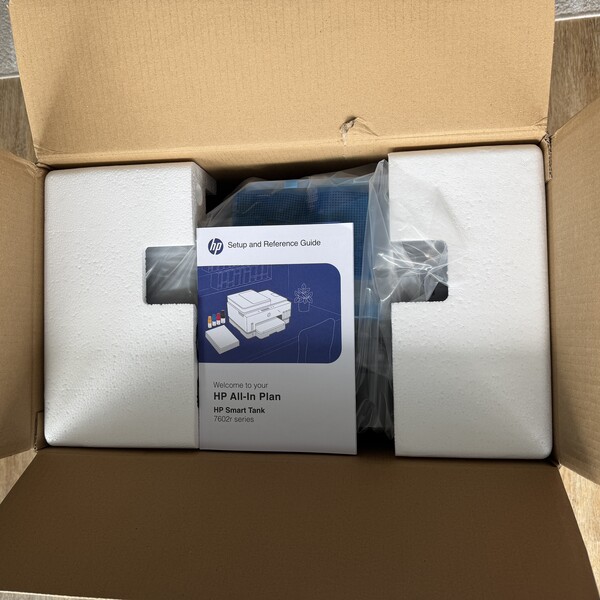
HP All-In Plan includes 24/7 live support by phone or chat, and HP will send a next-business-day replacement if the printer cannot be repaired remotely. HP also frames the plan as providing ongoing coverage as long as the subscription remains active, which gives this option the strongest built-in backup of the three.
Buying a Printer
Buying a printer gives you the hardware, though support and coverage follow the normal ownership route. That usually means relying on the standard warranty and whatever support applies to that model, then handling repairs or replacement yourself once those paths run out or fall short. HP support pages reflect that more traditional setup, where warranty status depends on the product and its service terms rather than a printer subscription.
HP Instant Ink
HP Instant Ink supports the ink subscription, including help with shipments, billing, account issues, and printer connection status tied to the service. Still, it does not turn the printer into a covered subscription device in the way HP All-In Plan does. The printer remains a separate piece of the setup, so HP Instant Ink helps more with the ink service side than with full printer support and replacement.
Flexibility and Cancellation
A setup that works during a busy month may feel like too much later on, so it helps to know how easy it is to adjust the plan, pause, or walk away without a headache.
HP All-In Plan
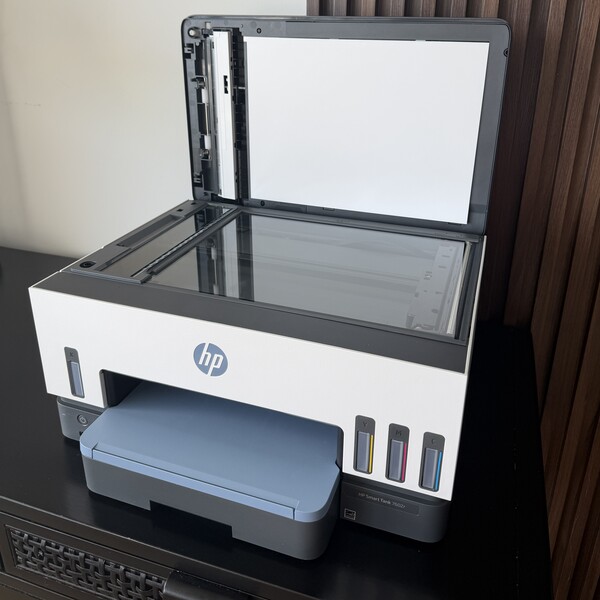
HP All-In Plan lets users change page plans based on their monthly needs, and any unused pages roll over each month. It also comes with a risk free 30 day trial. After that, users can still cancel, though an early cancellation fee may apply during the 2 to 3 year term, depending on the printer.
Buying a Printer
Buying a printer is the simplest option in terms of flexibility, since there is no subscription to manage. Once the printer is paid for, there is nothing to cancel and no monthly plan to adjust. The tradeoff is that flexibility mostly comes from the owner handling supplies, upgrades, and replacement choices on their own timeline rather than through a built-in service plan.
HP Instant Ink
HP Instant Ink is the easier of the two subscriptions to exit. HP says users can change or cancel the plan anytime online. Plan upgrades can take effect right away, while downgrades and cancellations take effect after the last day of the current billing period. Confirm the monthly unused page roll-over policy.
Best Fit by User Type
The right option depends less on the printer category and more on the kind of printing someone does each week. A home that prints school forms and return labels has different needs from someone who only prints once in a while, and both are different from a person who wants the printer, supplies, and support under one setup. Looking at the user first makes the rest of the decision much easier.
HP All-In Plan
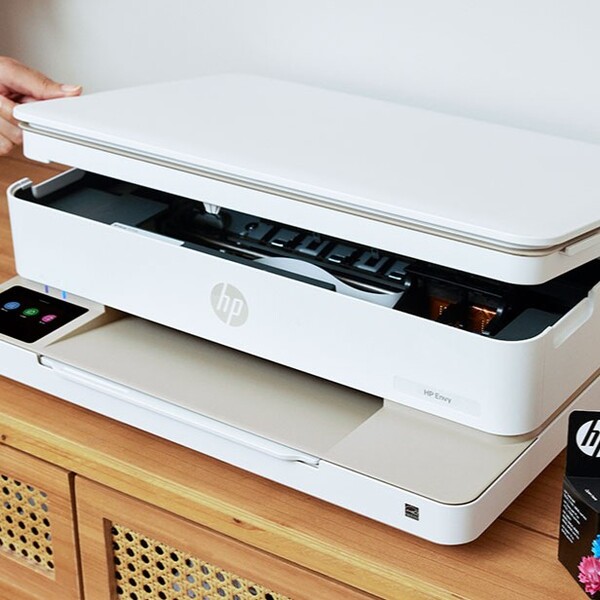
HP All-In Plan fits people who want the widest bundle, especially work-from-home professionals, lifelong learners, and doers who print often enough to want less upkeep. HP says the subscription includes a new printer, automatic ink delivery, ongoing coverage, and 24/7 live support, so it may suit people who need the printer ready for contracts, lesson materials, forms, labels, schedules, and other steady home printing tasks. The HP All-In Plan Smart Tank option is the clearest example of that, since HP positions it for frequent, high-quality, cost-efficient printing at home or in the office.
Buying a Printer
Buying a printer suits people who want the device to be fully theirs from the start. That path usually works best for shoppers who do not mind paying more upfront, choosing their own model, and handling supplies and printer issues on their own terms. It can also make sense for lighter users who do not want a monthly plan attached to their printer.
A traditional buying model can also work for people who want complete control over when to replace the printer and how to buy ink. There is no subscription to manage, no return process, and no page plan sitting in the background. For someone who prints only now and then, that may feel simpler than paying every month for something they use so little.
HP Instant Ink
HP Instant Ink fits people who already own, or plan to buy, a compatible HP printer and mainly want the ink side handled for them. HP Instant Ink works with nearly all HP inkjet printers from the last five years that have Wi Fi, and the plans are based on pages printed rather than how much ink a page uses. That setup can suit homes that are less concerned about service, but want easier refills on a printer they already own.
It can be a good middle ground for people who like ownership but still want some of the convenience of automatic shipments. HP even labels some Instant Ink tiers as recommended for homes and others as recommended for small businesses, which shows how the service can stretch from light home use to steadier monthly printing. Still, the fit is strongest for users who mainly want help with ink, not printer coverage, replacement, or upgrades.
What Are the Downsides of Printer Subscriptions?
Printer subscriptions can make printing easier to manage, though they also require a different kind of trade-off. Using the HP All-In Plan as the clearest example here, the main drawbacks have less to do with print quality and more with commitment, ownership, and how closely your monthly plan matches your printing needs.
• You do not own the printer in the usual way
With HP All-In Plan, the printer is part of the subscription. That means the value comes from using it through the plan, not from buying it outright and keeping it as your own device.
• Canceling after the 30 day trial has a fee
Canceling the HP All-In Plan ends your ability to print, and the printer plus supplies need to be returned. Each printer has a different cancellation fee schedule depending on the printer model and when you cancel.
• A longer term can feel like a bigger commitment
HP All-In Plan printers come with a term of 2 to 3 years. For someone who prints a lot, that may feel manageable. For someone whose needs might change, that same term can feel restrictive.
• Your monthly page plan still matters
HP ties plans to monthly page counts, so the setup works best when your printing habits line up reasonably well with the plan you choose. That said, you can shift your plan and count on unused pages rolling over.
• The plan can make less sense for lighter users
Someone who prints often may get more from bundled ink, support, and coverage. Someone who prints only once in a while may not get the same value from paying every month for a broader setup.
• Flexibility comes with rules
The HP All-In Plan allows plan changes and a 30 day risk free trial, though the bigger flexibility tradeoff shows up after that window. Once the trial ends, the term, return process, and cancellation fees become part of the decision.
• Some buyers will still prefer full ownership
A lot of the appeal of buying a printer outright is the control it offers. Some people simply want to pay once, own the hardware, and decide for themselves when to replace it, repair it, or stop using it. A printer subscription does not really suit that mindset.
A printer subscription can lower the upfront cost and take more printer chores off your plate, though the tradeoff is less ownership, more plan structure, and a stronger need to make sure the setup fits how you print in real life.
Are Printer Subscriptions Worth It?
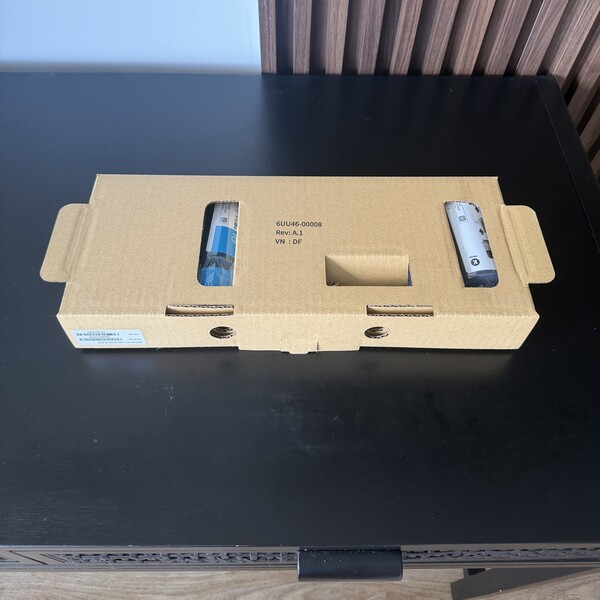
They can be, especially for people who print often enough to care about relying on their printer to work without having to actively buy ink and maintain it. A printer subscription can lower the upfront barrier, bundle support with supplies, and make costs more predictable month to month. HP All-In Plan is the clearest example here because HP includes a new printer, ink delivery, coverage, and free upgrades every 2 or 3 years, depending on the plan.
That said, the answer changes with the person. Work from home professionals who print contracts, invoices, and meeting materials, lifelong learners who print study guides or course packets, and doers handling labels, forms, calendars, and household paperwork may get more from that setup than someone who prints once in a while. People who want full ownership and no return process may still prefer buying a printer. People who mainly want automatic ink for a printer they already own may find HP Instant Ink more suitable because it handles refills without requiring the printer to be in a subscription.
Is HP All-In Plan Worth It?
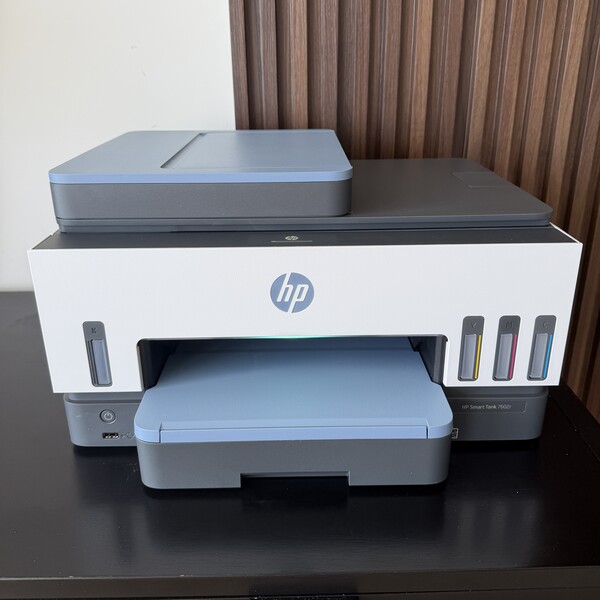
The HP All-In Plan makes the most sense when someone wants more than ink delivery. The plan includes a new printer, automatic ink delivery, optional paper service, continuous printer coverage, shipping, a 30-day risk-free trial, and upgrades every 2 or 3 years. For a user who wants a single monthly plan to cover the printer, supplies, and support, that is a real difference from buying a printer outright and from using HP Instant Ink.
The bigger question is fit. The HP All-In Plan may be a good fit for busy homes and home office users who want a lower upfront cost and less printer maintenance on their end. It may land less well for people who want to own the device, print only now and then, or do not like being tied to a term with return requirements and possible cancellation fees.
Which HP Printing Option Makes the Most Sense for You?
The HP All-In Plan fits people who want the widest bundle. It wraps the printer, ink, support, and coverage into one printer subscription, with the added bonus of printer upgrades when the 2 to 3 year term ends. That route makes the most sense for users who print regularly and want fewer printer chores to manage on their own.
Buying a printer makes more sense for people who want full ownership and do not mind handling ink, support, and replacement separately. HP Instant Ink makes more sense for people who still want to own the printer but want ink to automatically replenish when levels run low. So the choice comes down to what matters more to you. Full ownership, automatic refills, or a wider monthly plan that covers the printer itself, too.
What Is the Easiest Way to Get Printer Ink Automatically Delivered?
HP Instant Ink is the most direct answer if automatic ink delivery is the main goal. HP built it specifically as an ink subscription, and the company says the printer tracks ink levels and ships more when you need it. Plans are based on the number of pages printed, and HP says users can change or cancel at any time.
HP All-In Plan also automatically sends ink, though it does so as part of a broader printer subscription rather than a standalone ink service. So if the goal is just to have ink show up before you run out, HP Instant Ink is the simpler choice. If the goal is ink plus the printer, support, coverage, and upgrade path under one monthly plan, the HP All-In Plan does more than ink alone.
Next, check out other reviews that you might also like:




Ask the community or leave a comment
WRITE A REVIEWCustomer Reviews
Leave a review