
I work from home, and my office sits a few steps from the kitchen. So I see every crumb, hair, and footprint that lands on our wood floors, usually right when I’m trying to focus.
For years, my answer was a stick vacuum and a spray mop. I never trusted a robot to do the job properly. The cheap ones I’d seen at friends’ places bounced off chair legs and got stuck on rugs, and I figured I’d end up cleaning up after the cleaner.
My partner finally talked me into trying one. Our condo is about 1,000 square feet, with wood floors throughout, tile in the bathroom, a low-pile rug in the living room, and a shaggy one in the bedroom. I set up the Roborock Qrevo 2 Pro and handed it the whole place. Here’s how it went.
Table of Contents
Unboxing
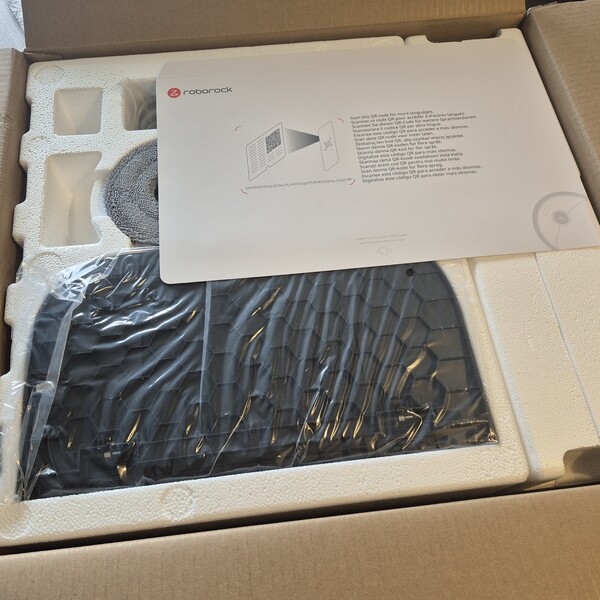
I opened the box on a Sunday afternoon, just after 4 p.m. My tip is to pick the dock’s spot first, against a wall near an outlet, and unpack right there.
Everything sat in fitted foam, with the ramp and mop pads on top and the dock wrapped underneath.
Inside, you get the robot, the charging dock, a ramp that clips onto the front of the dock, two mop heads, the power cord, and a quick setup guide.
Design and Setup
With anything that lives out in the open, I care about two things. It has to look decent in the room, and the setup can’t turn into a project. The Qrevo 2 Pro handled both.
Dock and Robot Design
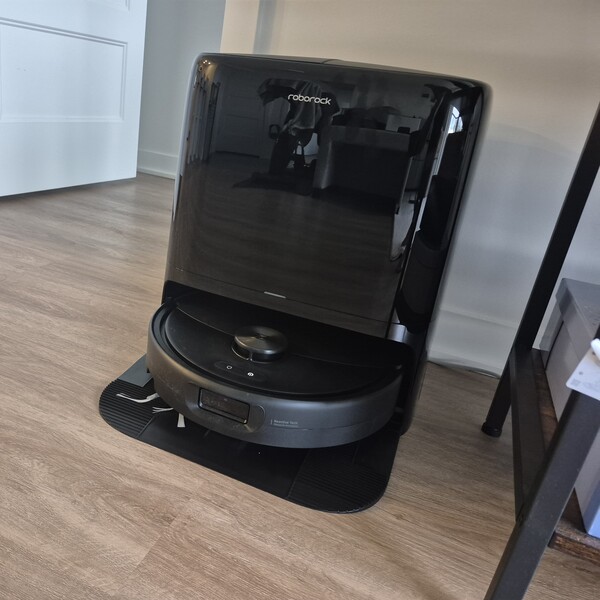
Ours is the black version; the other option is white. The dock is tall and glossy, with the Roborock logo up top and a thin white status light across the front, and it looks sharp against the wall.
The fun part is watching it work. When the robot heads out to vacuum, it leaves its mop pads parked inside the dock base, so you can see the handover happen. Ridged strips on each side of the ramp give the wheels grip on the way up.
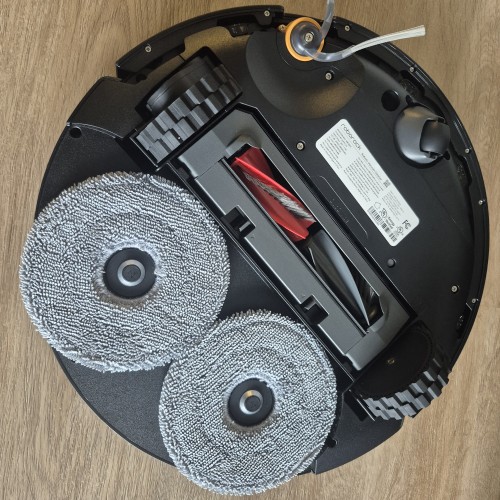
Next to the dock, the robot is matte black, with the LiDAR turret on top and two buttons, one for power and one to send it home. Roborock’s Reactive Tech obstacle sensor is located at the front bumper. Flip it over, and you’ll find the red DuoDivide main brush, a side brush near the front edge, and the two round mop pads. Roborock built both brushes to resist hair wrap, which anyone who’s cut hair off a vacuum roller with scissors will appreciate.
Box to Paired in Under 30 Minutes
I’d braced myself for a long evening of setup. It wasn’t one. I put the dock against the wall, plugged it in, and filled the clean water tank. Then I attached the ramp, clicked the mop heads onto the robot, and turned it on.
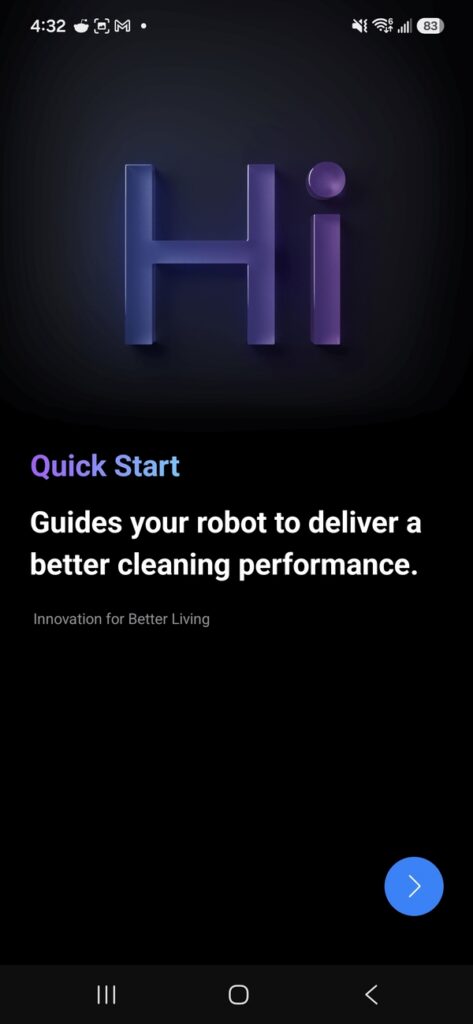
A QR code on the quick setup guide takes you to the app. To pair the robot, you lift off its top cover and scan the QR code underneath. For Wi-Fi, I held the power and dock buttons together for 3 seconds until it said “resetting Wi-Fi,” and the app took it from there. By 4:33, the robot was paired. A short, Quick Start follows, with a reminder to clear cables and small items off the floor before the first run.
App and Features
The app is where I started coming around. It holds a 4.6 rating on Google Play from more than 381,000 reviews, and after a couple of days with it, I understand why.
Full Home Map in About 20 Minutes
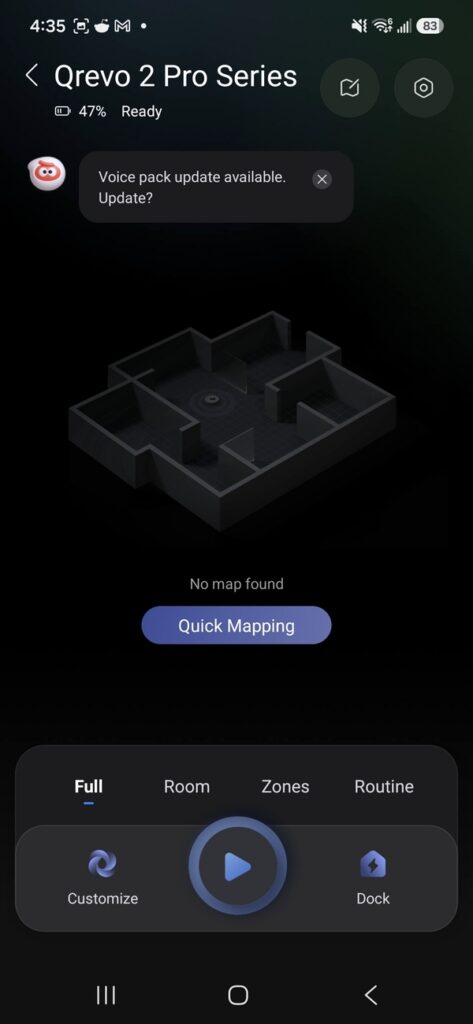
First up is the map, and I expected it to take forever. I cleared the floor, opened every door, and tapped Quick Mapping at 4:35. The robot drove itself to every room, scanning walls, furniture, and anything on the floor. By 4:54, the map was done, and the app had already split it into rooms and labeled them.
Rooms, Modes, and Routines
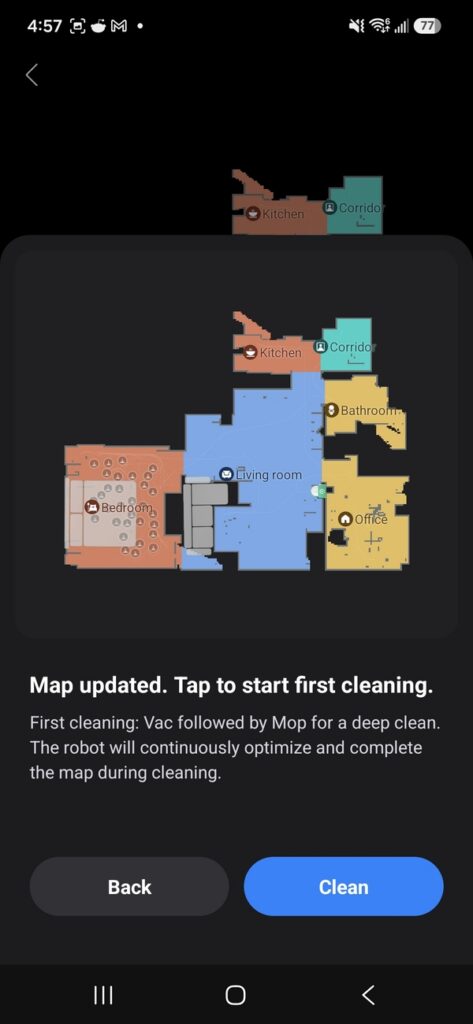
From there, I fine-tuned the rooms. The app now shows our kitchen, corridor, bathroom, living room, office, and bedroom as separate areas. I can tell the robot to skip a room or send it to clean just one.
A single tap on the play button starts a clean. Before you press it, you choose the job. Vacuum, then mop, vacuum only, or mop only. You can also set the suction power and how much water the mops use.
Along the bottom of the app, you’ll find four modes: Full, Room, Zones, and Routine. Routines are the part I use most. Mine includes one called After Meals, which sends the robot to the kitchen after lunch without me leaving my desk. I also have a full clean for weekends and an intensive sweep for when the floors need extra attention. You can pause any cleaning or send the robot home whenever you want.
Do Not Disturb, Multi-Level Maps, and Other Settings
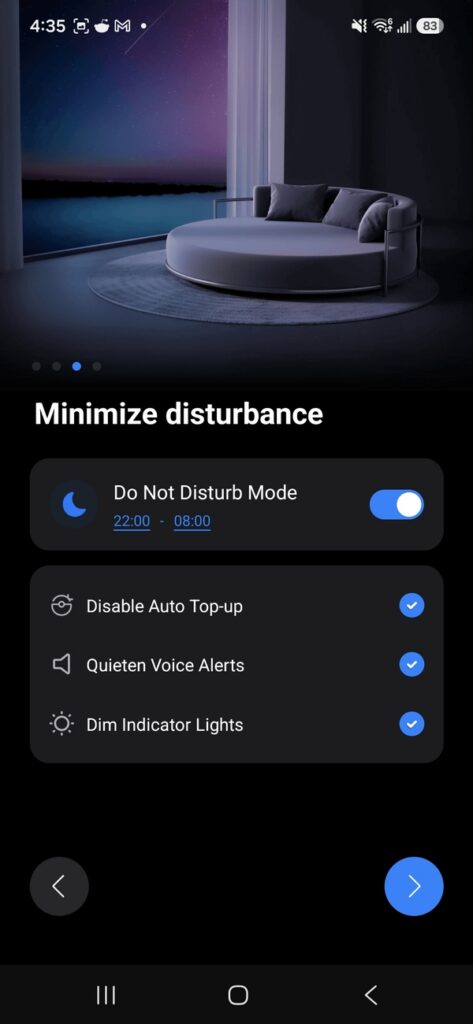
A few other settings are worth knowing. The robot can drop its mop heads at the dock and vacuum first, so the rugs stay dry and no wet pads drag across the floor. Homes with more than one floor can save up to 4 maps. Do Not Disturb turns down alerts and top-ups and dims the lights for quiet hours. The app also sends small maintenance tips, like a reminder to wipe the sensors.
Vacuum Performance
Suction was the part I was most skeptical about. My stick vacuum is loud and a bit of a workout, but I know exactly what it picks up. Robots sit so low and look so compact that I couldn’t picture one matching it, and the ones I’d seen at friends’ places mostly pushed crumbs toward the edges. On wood floors, anything left behind shows up the moment the afternoon light hits.
20,000 Pa on Wood Floors and Rugs
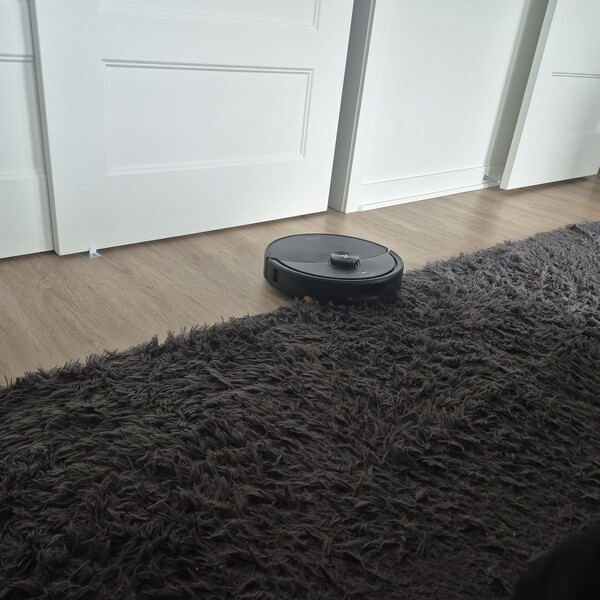
My first run was a full clean and vacuum, then a mop. The robot left its mop pads in the dock, rolled out, and started along the edges of the room. Once the perimeter was done, it worked through the middle in straight back-and-forth lines, more methodical than I ever am with a stick vacuum.
Roborock rates the suction at 20,000 Pa, and on our wood floors, it showed. It picked up the hair and crumbs I’d normally chase around by hand. In the kitchen, it tracked along the cabinets and in front of the fridge. The cream low-pile rug in the living room was no trouble at all, and the robot climbed right on and cleaned it like the floor around it.
It gave the dark grey shag rug in the bedroom a thorough going-over, covering the whole thing before moving on. That’s more attention than I usually give that rug.
Automatic Recharge and Resume
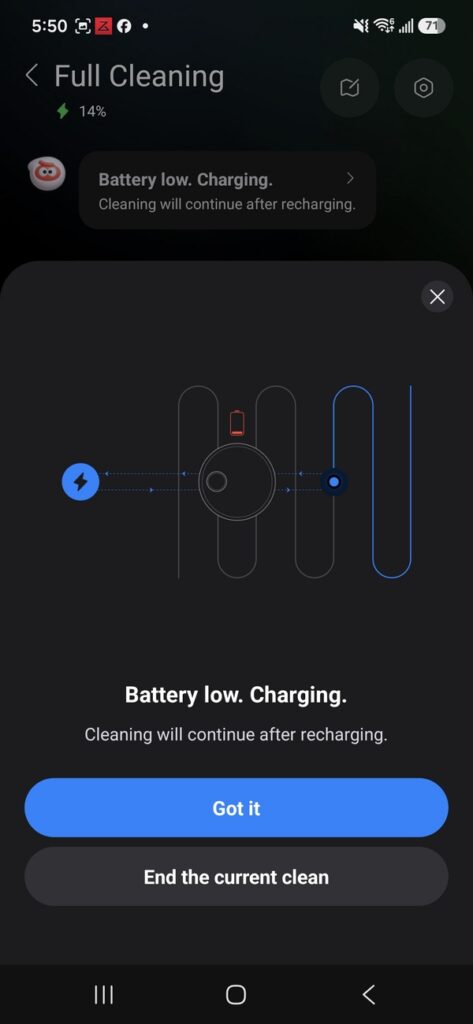
Midway through the first clean, the robot headed back to the dock to recharge on its own, and the app let me know it would carry on once topped up. It picked up right where it left off. I didn’t have to restart anything.
Self-Emptying Dock
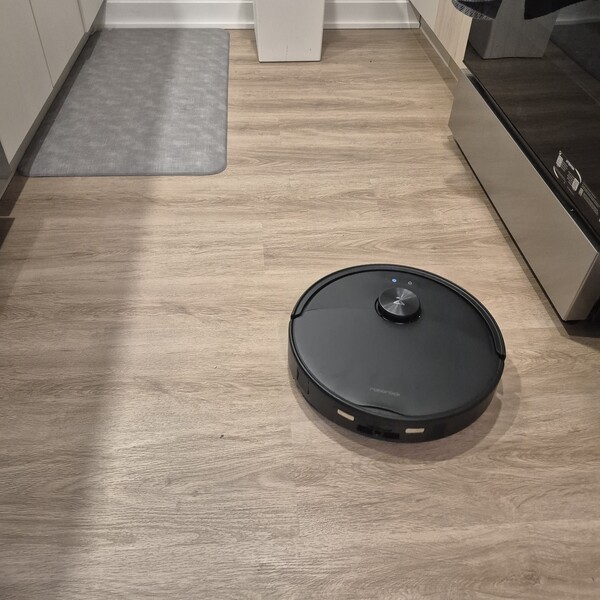
When vacuuming was wrapped up, it came home, and the dock emptied its dustbin automatically. Roborock says the sealed bag can go up to 65 days before it needs emptying.
Mop Performance
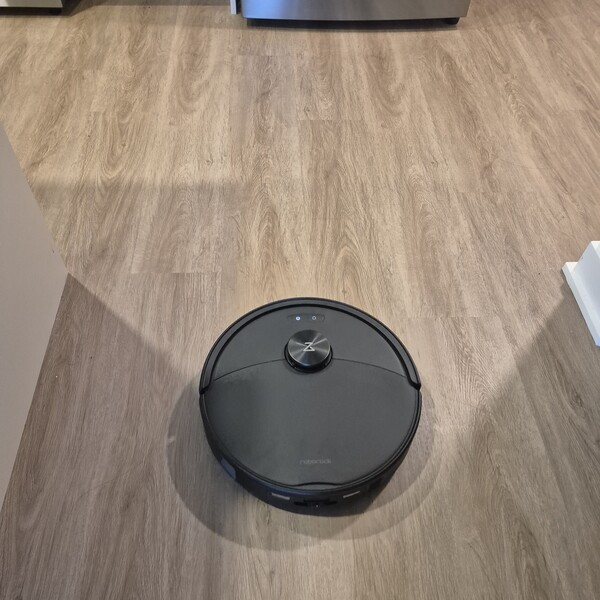
With vacuuming done, the robot clipped its mop heads back on by itself. The dock washed them first, then the robot went back out to mop.
It followed the same pattern as the vacuum run: edges first, and then the middle. Results were very good. The wood floors came up clean, and it handled the bathroom tile in the same run.
Roborock’s dual mop pads spin at up to 200 RPM. Between runs, the dock washes them with water up to 149°F and dries them with warm air, so they don’t sit damp in the base. For someone who used to wring out a mop in the sink, that alone was worth the switch.
Navigation and Obstacle Performance
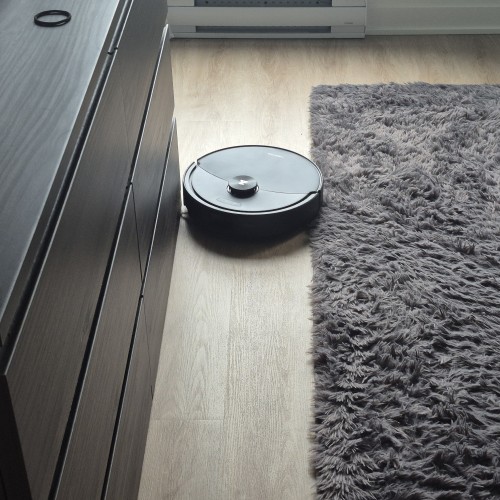
Remember those robots bouncing off chair legs? Not the Qrevo 2 Pro. LiDAR handles mapping, and the Reactive Tech sensor up front detects obstacles as it goes.
It steered around tables, chairs, and the rest of our furniture and worked around the round bases of our kitchen barstools. At just 3.8 inches tall, it also slid under our tables, chairs, bookshelf, and bed, so those spots got cleaned without me moving a thing. A soft front bumper protects the furniture along the way.
Is The Qrevo 2 Pro Worth It?
I went in expecting to babysit a robot. Instead, the Qrevo 2 Pro vacuum, mop, and washes its own pads and empties its own bin, and my stick vacuum has barely left the closet since.
Current pricing: In the US, the Qrevo 2 Pro is $549.99 from September 28 through October 5, dropping to $484.99 during Amazon Prime on October 6–7. In Canada, it’s $999.99 from September 28 through October 4, with a Prime price of $699.99 from October 5–11.
For a robot that handles the whole floor routine on its own, the current promotional pricing makes it worth checking if you’re looking to cut down on everyday vacuuming and mopping.
My favorite part is still the timing. We start a clean when we head out for errands and come home to floors that are already done. My partner has been kind enough not to say “I told you so.” Mostly.
Next, check out other reviews that you might also like:



Ask the community or leave a comment
WRITE A REVIEWCustomer Reviews
Leave a review